
For most indoor gaming and everyday use, a well-configured Wi-Fi connection gives lower and steadier ping than cellular. The last Wi-Fi hop is short and local, while a cellular path adds radio scheduling, tower distance, and operator routing. Modern 5G in a strong-signal spot can match or even beat a crowded Wi-Fi network, so your own testing settles it.
TL;DR:
- Measured 5G user plane latency usually falls between 5.5 and 35 ms; the 1 ms figure describes an ideal radio link, not game server ping.
- Campus measurements put wireless median last hop latency near 3 ms and the 90th percentile near 20 ms, while the 99th sometimes exceeds 250 ms.
- Repeat tests against the same nearby server at different times and under load, recording median, 90th and 99th percentile latency, jitter, and packet loss.
- For gaming, prioritize stable ping, then jitter and packet loss; use cellular when strong 5G tests better than a congested home wireless network.
Table of Contents
- 1. What latency should you expect from Wi-Fi, 4G, and 5G?
- 2. Why does cellular and Wi-Fi latency differ?
- 3. How do 5G and Wi-Fi 6 or 7 compare in real deployments?
- 4. What do ping, jitter, and packet loss mean for games and calls?
- 5. How do you measure Wi-Fi and cellular latency reliably?
- 6. How can you reduce latency on Wi-Fi and cellular?
- 7. When should you choose Wi-Fi, cellular, or wired?
- 8. What surprises show up when you test both?
- 9. Which GrandSpeed tools help you run these tests?
- FAQ
- Sources
1. What latency should you expect from Wi-Fi, 4G, and 5G?
Start with Wi-Fi, because it has the best-documented numbers. A large-scale study of operational campus networks found a median Wi-Fi last-hop latency of about 3 ms, with the 90th percentile near 20 ms. The 99th percentile is where things get ugly: it sometimes exceeded 250 ms. That long tail explains why a connection can feel fine for minutes and then stutter at the worst moment.
Wi-Fi last-hop latency in large operational networks: median about 3 ms, 90th percentile near 20 ms, 99th percentile sometimes above 250 ms. A low median does not protect you from occasional big spikes. (source)
Cellular sits higher on the scale. ITU material on the 5G transition puts 4G latency at around 25–50 ms. The same material notes that 5G standards aim for over-the-air latency of about 1 ms for mission-critical uses, yet empirical user-plane measurements usually land between about 5.5 ms and 35 ms.
That gap between target and measurement matters. The 1 ms figure describes the radio link under ideal conditions. What you feel as ping includes the radio hop, the operator's backhaul and core network, and the route to the game server. Marketing quotes the first number, but your game experiences all of them together.

A crowd-sourced analysis of Speedtest data in metro areas, comparing cellular and Wi-Fi connections, found that Wi-Fi generally delivers higher throughput and often lower absolute latency. It also found cellular can be more consistent in some regions. Results shifted by city, time of day, and access type, which is why a single reading tells you very little.
2. Why does cellular and Wi-Fi latency differ?
Both technologies add delay, but for different reasons. Knowing which one applies to you tells you where to look when a test comes back slow.
Cellular factors:
- RRC state transitions: Phones move between idle and active radio states to save power. Research on fine-grained RRC state dynamics found these transitions and carrier-specific timers can cause large latency spikes, sometimes adding seconds of delay. The first ping after a quiet period can look terrible for this reason alone.
- Handovers and distance: Third-party measurements of mobile performance in the 5G era link the higher variability of mobile latency to signal interference, cell tower handovers, and distance from the cell site.
- Backhaul and routing: Your traffic travels from the tower through the operator's network before it reaches the internet. A congested or indirect route adds milliseconds no phone setting can remove.
Wi-Fi factors:
- Channel utilization and client count: The same large-scale study found that channel utilization, the number of online devices, and signal-to-noise ratio are key predictors of Wi-Fi latency, as the ITU 5G report also summarizes.
- Band and interference: The 2.4 GHz band is crowded by neighbors, Bluetooth devices, and microwaves. The 5 GHz band has more room and usually less interference.
- Access point density: One router covering a whole house forces distant devices onto weak links, which means retransmissions and delay.
Bufferbloat can sit on top of either one. When your link is busy, packets queue in a buffer before they leave. A small radio delay then becomes a long wait, because every packet stands in line behind a big upload or download. This is why a connection with a great idle ping can still lag when someone starts a video call.
Pro Tip: If your ping looks fine at idle but jumps when anyone else uses the connection, suspect queuing at the last hop before blaming the radio.
3. How do 5G and Wi-Fi 6 or 7 compare in real deployments?
On paper, both technologies promise very low latency. In practice, both depend heavily on conditions.
On the Wi-Fi side, ITU workshop material notes that Wi-Fi 6 can support sub-millisecond performance in fully controlled, low-load environments. Real homes are not controlled. In controlled industrial simulations, Wi-Fi 6 reached under 1 ms at very low loads, but performance degraded as load increased, while properly deployed licensed 5G NR generally held up better in ultra-reliable scenarios. Wi-Fi 7 and later standards target further gains through multi-link operation and wider channels, yet a review of wireless broadband technologies stresses that real-world gains depend on spectrum, cell size, and interference.
Indoor head-to-head: An empirical indoor study of Wi-Fi 6 and 5G NR found Wi-Fi 6 can beat 5G on throughput and latency in short-range indoor settings when coverage and interference are favorable.
Here is how that plays out in common situations:
- Apartment or house with a modern router: Wi-Fi usually wins on latency, especially on 5 GHz close to the access point.
- Crowded building with many overlapping networks: Wi-Fi tails get longer, and a strong 5G signal may feel steadier.
- Dense urban area with well-engineered 5G and good backhaul: Cellular can come close to Wi-Fi, and licensed spectrum avoids neighbor interference.
- Weak indoor cellular signal: Wi-Fi wins by a wide margin, since poor radio conditions inflate cellular delay.
The takeaway: neither standard guarantees low ping. Environment, load, and network engineering decide who wins on your street.
4. What do ping, jitter, and packet loss mean for games and calls?
Ping is the round-trip time for a small packet to reach a server and return. Jitter is how much that time varies from one packet to the next. Packet loss is the share of packets that never arrive. A game needs all three to behave.
Commonly used ping thresholds for reaction-based games look like this:
- Under 20 ms: Excellent. Fast shooters feel instant, and you will rarely blame the network for a lost duel.
- 20–50 ms: Good. Most players cannot tell the difference from the tier above in everyday play.
- Higher ping: Acceptable. Casual and slower games work fine, but precise aiming starts to feel a half-step behind.
- Very high ping: Problematic. Hit registration suffers, and opponents seem to appear and vanish.
Jitter deserves equal attention. A connection averaging 30 ms that swings between 10 and 90 ms feels worse than a steady 50 ms. Packets arrive out of rhythm, and the game has to guess or rubber-band. This is exactly the problem the long Wi-Fi tail creates, and it is the main reason to look at percentiles instead of a single average.
Which metric to prioritize depends on what you do:
- Fast-reaction gaming: Low and stable ping first, then jitter, then packet loss.
- Video calls: Jitter and packet loss matter most, since a steady connection is usually fine for conversation.
- Streaming video: Throughput matters most, because buffering hides small latency swings.
For more on why one reading misses the picture, see our explainer on ping versus latency.
Pro Tip: Judge a connection by its worst moments, not its average. If the 99th percentile spikes well above the median, you will feel it in matches.
5. How do you measure Wi-Fi and cellular latency reliably?
A single ping tells you almost nothing. Speed test data can also mislead: an FCC working paper on mobile speeds points out that crowd-sourced results can be biased by user self-selection and by carriers optimizing for speed test domains. A single run may not reflect the path your game takes, so repeat your tests and vary the conditions.
Use this plan:
- Pick a stable test target. Use the same server every time, ideally one close to the game servers you use, so changes in results come from your connection and not from the destination.
- Run repeated pings. Collect repeated samples per session instead of relying on a single reading.
- Record the percentiles. Note the median, 90th, and 99th percentile, plus jitter and packet loss.
- Test at different times. Run sessions in the morning, afternoon, and evening peak, since congestion changes both Wi-Fi and cellular results.
- Repeat under load. Start a large upload or download and ping again. This reveals bufferbloat that an idle test hides. Our guide to the best ping test and RPM under load covers this in depth.
- Compare against a wired baseline. If you can plug a laptop into the router, that result shows what the internet path alone contributes, so you can separate it from the wireless hop.
Control the environment so your results stay comparable:
- Disable device power-saving modes, which can trigger the radio state delays described earlier.
- Test cellular near a window or outdoors, and note the signal bars each time.
- Keep the same device, same spot, and same router position between runs.
- Close background downloads, cloud backups, and streaming on other devices.
- Save every result so you can compare sessions over time.
For cellular home setups, our walkthrough on measuring 5G home internet for gaming applies the same method, and the evening test routine for 5G home internet shows how to schedule samples.
6. How can you reduce latency on Wi-Fi and cellular?
Start with the fixes that cost nothing, then move to hardware.
Wi-Fi fixes:
- Move devices to 5 GHz, or pick a less congested channel and set it manually instead of leaving it on auto.
- Give each band its own network name so your console or PC does not drift back to 2.4 GHz.
- Add an access point or a mesh node if the signal is weak where you play. Dense access point deployment is one of the mitigations the campus Wi-Fi research highlights.
- Update router firmware and enable traffic prioritization (QoS) or a bufferbloat-aware queue setting if your router offers one.
- Turn on MU-MIMO where supported, and disable aggressive power-save modes on your gaming device.
Cellular fixes:
- Test from a window or the strongest-signal spot in the room before settling on a position.
- Prefer 5G NR when it is available and strong, rather than letting the phone hold onto a weak LTE link.
- Pause background app updates and cloud syncs while you play.
- Keep a wired fallback for sessions where low latency is critical.
For a full routine aimed at getting under 20 ms, our guide on hitting under 20 ms ping for gaming walks through fixes and how to save your results.
Pro Tip: Change one thing at a time and rerun the same test. If you change the channel, the band, and the router position together, you will not know which one helped.
7. When should you choose Wi-Fi, cellular, or wired?
Use this decision rule:
- Choose wired Ethernet whenever you can. It avoids wireless radio contention and handovers, though your results still depend on the rest of the network path.
- Choose Wi-Fi indoors when you have a modern, lightly loaded access point and a strong 5 GHz signal.
- Choose cellular when your Wi-Fi is unreliable or congested, or when you have a strong 5G signal with good measured results.
- Switch mid-session if your ping or jitter climbs and stays high: try the other network, and if the problem follows you, rerun tests to find the cause.
When results are close, trust your saved test history over assumptions about the technology.
8. What surprises show up when you test both?
We recommend comparing Wi-Fi and cellular results, including both average latency and consistency. Which one feels better depends on the game, so test at the hours you actually play and under real load. Save your results so you can compare sessions over time.
— Peter D
9. Which GrandSpeed tools help you run these tests?
We built our tools for exactly this kind of comparison. Run the same checks on Wi-Fi and cellular, then save the history and compare.
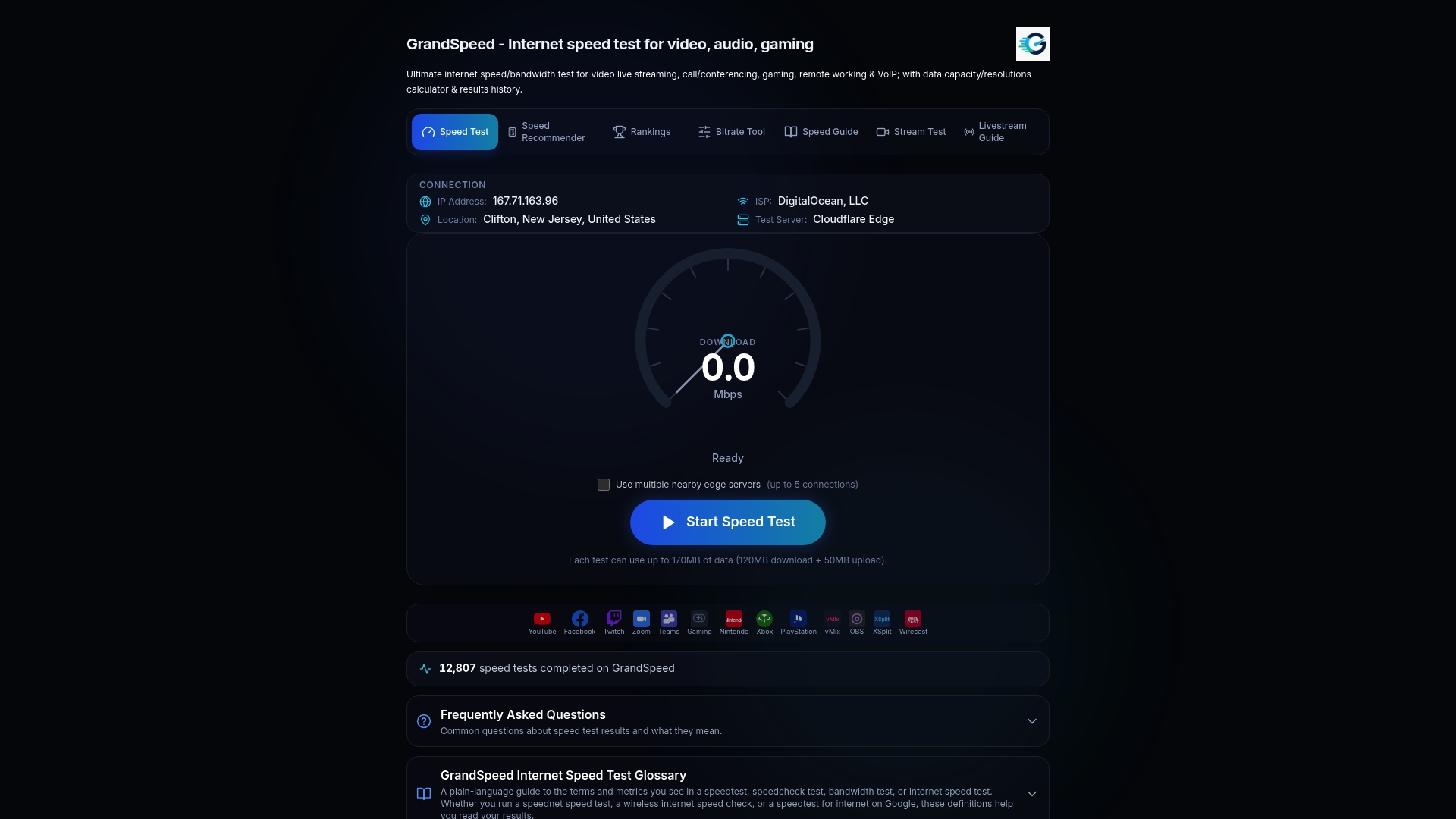
- Start with our Speed Test for baseline latency, jitter, and packet loss in any browser, on a phone, tablet, or laptop.
- Use the Video Streaming Quality Test to check stream-relevant metrics, including jitter and packet loss.
- Plan your output with our video bitrate planner.
- Watch upload stability during broadcasts with the Livestream Upload Speed Monitor.
Run a test now on each connection and keep both results side by side.
FAQ
Is cellular faster than Wi-Fi?
Usually not for latency indoors. Crowd-sourced metro-area data shows Wi-Fi generally offers higher throughput and often lower latency, though cellular can be more consistent in some regions. A strong 5G link can match a congested Wi-Fi network.
What is the typical latency of 5G networks?
Standards target about 1 ms over the air, but measured user-plane latency usually falls between about 5.5 ms and 35 ms, per ITU material. Your result also depends on backhaul and the route to the server.
Why is my Wi-Fi slower than cellular?
Congestion and interference are the usual causes. Channel utilization, the number of connected devices, and weak signal all raise Wi-Fi latency, and the tail can be long even when the median is low. Moving to 5 GHz or adding an access point often fixes it.
Is 2.4 GHz or 5 GHz better for latency?
5 GHz is usually better because it is less crowded than 2.4 GHz, which neighbors and household devices fill with interference. The tradeoff is shorter range, so stay close to the access point or add a mesh node.
Sources
- 5G transition
- Characterizing and Improving WiFi Latency in Large-Scale Operational Networks
- Cell vs. WiFi: on the performance of metro area mobile connections
- The Digital Divide in U.S. Mobile Technology and Speeds | Federal Communications Commission