

The best ping test is not a single number pulled from a quick idle check. It pairs a wired baseline ping with a latency-under-load responsiveness test, which is exactly what we built into our speed test at GrandSpeed. This two-step approach matters most for gaming, video calls, and live streaming, where a connection can look fine at rest and fall apart under real traffic.
TL;DR:
- For gaming, pair an idle ping with a responsiveness test; calls need jitter and packet loss checks, while casual browsing needs an idle ping.
- For competitive gaming, aim for ping below 20 to 30 milliseconds; conversation usually feels natural below 100 to 150 milliseconds.
- Packet loss above 1 to 2% can disrupt calls and streams; persistent wired loss usually points to the ISP once local devices are ruled out.
- If a wired ping rises from 30 milliseconds idle to 120 under load, try SQM or fq_codel before contacting your ISP.
Table of Contents
- Which ping and latency tests should you run?
- How do ping and latency tests actually measure delay?
- How to get accurate ping test results
- What your ping, jitter, and packet loss numbers actually mean
- How GrandSpeed measures ping and responsiveness
- Quick check or full diagnostic: how to decide
- GrandSpeed: the recommended latency-focused speed and responsiveness test
- FAQ
- Sources
Which ping and latency tests should you run?
Not every situation calls for the same test. A quick idle ping answers a narrow question: is the path to a server currently reachable and roughly how long does a round trip take when nothing else is happening on your connection. That is useful for a fast sanity check, but it tells you almost nothing about what happens once your connection is actually busy.
Jitter and packet loss tests matter more for anything interactive. Jitter measures how much your ping varies from one packet to the next, and even a modest average ping becomes a problem if it swings by 40 or 50 milliseconds every few seconds. Packet loss, meanwhile, causes stutters, dropped frames, and audio glitches regardless of how good your average latency looks.
The test that actually predicts real-world performance is a latency-under-load check, sometimes called a responsiveness test. The IETF Responsiveness Test draft defines this approach: it saturates your connection with parallel streams, then measures how quickly small probe packets still get through. The result is reported in round-trips per minute (RPM), and it reveals bufferbloat, a condition where oversized buffers in routers and modems queue up data and quietly inflate your ping the moment your connection gets busy.
Here is a simple way to match the test to the task:
- Competitive gaming: run an idle ping plus a responsiveness test, since game servers demand low, stable latency even while other devices on your network are active.
- Livestreaming or broadcasting: check upload-focused latency and jitter under load, since encoding and upload traffic can starve your connection the same way downloads do.
- Video calls: prioritize jitter and packet loss alongside ping, since voice and video degrade from instability even more than from raw delay.
- Casual browsing: a quick idle ping is usually enough, since most web pages tolerate higher latency without a noticeable effect.
How do ping and latency tests actually measure delay?
A ping test measures round-trip time (RTT): the time it takes for a packet to travel from your device to a server and back. That is different from one-way delay, which only a server and client synchronized to the same clock can measure directly. For almost every practical purpose, RTT divided in half is a reasonable stand-in for one-way delay, though asymmetric routes can make that estimate rough.
The protocol behind the test changes what you are actually measuring. ICMP, the classic "ping" protocol, is lightweight and fast but gets deprioritized by some routers and firewalls, which can understate or distort results. TCP-based tests reflect what a web browser or game client actually experiences, since they ride the same connection-oriented path as real traffic. UDP, used by many games and voice apps, skips the overhead of establishing a connection and tends to show the truest picture of gaming and calling latency, though it can be blocked on some restrictive networks.
Timestamp precision also matters more than most people realize. ITU-T Y.1567 recommends a timestamp resolution of at least 1 millisecond for round-trip measurements, along with sample rates of 10 to 20 packets per second and at least 100 test packet attempts, so that the resulting statistics are stable rather than a lucky or unlucky single reading.
Finally, server choice and routing shape your numbers as much as your own connection does:
- Distance adds delay: light itself takes time to travel, so a server across the country or across an ocean will always add baseline milliseconds no matter how good your line is.
- Peering quality varies: two servers at the same distance can produce different ping results depending on how well your ISP's network connects to the test server's network.
- Routing can be indirect: traffic sometimes takes a longer path than geography would suggest, which is why testing against more than one server location gives a fuller picture.
How to get accurate ping test results
Getting a number you can actually trust takes a few extra minutes, but it saves you from chasing problems that do not exist or missing ones that do.
- Test wired first. Connect your device directly to your router with an Ethernet cable before testing anything else. Wi-Fi adds radio contention and retransmissions that inflate latency and jitter, so a wired baseline isolates your actual internet connection from local wireless noise.
- Test Wi-Fi separately, in the real location, using a comprehensive Wi-Fi site survey to identify coverage and interference issues. If wireless performance is the actual concern, run the test from the room or device where the problem shows up, not from right next to the router, and note how many bars or what signal strength you see.
- Run several short idle pings, then a responsiveness test. A handful of quick samples smooths out one-off spikes, and a load-based test, which typically reaches working conditions within a short duration according to the IETF draft, shows what your connection does when it is actually busy.
- Record jitter, packet loss, and any bufferbloat indicator. These three numbers together tell you far more than ping alone, and a short test duration is fine as long as it reaches genuinely loaded conditions.
- Compare idle results against loaded results. A big gap between the two points to bufferbloat or an ISP-side bottleneck rather than a problem with your own device.
Pro Tip: Pause large downloads, cloud backups, and game updates on every device before you test. One background update can quietly load your connection and make a perfectly healthy line look congested.
If you want a deeper walkthrough on fixing what a loaded test reveals, our guide on fixing bufferbloat on home routers covers the router settings that typically solve it.
What your ping, jitter, and packet loss numbers actually mean
Raw numbers only matter in context. For competitive gaming, a ping under roughly 20 to 30 milliseconds is ideal, though many games remain playable well above that as long as jitter stays low. For video calls and other interactive real-time media, ITU-T P.940 supports keeping delay under roughly 100 to 150 milliseconds for conversation to feel natural. Casual browsing and most streaming tolerate higher numbers without a noticeable effect, since buffering absorbs much of the delay.
A ping-only number can hide a lot. Jitter and packet loss change the verdict even when your average latency looks fine: a connection averaging 25 milliseconds but spiking by 60 milliseconds every few packets will feel worse in a voice call than a steady 60 milliseconds with no jitter at all.
- A connection showing 30 milliseconds idle but jumping to 120 milliseconds under load is a classic bufferbloat signature, not a distance or routing problem.
- Packet loss above roughly 1 to 2% starts to cause audible or visible glitches in calls and streams, even when ping and jitter look acceptable.
- Consistent packet loss on a wired connection, after ruling out local devices, usually points toward the ISP's network rather than anything in your home.
Bufferbloat under load is common enough that testing against it is the whole point of a responsiveness check, since idle-only pings routinely miss it according to IETF analysis of latency-under-load testing.
If your results show that gap, enabling smart queue management (SQM) or fq_codel on a compatible router is the standard fix. If a wired test still looks poor after that, the next step is contacting your ISP, since the problem is likely upstream of your own equipment. Our guide to diagnosing high ping in games walks through that escalation path in more detail.
How GrandSpeed measures ping and responsiveness
Our latency testing is designed around standards used by network engineers to diagnose real problems, not just a single ping number.
| Test | What it measures | Why it matters |
|---|---|---|
| Idle latency | Baseline round-trip time with no competing traffic | Establishes your connection's floor |
| Jitter | Variation in ping between packets | Flags instability that hurts calls and games |
| Packet loss | Percentage of packets that never arrive | Causes stutters and dropped audio or video |
| Bufferbloat / responsiveness under load | Latency while the connection is saturated | Reveals real-world congestion idle tests miss |
| DNS resolution timing | Time to resolve domain names | Affects how quickly pages and services start loading |
| Stream-resolution estimator | Maximum supported live stream resolution | Translates raw speed into practical streaming capacity |
Our responsiveness measurement is informed by the methods in ITU-T Y.1567, which recommends specific sample sizes and durations for stable round-trip statistics, and by the trimmed-mean, parallel-connection approach described in the IETF Responsiveness Test draft. Because low-delay transit matters so much for voice and video, our approach also reflects the congestion-control priorities laid out in RFC 8836, which stresses rapid reaction to bandwidth changes and avoiding queue buildup.
The test history feature lets you track your connection over time, providing more insight than a single reading. A connection that looks fine today but drifts worse over a week points to a growing congestion problem or a failing piece of equipment, something no single test, however accurate, can show on its own.

Quick check or full diagnostic: how to decide
A single ping is enough when you are just curious, checking a server before a one-off call, or confirming your connection is up at all. Spot checks like this do not need jitter, loss, or load testing behind them.
A full diagnostic earns its time when problems are consistent: recurring dropped calls, competitive games that feel inconsistent even on a strong connection, or streams that stutter despite plenty of download speed on paper. In those cases, the fastest path to an answer follows a clear order: start with a wired baseline, run a latency-under-load test, isolate local devices and Wi-Fi next, and only escalate to your ISP once a wired test under controlled conditions still looks poor.
— Peter D
GrandSpeed: the recommended latency-focused speed and responsiveness test
We built our testing around the metrics that actually predict a smooth game, call, or stream: jitter, packet loss, bufferbloat, and responsiveness under load, alongside the raw download and upload numbers most tools stop at.
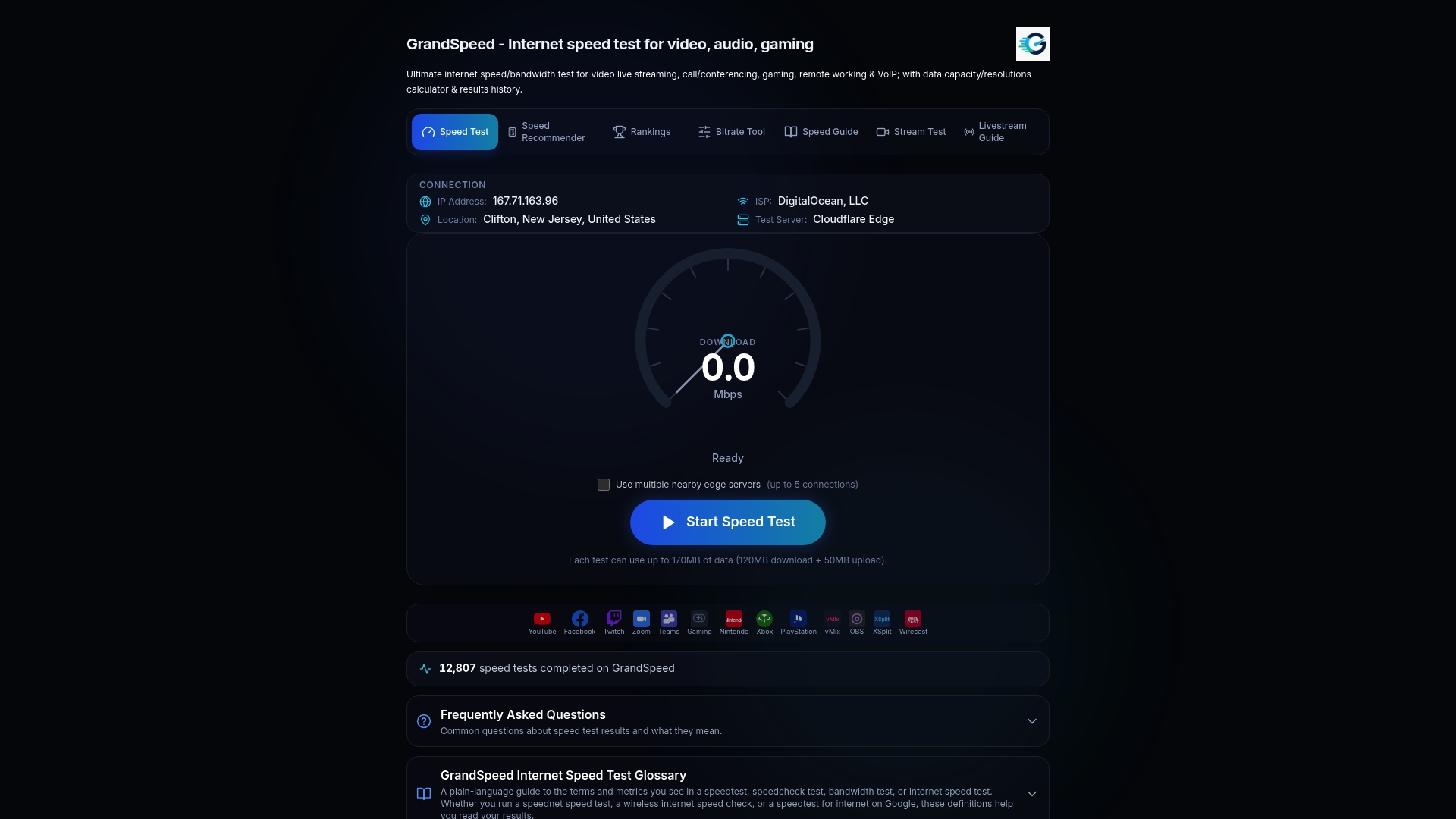
The test provides repeatable, under-load results rather than a single snapshot, and it records history to show trends over days or weeks. If you stream or broadcast, our Video Streaming Quality Test estimates the maximum resolution your current connection actually supports, so you can plan bitrate before you go live instead of guessing. Start with our speed test to see where your connection stands right now.
FAQ
What is the best app for testing internet speed?
The best option is one that measures latency under load, not just download and upload throughput, since idle-only tests miss bufferbloat and real-world congestion. Our speed test covers jitter, packet loss, bufferbloat, and responsiveness alongside standard speed metrics in a single browser-based check.
What is a good ping in milliseconds?
For competitive gaming, under roughly 20 to 30 milliseconds is ideal, while video calls generally stay comfortable under about 100 to 150 milliseconds according to ITU-T P.940. Casual browsing and most streaming tolerate higher numbers without a noticeable effect.
Is 1000 Mbps fast or slow for most uses?
A high-bandwidth connection offers far more bandwidth than most households need for streaming, gaming, or video calls, which depend far more on low, stable latency than on raw throughput. A connection with high bandwidth but poor latency under load can still feel sluggish during games or calls.
How can I test my broadband speed and latency accurately?
Connect a device directly to your router with Ethernet for a clean baseline, then run both an idle ping and a latency-under-load test to see how your connection behaves when it is busy. Comparing those two results is the fastest way to spot bufferbloat, which a quick idle-only test will miss.
Why does my ping look fine but calls or games still stutter?
A good average ping can hide high jitter or packet loss, both of which disrupt real-time audio and video even when round-trip time looks acceptable. Running a full check that includes jitter and loss, not ping alone, gives a far more reliable picture of call and game quality.
Sources
- Recommendation ITU-T Y.1567 (10/2023) - Latency under load metrics and methods of measurement
- draft-ietf-ippm-responsiveness-02