

T-Mobile Home Internet is the strongest overall pick for most households, thanks to its wide coverage and long price guarantees, while Verizon 5G Home Internet is the better runner-up for anyone chasing the highest advertised download tier. Both depend heavily on the signal at your specific address, so the smart move is to test before you commit rather than trust a coverage map alone.
TL;DR:
- Verizon's highest-speed plan can deliver up to 1,000 Mbps, but actual performance depends heavily on local signal strength and network congestion.
- T-Mobile offers more consistent speeds and longer price guarantees, making it preferable for households valuing stability and predictable costs over maximum peak performance.
- Coverage maps are estimates; testing your actual address with load scenarios provides a more reliable measure of real-world speed and latency before committing.
- Wired fiber or cable connections generally provide lower latency, higher upload speeds, and more stable performance than 5G fixed wireless options, especially for latency-sensitive activities.
- Trial periods and early termination credits are crucial for verifying ongoing speed and reliability, so users should prioritize testing under load during peak hours before finalizing service.
Table of Contents
- How the top 5G home internet plans compare
- Verizon 5G Home Internet: what to expect at a glance
- T-Mobile Home Internet: what to expect at a glance
- Other options: when 5G isn't the right call
- How to choose the right 5G home internet plan
- Real-world testing: what to measure and how
- Which pick fits your household
- Why measurement beats rankings for 5G home internet
- Validate your connection before you commit
- Primary sources used for this article
- Sources
- FAQ
How the top 5G home internet plans compare
Before picking a provider, it helps to see the tradeoffs side by side. The numbers below reflect advertised ranges and reported real-world performance rather than a guarantee for any single address.
| Dimension | Verizon 5G Home Internet | T-Mobile Home Internet |
|---|---|---|
| Monthly price / guarantees | Tiered pricing, higher tiers cost more | Long or indefinite price guarantee on many plans, per CableTV's review |
| Advertised download speed range | Up to 1,000 Mbps in higher tiers | Typically lower advertised ceiling, marketed on consistency |
| Typical real-world download speed | Higher potential, but location dependent | Often reported as consistent, mid-range |
| Latency / suitability for latency-sensitive work | Variable, test before relying on it for calls | Variable, similar caveat applies |
| Availability / coverage footprint | Growing but uneven by region | Wide footprint, frequently cited for availability |
| Trial / early termination protections | Provider-specific, confirm at signup | Multi-year price guarantee cited as a value driver |
| Installation & equipment | Self-install router or window unit | Self-install router, no technician visit typically needed |
A few things are worth keeping in mind as you read that table:
- An "up to" speed is a ceiling, not an average. Ask what customers near you actually measure, not just what the plan advertises.
- Coverage maps show general availability, not guaranteed performance at your address, since signal strength changes block by block.
- A price guarantee only protects you from rate hikes. It says nothing about whether the connection will hold up during a video call or a livestream.
Trial periods and early termination credits matter more than they might seem. If a provider offers a trial window, that's your chance to run real tests under real conditions, streaming a show during peak evening hours, joining a video call, checking whether the connection holds under load, before you're locked in. If there's no trial, ask directly whether an early termination credit applies if the service underperforms at your address.
Verizon 5G Home Internet: what to expect at a glance
Verizon's home internet lineup is built around tiered plans, with the highest tier advertising speeds up to 1,000 Mbps according to aggregated review data. That top-line number is the headline reason many households consider Verizon first, especially those with several people streaming, gaming, and working from home at once.
Real-world performance is where the caveat comes in. Verizon has posted strong customer-satisfaction results in recent ACSI telecommunications research, but satisfaction scores measure the whole experience, billing, support, overall impression, not a guarantee of your download speed on a Tuesday night. Actual throughput on 5G home service still depends heavily on how close you are to a tower and how many other users share that signal.
Verizon's advertised top tier of 1,000 Mbps is among the highest in the 5G home category, according to HighSpeedInternet's comparison, though achieving that speed consistently depends on local network conditions.
A few practical notes on setup and fit:
- Installation is typically self-service, using either an indoor router or, in some cases, a window-mounted antenna to improve signal capture.
- No technician visit is usually required, which shortens the time between signup and first use.
- Equipment is provided by Verizon and configured through a companion app during setup.
Verizon tends to make the most sense for larger households or anyone specifically chasing the highest advertised speed tier, provided a test at the actual address confirms the signal is strong enough to deliver it.
T-Mobile Home Internet: what to expect at a glance
T-Mobile's pitch is simpler: predictable pricing, wide availability, and a plan structure that doesn't punish you for staying. Multi-year or indefinite price guarantees show up across several plan variants, a detail CableTV's review points to as a core part of the value proposition. Unlimited data is standard, which matters for households that stream heavily or work from home without a hard data ceiling to watch.
Real-world speed reports tend to cluster in a consistent mid-range rather than spiking toward the very top of the advertised scale, which lines up with T-Mobile's own marketing focus on reliability over peak numbers. Aggregated testing and satisfaction surveys have repeatedly found T-Mobile ranking well for value and wide availability, per HighSpeedInternet's analysis.
T-Mobile's price guarantee extends for multiple years on many plans, a detail confirmed in CableTV's 5G home internet review, which helps explain its strong perceived value among non-fiber providers.
Setup and support details worth knowing:
- Installation is self-service, with a router that typically arrives by mail and connects within minutes.
- No appointment or technician visit is needed for most addresses.
- Bundle discounts are common for customers who already have a T-Mobile phone plan.
T-Mobile fits value-minded households best: people who want internet that works consistently without babysitting a bill or negotiating a rate increase every year. It's a strong pick for anyone prioritizing ease of setup and cost predictability over the highest possible speed ceiling.
Other options: when 5G isn't the right call
AT&T Internet Air is a third fixed wireless option worth a mention if you're comparing across carriers. It follows a similar model to Verizon and T-Mobile: self-install equipment, no annual contract in many markets, and performance tied closely to local tower capacity and distance from it.
Fixed wireless in general trades some capability for convenience. Fiber and cable still hold real advantages for certain use cases:
- Fiber typically offers symmetric upload and download speeds, while 5G home upload speeds usually land in the 20 to 75 Mbps range even when downloads are much higher, per FCC data.
- Wired connections generally show lower and steadier latency, which matters for video calls and competitive gaming.
- Packet loss tends to be less frequent over a dedicated wired line than over a shared wireless signal, a distinction covered in more depth in this cable vs fiber comparison.
If your work depends on rock-solid upload speed and minimal latency, such as multi-camera livestreaming or remote video production, wired service is usually still the safer bet where it's available.
How to choose the right 5G home internet plan
The right plan isn't the one with the biggest advertised number. It's the one that performs consistently at your address, under the conditions you actually use it for. Here's a compact framework to work through before you sign anything.
- Confirm coverage at your exact address, not just your zip code, since signal strength can vary from house to house.
- Test working latency under load, meaning latency measured while something else is using the connection, since idle latency numbers can look fine while a video call still stutters.
- Check packet loss and jitter, both of which affect call quality and gaming more than raw download speed does.
- Look for consistency across repeated tests, run at different times of day, rather than trusting a single fast result.
- Read the trial and early termination policy carefully, including whether a credit applies if speeds don't hold up.
Red flags to watch for: a provider that offers no trial period at all, local user reports that describe wildly inconsistent speeds in your area, or test results showing high packet loss and jitter even when the download number looks fine. Any one of these should slow you down before you commit to a contract or a shipped router.
Pro Tip: Run your tests during evening peak hours, roughly 7 to 11 PM, since that's when shared 5G capacity is under the most strain and closest to what your daily experience will actually look like.
A short list of questions worth asking a provider's sales or support team before signing up:
- What's the trial period, and what happens if I cancel during it?
- Is there an early termination credit if my measured speeds fall short of what was advertised?
- Do you have other customers on this service within a few blocks of my address?
- What equipment do I need, and is a window-mounted antenna required for my location?
Real-world testing: what to measure and how
Marketing speeds tell you what's possible under ideal conditions. Working latency, the delay measured while your connection is actively under load, tells you what your video calls and multiplayer games will actually feel like. The FCC's technical guidance makes this distinction directly: a single speed screenshot can be misleading, and working latency under realistic load is what determines whether a call drops or a game lags.
A practical field test plan looks like this:
- Run three to five tests during evening peak hours across several different days.
- Include at least one test with a load scenario, such as a parallel upload or a video stream running in the background, to capture working latency rather than idle latency.
- Record packet loss and jitter alongside download and upload numbers, not just the headline speed.
- Keep a history of results so you can spot patterns rather than reacting to a single good or bad test.
A single speed test can mislead if it doesn't measure latency under load, according to FCC-cited research on working latency, which is why repeated, load-aware testing matters more than a one-time download number.
This is exactly the gap GrandSpeed's tools are built to close. The Grandspeed measures download and upload speeds alongside latency, jitter, packet loss, bufferbloat, and DNS resolution time, giving a fuller picture than a basic speed number. The Stream Test estimates the maximum stable resolution your connection can support for live video, useful if streaming quality is your main concern. The Speed Recommender then matches your measured numbers to the plan tier that actually fits your household, rather than guessing based on advertised speed alone.

Pro Tip: If your measured working latency stays under 50 milliseconds with minimal jitter across several tests, your connection is likely solid for video calls and most online games, even if the download number isn't the highest on paper.
For a household of one or two people doing occasional streaming and calls, a mid-range plan with low jitter usually outperforms a higher-tier plan with inconsistent latency. For a house running multiple simultaneous video calls and 4K streams, the download ceiling starts to matter more, provided the working latency holds steady too.
Which pick fits your household
For most households, T-Mobile Home Internet is the strongest overall choice, built on wide availability and pricing that doesn't creep upward year after year. Verizon 5G Home Internet is the better runner-up if your household needs the highest advertised speed tier and your address shows strong coverage. Households with heavy upload needs or zero tolerance for latency spikes should weigh fiber or cable first, where either is available.
Whichever direction you lean, the next step is the same: test your actual address before signing a contract, and use any trial period to confirm the connection holds up under the conditions you care about, not just a single fast download result.
Why measurement beats rankings for 5G home internet
Coverage maps and satisfaction scores are useful starting points, but they describe averages across thousands of addresses, not your street. A provider can rank well nationally in ACSI's telecom study and still perform unevenly a few blocks from a strong tower.
What actually predicts a good experience is consistency: the same working latency and low packet loss showing up across multiple tests, at different times, not just one lucky result during a quiet afternoon. Forum reports and neighbor anecdotes are worth reading, but they're a starting signal, not proof, since one household's setup rarely matches another's exactly.
Document your own tests before you decide, and keep testing after you sign up. A plan that looked great in week one can shift as more neighbors join the same tower.
— Peter D
Validate your connection before you commit
Deciding between Verizon and T-Mobile, or weighing fixed wireless against fiber, comes down to one question neither company's marketing page can answer for you: what your specific address actually delivers. That's the gap GrandSpeed's tools were built to close, with a free way to check real performance before you sign a contract or ship back a router.
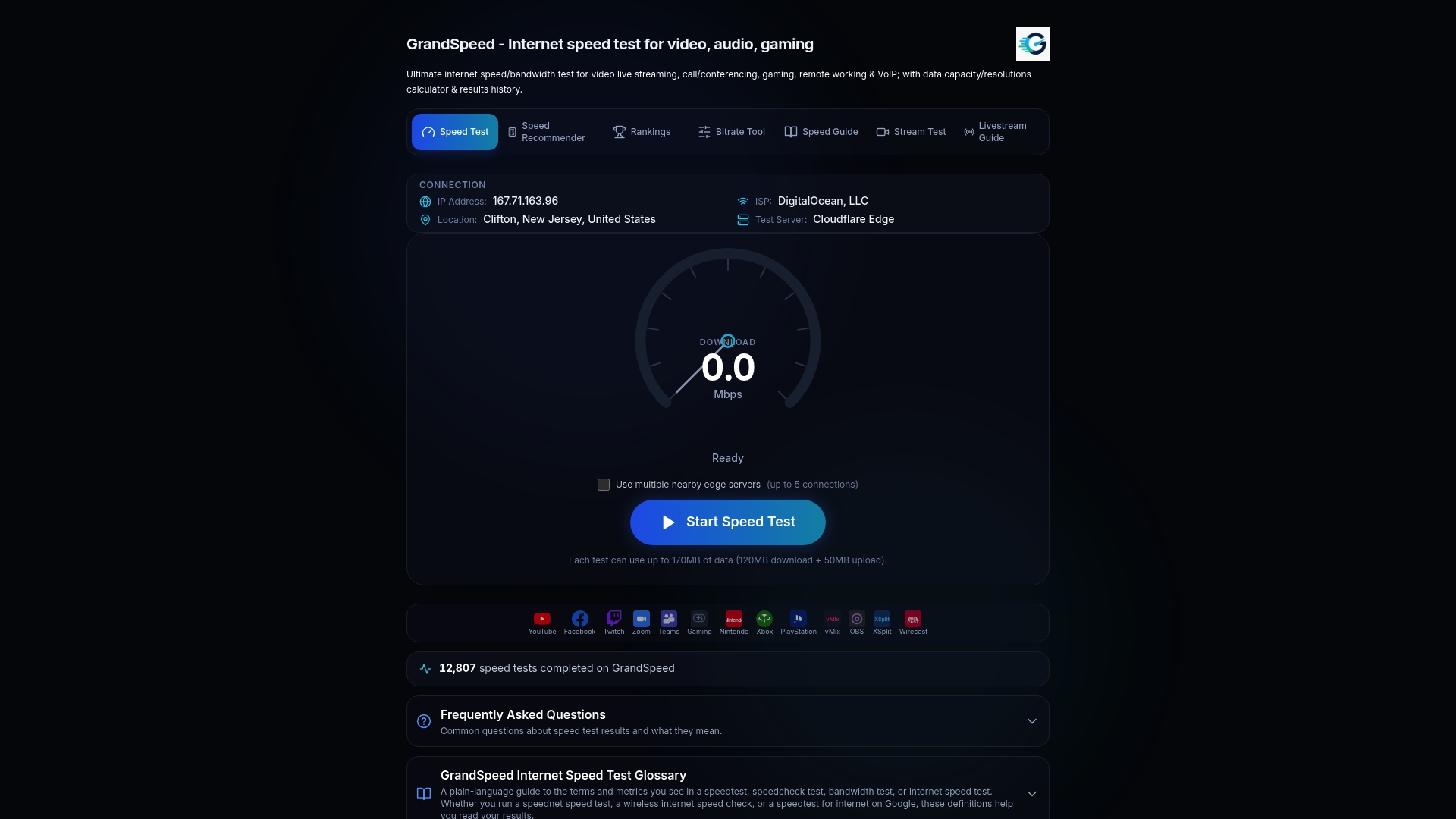
The Speed Test measures download and upload speed alongside latency under load, jitter, packet loss, bufferbloat, and DNS resolution time, giving you a fuller picture than the single number most carriers advertise. A few ways to put it to work:
- Run the Speed Test at your address before your trial period ends, so you have hard numbers instead of a guess.
- Use the Stream Test to see the maximum stable resolution your connection supports for live video.
- Check the Speed Recommender to match your measured numbers against the plan tier your household actually needs.
Testing repeatedly and keeping a history means you catch a problem during the trial window, when you can still switch, rather than three months in. Start with a free test at Grandspeed and see what your address really supports.
Primary sources used for this article
- FCC Measuring Fixed Broadband, Thirteenth Report, for the 80/80 consistency metric and working latency standards.
- ACSI Telecommunications, Cell Phone, and Smartwatch Study 2026, for customer satisfaction scores by provider.
Sources
- Measuring Fixed Broadband - Thirteenth Report | Federal Communications Commission
- ACSI Telecommunications, Cell Phone, and Smartwatch Study 2026
FAQ
Who offers the best 5G home internet?
T-Mobile Home Internet and Verizon 5G Home Internet are the two most commonly recommended providers, with T-Mobile favored for value and wide availability and Verizon favored for higher advertised top speeds, according to HighSpeedInternet's comparison. The right answer still depends on which one covers your address well, so a local test matters more than either ranking.
What is the best 5G home internet plan?
There isn't one plan that fits every household. A value-focused plan from T-Mobile suits households prioritizing predictable pricing and easy setup, while a higher-tier Verizon plan suits households chasing the highest advertised download speed where coverage supports it.
What provider has the worst Wi-Fi?
Performance varies too much by address and provider to name a single worst option, since even well-regarded providers report inconsistent experiences in some neighborhoods, based on discussions in Ars Technica's forum thread on 5G home reliability. The safer approach is checking local reports for your specific area and running your own test before committing.
What is the downside of 5G Wi-Fi for home use?
5G home internet typically offers lower upload speeds than fiber, often in the 20 to 75 Mbps range compared to fiber's symmetric potential, according to FCC broadband data. Performance also depends heavily on tower distance and local network congestion, which can make speeds and latency less consistent than a wired connection.
Does 5G home internet have data caps?
Many 5G home plans, including T-Mobile's, are marketed with unlimited data rather than a hard cap, according to CableTV's review. Always confirm the specific terms for the plan and tier you're considering, since deprioritization during network congestion can still affect speed even without a formal cap.