

For most cloud gaming, plan on 20 to 25 Mbps of steady download per player. Go higher for 4K or high frame rates: NVIDIA's GeForce NOW lists 15 Mbps for 720p at 60 FPS and 65 Mbps for 5K at 120 FPS. Speed is only half of it. A fast plan still stutters if latency, jitter or packet loss is bad. Run a GrandSpeed speed test that reports all of those, not just the download number.
TL;DR
- GeForce NOW needs 15 Mbps for 720p/60 FPS, rising to 65 Mbps for 5K/120 FPS, with latency under 80 ms to its data centers.
- Xbox Cloud Gaming recommends at least 20 Mbps on any device.
- An hour of play can use roughly 4 GB, and up to 14 GB at the top Xbox quality tier. Check your data cap.
- Latency and packet loss often ruin a session before bandwidth does. Test them, and use Ethernet or 5 GHz Wi-Fi.
- Streaming your gameplay at the same time adds an upload load on top. Size your connection for both.
Table of Contents
- What cloud gaming actually asks of your connection
- Bandwidth requirements by service
- Why a fast plan can still lag
- How much data an hour of cloud gaming uses
- Add the rest of your household
- Playing and streaming at the same time
- How to test your connection for cloud gaming
- What to do when the numbers are bad
- Perspective
- Test your line before you pick a tier
- FAQ
- Sources
What cloud gaming actually asks of your connection
Cloud gaming runs the game on a remote server and sends you a live video stream. Your controller inputs travel the other way. That creates two separate demands:
- Sustained downstream bandwidth. The video must arrive continuously at its target bitrate. If your line cannot hold it, the service lowers the picture quality.
- A fast, clean round trip. Every button press has to reach the server and come back as a new frame. That depends on latency, jitter (how much latency varies) and packet loss, not on how big your plan is.
A 1 Gbps plan with a bad Wi-Fi link can play worse than a 50 Mbps wired line. That is why the advertised speed on your bill is a poor predictor of how a session feels.
Bandwidth requirements by service
GeForce NOW
NVIDIA publishes tiered requirements. GeForce NOW lists 15 Mbps for 720p at 60 FPS, up to 65 Mbps for 5K at 120 FPS, and network latency below 80 ms to its data centers. NVIDIA also recommends a wired Ethernet connection or a router on 5 GHz Wi-Fi.

The tiers in between depend on the resolution and frame rate you pick in the app. The rule of thumb: every step up in resolution or frame rate raises the minimum, so set the tier to what your tested line can hold with room to spare, not to the maximum your plan advertises.
Xbox Cloud Gaming (xCloud)
Microsoft's own getting-started guide says that on any device, you should have at least 20 Mbps for a stable cloud gaming connection. It also advises a wired connection where possible, and says 5 GHz Wi-Fi or capable 5G can work.

Xbox Cloud Gaming adjusts quality to what the connection can carry, so a weak line shows up as a softer, blockier picture rather than a hard stop. Some titles also offer resolution options. Microsoft added a 1440p option for select games, which raises both the bitrate and the data used.
Quick reference
| Service | Lowest listed tier | Top listed tier | Latency guidance |
|---|---|---|---|
| GeForce NOW | 15 Mbps (720p, 60 FPS) | 65 Mbps (5K, 120 FPS) | Under 80 ms to its data centers |
| Xbox Cloud Gaming | 20 Mbps recommended | Higher quality tiers use more data | Wired or 5 GHz recommended |
These are the services' published figures. They are floors for a single player on a healthy connection, not a promise that a given speed will feel smooth on your network.
Why a fast plan can still lag
When readers say cloud gaming is laggy despite a quick plan, the cause is almost always one of the following.
Latency
Latency is the time for a signal to reach the server and return. Research from Linköping University found that high latency hurts player performance and quality of experience more than packet loss does, though the two make each other worse. The same study points to frame age as a key measure for fast-paced games: backlogs created by large frame transfers can keep hurting play after the original spike has passed.
Packet loss
Video and input packets that never arrive have to be concealed or resent. An academic overview of cloud gaming networks notes that even 1% packet loss can make cloud games unplayable or badly degrade the experience. That is a small number. A line can look fine on a speed number and still lose 1% on Wi-Fi. If you see rubber-banding or frozen frames, read our guide to fixing packet loss for streamers and gamers.
Jitter
Jitter is the swing in latency from one packet to the next. A steady 30 ms feels better than a connection that averages 25 ms but jumps between 10 and 80. Cloud gaming has no big buffer to hide it, because a buffer would add input delay.
Bufferbloat
Bufferbloat is latency that balloons when your connection is busy. If someone uploads a video, a console downloads an update, or a cloud backup runs, your router queues packets and your ping spikes. It is the classic reason a game is fine at 2 p.m. and unplayable at 8 p.m. with the household online.
Wi-Fi
NVIDIA's advice is Ethernet or 5 GHz Wi-Fi. The 2.4 GHz band is crowded by neighbors' networks and household gadgets, and weak signal at a distance makes retransmissions pile up. If you cannot run a cable, a better access point placement or mesh system can help. See our test-based guides to the best routers for gaming and the best mesh Wi-Fi for gaming.
How much data an hour of cloud gaming uses
Bandwidth is speed. Data is the total you burn through. On a capped plan, that second number matters.
The figures vary by service and quality setting:
- Xbox Cloud Gaming at its maximum 1440p quality uses up to 14 GB per hour, almost three times the base 720p level.
- The Guardian reported in September 2026 that an hour of game streaming on Xbox needs about 4 GB, against roughly 1 GB for an hour of Netflix.
Worked example: converting GB per hour to Mbps
One gigabyte is 8,000 megabits, and an hour has 3,600 seconds.
- 4 GB per hour is 4 × 8,000 ÷ 3,600, about 8.9 Mbps on average.
- 14 GB per hour is 14 × 8,000 ÷ 3,600, about 31 Mbps on average.
So at the top Xbox tier, the stream alone averages around 31 Mbps. Bursts run higher, which is why a recommended figure sits above the average. A household with a 1.2 TB monthly cap that games at 14 GB per hour would use the whole cap in about 86 hours of play, before anyone watches a single video.
Add the rest of your household
A game stream does not run alone. Add up simultaneous use at your busiest hour:
| Activity | Typical need |
|---|---|
| Cloud gaming, one player | 20 to 35 Mbps (service dependent) |
| Second cloud gaming player | Another 20 to 35 Mbps |
| A 4K video stream or video call | Several Mbps each |
| Console or PC updates | Can take everything available |
Then leave headroom. Aim for the total to use no more than about two thirds of your tested speed, and use your router's quality-of-service settings, or smart queue management where it exists, to keep downloads from crowding out the game. The Internet/ISP Speed Recommender helps you turn a household's activities into a plan size.
Playing and streaming at the same time
If you broadcast your cloud gameplay to Twitch or YouTube, you now have two flows: the game stream coming down, and your outgoing broadcast going up. Both need to hold. The common failure is a plan with a big download figure and a small upload figure, so the stream drops frames just when the game is at its best.
To see whether your connection can carry the broadcast, use the Livestream Upload Speed Monitor, which watches upload stability over time rather than in a single burst. To decide what bitrate to set in OBS, the Video Bitrate Calculator converts your tested upload into a sensible target. Our guide to the best internet for streaming explains why upload headroom and low latency matter together.
How to test your connection for cloud gaming
Follow this routine before you blame the service.
- Test on the device you play on. A speed test on a laptop in the office tells you little about a TV in the living room. Test where you will play, at the hour you will play.
- Look past download. Run the GrandSpeed Speed Test and read latency, jitter, packet loss and bufferbloat alongside speed. A good download with high jitter or any sustained packet loss is the usual cause of cloud gaming stutter.
- Check streaming quality. The Video Streaming Quality Test shows the highest video resolution your measured speeds can hold, which gives you a concrete ceiling for picking a resolution setting.
- Test the service's own path. NVIDIA documents a built-in network test in GeForce NOW that checks bandwidth, packet loss, jitter and ping to its data centers, and advises switching off VPNs first. Use it alongside your own results to see the route to that service.
- Switch to a wire. Connect by Ethernet, or move to 5 GHz, and test again. If numbers improve sharply, Wi-Fi is the bottleneck.
- Repeat at peak time. Evening congestion is real. Keep your results over several days with the test history to see the pattern.
- Trace bad hops if needed. If latency stays high on a wire, a route-tracing tool such as WinMTR or PingPlotter can show which hop adds delay, which gives your ISP something specific to act on.
Reading the results
| Result | What it usually means | What to do |
|---|---|---|
| Speed below service tier | Line or plan too small, or congestion | Lower the resolution setting, or upgrade |
| Speed fine, ping high | Distance or routing to the server | Pick the nearest region, drop the VPN |
| Speed fine, jitter high | Wi-Fi interference or a busy router | Use Ethernet or 5 GHz |
| Any steady packet loss | Wi-Fi, cabling, or an ISP fault | Wire up, then report to the ISP with evidence |
| Ping spikes under load | Bufferbloat | Enable queue management on the router |
What to do when the numbers are bad
- Lower the stream resolution or frame rate to match what the test can hold. A stable 1080p stream beats a stuttering 4K one.
- Wire the device or move to 5 GHz close to the router.
- Pause background transfers such as cloud backups, updates and other people's uploads while you play.
- Turn off VPNs, which add distance and delay to the route.
- Contact your ISP with results. Dated measurements of packet loss and jitter are far more persuasive than "the game lags". Our overview of the best internet speed test for streaming explains which measurements to bring.
- Size the plan properly. If everything is tuned and the tier is still out of reach, the Internet/ISP Speed Recommender can show what plan fits your household and use.
Perspective
Most of the cloud gaming complaints we hear about trace back to the same misunderstanding: people check one number, download speed, and treat it as the verdict. Cloud gaming is a live video call with a controller attached. It lives or dies on latency, jitter, packet loss and what happens to your ping when the network is busy.
That is why we built GrandSpeed to measure those things together, plus bufferbloat and DNS resolution time, and to translate the results into what you actually want to know: which resolution your line can sustain, and whether it will keep doing so. A one-off result is a snapshot. Test history over several evenings shows the pattern that causes the lag.
If you also broadcast, the same logic applies to upload. Check it, check it over time, and size your bitrate to it with headroom.
Peter D
Test your line before you pick a tier
GrandSpeed's speed test runs in any modern browser on a phone, tablet or laptop, over Wi-Fi or cellular. It measures download and upload, latency, jitter, packet loss, bufferbloat and DNS resolution, and it keeps your test history so you can compare mornings with evenings.
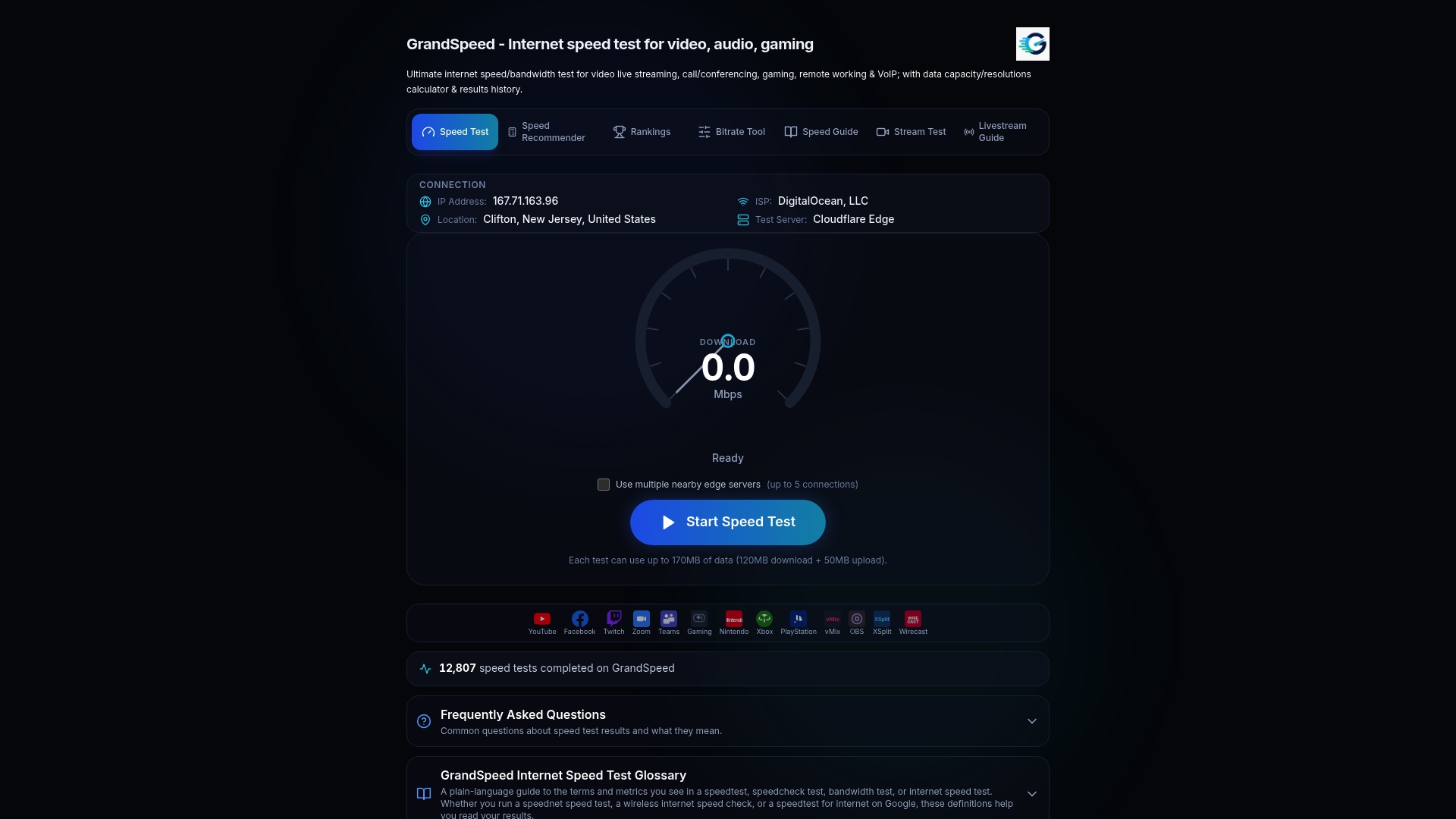
Start with the GrandSpeed Speed Test, then use the Video Streaming Quality Test to see the highest resolution your speeds support.
FAQ
What internet speed do you need for cloud gaming?
Plan on at least 20 Mbps for Xbox Cloud Gaming, which is Microsoft's recommendation. GeForce NOW ranges from 15 Mbps for 720p/60 FPS up to 65 Mbps for 5K/120 FPS. Pick the tier your tested connection can hold with headroom for other devices.
How much data does an hour of cloud gaming use?
It depends on resolution. The Guardian reported about 4 GB per hour for Xbox game streaming, against roughly 1 GB for Netflix, in its September 2026 report. At Xbox's top 1440p setting it can reach 14 GB per hour.
Is 300 or 500 Mbps better for cloud gaming?
Both far exceed the published tiers for one player. What separates them in practice is how many devices share the line and how low your latency and jitter are. A wired 300 Mbps line with steady latency will beat a congested or Wi-Fi-only 500 Mbps one.
Why does cloud gaming lag when my speed test looks fine?
The usual causes are latency, jitter, packet loss and bufferbloat, none of which show in a plain download figure. Research shows that even 1% packet loss can make cloud games unplayable. Test on the playing device, over a wire, and read every metric.
What latency is acceptable for GeForce NOW?
NVIDIA lists network latency under 80 ms to its data centers. Lower is better for fast-paced games, and steady latency matters as much as a low average.
Sources
- System Requirements for GeForce NOW Cloud Gaming, NVIDIA
- How do I test my network for GeForce NOW?, NVIDIA
- Getting Started with Xbox Cloud Gaming, Xbox Wire
- Xbox Cloud Gaming Now Offers Resolution Options for Select Games, Thurrott
- Streaming from the cloud was meant to change games forever, The Guardian
- Cloud Gaming: A QoE Study of Fast-paced Single-player and Multiplayer Games, Linköping University
- An Overview of the Networking Issues of Cloud Gaming