

For watching video on a phone, plan on about 3 to 4 Mbps of download for standard definition, 5 to 8 Mbps for HD and 25 Mbps for 4K, according to the FCC Broadband Speed Guide. For livestreaming from a phone, upload is what counts, and it needs to be steady, not just fast on a single test. Below you will find the numbers for each use, the data each one burns, and how to check your own connection.
TL;DR
- Watching: HD needs roughly 5 to 8 Mbps download, 4K about 25 Mbps. Most 4G and 5G connections clear that where signal is good.
- Livestreaming: 1080p generally calls for about 4 to 6 Mbps of upload plus roughly 30% headroom, and the upload has to hold steady.
- Bandwidth (speed) and data usage (gigabytes) are different things. A fast connection can still empty a plan quickly.
- A fast speed test can coexist with buffering. Congestion, weak signal and jitter are the usual causes.
- Test on the spot where you will stream, at the hour you will stream, with GrandSpeed's speed test.
Table of Contents
- Bandwidth, speed and data: three terms people mix up
- Download speed you need for watching on cellular
- How much data streaming uses on a cellular plan
- Upload bandwidth for livestreaming over cellular
- Why cellular streaming buffers when the speed test looks fast
- Our perspective
- How to test your cellular connection before you stream
- Turning on cellular data and improving a weak signal
- Check your connection with GrandSpeed
- FAQ
- Sources
Bandwidth, speed and data: three terms people mix up
These words get used interchangeably, and that causes most of the confusion on cellular plans.
Speed is how many megabits per second (Mbps) your connection moves right now. Data usage is the total amount transferred, counted in megabytes (MB) or gigabytes (GB). One is a rate, the other a quantity. MCSNet puts it the same way: speed is measured in Mbps, usage in MB or GB.
A common picture is a pipe. Speed is how wide the pipe is, and data is the water that has passed through over time. HighSpeedInternet.com uses that image and notes a 100 Mbps connection can move around 45 GB in an hour. That is why a fast 5G signal can drain a data allowance in an afternoon.
Cellular bandwidth also has a network side. SOLiD explains that the spectrum deployed at a cell site, and the technology in use (3G, 4G or 5G), set the capacity shared among everyone connected to that site. You do not control that part. You do control where you stand, when you stream and what bitrate you ask for.
Two more details save confusion:
- Mbps means megabits per second. File sizes use megabytes. With 8 bits in a byte, SmartMove notes that 100 Mbps downloads at about 12.5 MB per second.
- Streaming quality and data use are generally the same on Wi-Fi or mobile data. What changes is where the data comes from, and that decides whether your plan is charged.
Download speed you need for watching on cellular
For watching, the FCC guide gives a clear baseline for download speed:
| Activity | Minimum download |
|---|---|
| HD personal video call | 1.5 Mbps |
| Standard definition video | 3 to 4 Mbps |
| Online multiplayer gaming | 4 Mbps |
| HD video | 5 to 8 Mbps |
| HD video teleconferencing | 6 Mbps |
| Ultra HD 4K video | 25 Mbps |
Source: FCC Broadband Speed Guide. The same guide lists 3 Mbps for a game console connection.
These are per-device minimums. If two people in a car stream over one phone hotspot, add the numbers together and leave room above them. Carriers also publish their own guidance. T-Mobile suggests 5 Mbps as a minimum for HD streaming with 20 Mbps recommended, and says gamers should aim for ping below 50 ms.
On a modern 4G or 5G connection with decent signal, these download figures are rarely the limit. The limits show up elsewhere: upload, stability and data caps.
How much data streaming uses on a cellular plan
Bandwidth is about speed. Your bill is about gigabytes. Verizon's support page states that any data used while connected to its mobile network counts against the monthly allowance and that streaming or downloading audio and video are among the biggest users. Cricket Wireless adds that streaming over Wi-Fi does not touch your cellular data, but with Wi-Fi off it draws from your plan's high-speed allowance.
Typical hourly use, from published measurements:
| Quality | Approximate data per hour | Source |
|---|---|---|
| YouTube 480p | 562.5 MB | Astound |
| YouTube 720p, 30 fps | 1.24 GB | Astound |
| YouTube 1080p, 30 fps | 2.05 GB | Astound |
| YouTube 4K, 60 fps | 15.98 GB | Astound |
| Netflix 480p | about 792 MB | How-To Geek |
| Netflix 1080p | 1.9 to 2.55 GB | How-To Geek |
| Netflix 4K | 3.5 to 7 GB | How-To Geek |
Three things move these totals: resolution, bitrate and how long you watch. Panda Security names exactly those three and puts HD at about 1.5 to 3 GB per hour. Services vary, so treat the table as a range and not a promise.
A practical way to cut usage without giving up the show: set video quality to 720p on a phone screen. The difference from 1080p is hard to see on a small display, and the table above shows it can save roughly 0.8 GB an hour on YouTube. Our video bitrate calculator turns a bitrate and duration into a data total before you commit.
Upload bandwidth for livestreaming over cellular
Watching is download. Broadcasting is upload, and this is where cellular connections are weakest. If you are streaming to YouTube, Twitch or Facebook Live from a phone or an encoder with a hotspot, upload is your number.
Guides from streaming tool makers agree on a rough range. Castream says 720p needs about 2.5 to 4 Mbps of upload and 1080p about 4 to 6 Mbps, with around 30% headroom added so a brief dip does not sink the stream. Streamrun suggests at least 5 Mbps of stable upload for a good-looking 1080p stream on the move.

More conservative guides advise more room. Vyb recommends a minimum of 10 Mbps upload, about 1.6 times the stream bitrate, and a comfortable 15 Mbps or more. WeConnect says 1080p at 60 fps with H.264 needs 6 to 12 Mbit/s sustained, so the connection should deliver 8 to 17 Mbit/s once a 35 to 40% buffer is included.
Put those together and a workable rule emerges:
| Stream | Bitrate to set | Upload to have available |
|---|---|---|
| 720p, 30 fps | about 3 Mbps | 4 to 5 Mbps or more |
| 1080p, 30 fps | about 5 Mbps | 6.5 to 10 Mbps or more |
| 1080p, 60 fps | 6 to 12 Mbps | 8 to 17 Mbps |
The bitrate figures come from the guides above. The right-hand column applies their headroom advice, so check your own connection before you trust it.
StreamerToolkit offers a handy shortcut: broadcast at 60 to 70% of your sustained upload. At 5 Mbps sustained, it suggests about 3000 kbps, and at 10 Mbps about 5000 kbps.
Data matters here too. FeelThere estimates a 1080p 30 fps stream at roughly 5.6 Mbps uses about 2.5 GB an hour. A three-hour broadcast is then 7 to 8 GB. Check your plan's high-speed allowance before going live.
To see what your tested speed can carry, use the Livestream Upload Speed Monitor. For a bitrate that fits, try the bitrate planner. Our guide to 5G upload speed for streaming goes deeper on the numbers.
Why cellular streaming buffers when the speed test looks fast
It is common to run a test, see a big number, and still watch the video stall. There are a few reasons.
Upload is smaller than download by design. Consumer networks are built around people downloading, so carriers give far more capacity to the downlink. WeConnect says a consumer 4G connection advertising 100 Mbit/s may deliver that on download but only 5 to 15 Mbit/s on upload. This pattern holds across 4G and 5G eSIM speeds, where download results regularly outrun upload.
Steady beats fast. StreamerToolkit points out that a 20 Mbps upload swinging between 3 and 15 Mbps is worse for live video than a steady 8 Mbps. FeelThere says much the same: a connection holding 8 Mbps often outperforms one that peaks at 30 Mbps and dips unpredictably. If your speed wobbles, read why upload speed fluctuates and how to settle it.
Crowds eat capacity. Streamrun warns that at events and in crowded venues your phone can show full bars with almost no upload available. ByteSim's measurements show how wide the swing is: 8 to 22 Mbps of upload inside a crowded stadium, 12 to 35 Mbps in a fan zone, and 3 to 12 Mbps on a subway or train, with ping from 28 to 120 ms. Their stream lag appeared below about 5 Mbps of upload (ByteSim stadium tests).

Location inside the building. StreamerToolkit notes a phone by a window with a clear line to the tower can have double the usable upload of one in the middle of a room. It also lists band steering, carrier throttling after a data cap, and background cloud backups as culprits.
Our perspective
Most speed tests answer one question: how big is the pipe at this second? Streamers and callers need a different answer: will it stay open for the next two hours?
That is why we built GrandSpeed around more than a download number. Upload, latency, jitter, packet loss, bufferbloat and DNS time all shape what a viewer sees, and on cellular they swing more than on any other connection. A single peak figure hides that.
Our approach is to test where you will actually stream, repeat the test at the hour you will go live, and let the results tell you the highest resolution your connection supports. Then set the bitrate below that ceiling, not at it. We designed the stream test and the livestream monitor for exactly this check, and the history of past results helps you spot the hours when your tower gets busy.
Peter D
How to test your cellular connection before you stream
A useful test takes five minutes and gives you a number you can plan around.
- Go to the spot. Stand or sit where you will broadcast or watch, not where signal is best. Move near a window if you are indoors.
- Run the test at the right hour. Evening hours are when towers tend to be busiest. Run the GrandSpeed speed test at the time you intend to stream.
- Read upload, latency and jitter, not just download. For live video, upload and stability are the headline figures.
- Repeat three times. Compare the results. A wide spread tells you the connection is unsteady, and the lowest figure is the one to plan around.
- Check the resolution it supports. The video streaming quality test maps your results to the maximum resolution you can broadcast.
- Watch it live. During a real broadcast, the livestream monitor shows whether upload holds.
For a longer walkthrough, see our guide to running a free bandwidth test for upload speed.
Turning on cellular data and improving a weak signal
On an iPhone, open Settings, then Cellular, and make sure Cellular Data is on. On Android, open Settings, then Network and internet, then SIMs, and enable Mobile data. Menu names vary by phone and software version, so use the settings search if you do not see them. Many streaming apps also have their own setting that lets video play over mobile data, and some default to Wi-Fi only.
If the connection is slow or unstable, work through these in order:
- Move. Try a window, a higher floor or outdoors. Small moves can double usable upload, as StreamerToolkit found.
- Lower the bitrate. Drop to 720p or lower the bitrate to roughly 60 to 70% of your tested sustained upload.
- Close background apps. Cloud backup and app updates compete for the same upload.
- Avoid peak hours when you can schedule the broadcast.
- Lock the mode. If your phone hops between bands, forcing 5G or 4G may steady it. Try it and re-test.
- Check your plan. Throttling after a cap cuts speed no matter how good the signal.
For wider choices on providers and setups, our guide to the best internet for streaming covers headroom and latency targets, and the Internet/ISP speed recommender suggests a speed tier for your use.
Check your connection with GrandSpeed
If you stream, game or work over a phone connection, test it before it matters. GrandSpeed measures download, upload, latency, jitter, packet loss, bufferbloat and DNS resolution in your browser, on a phone, tablet or laptop, over Wi-Fi or cellular.
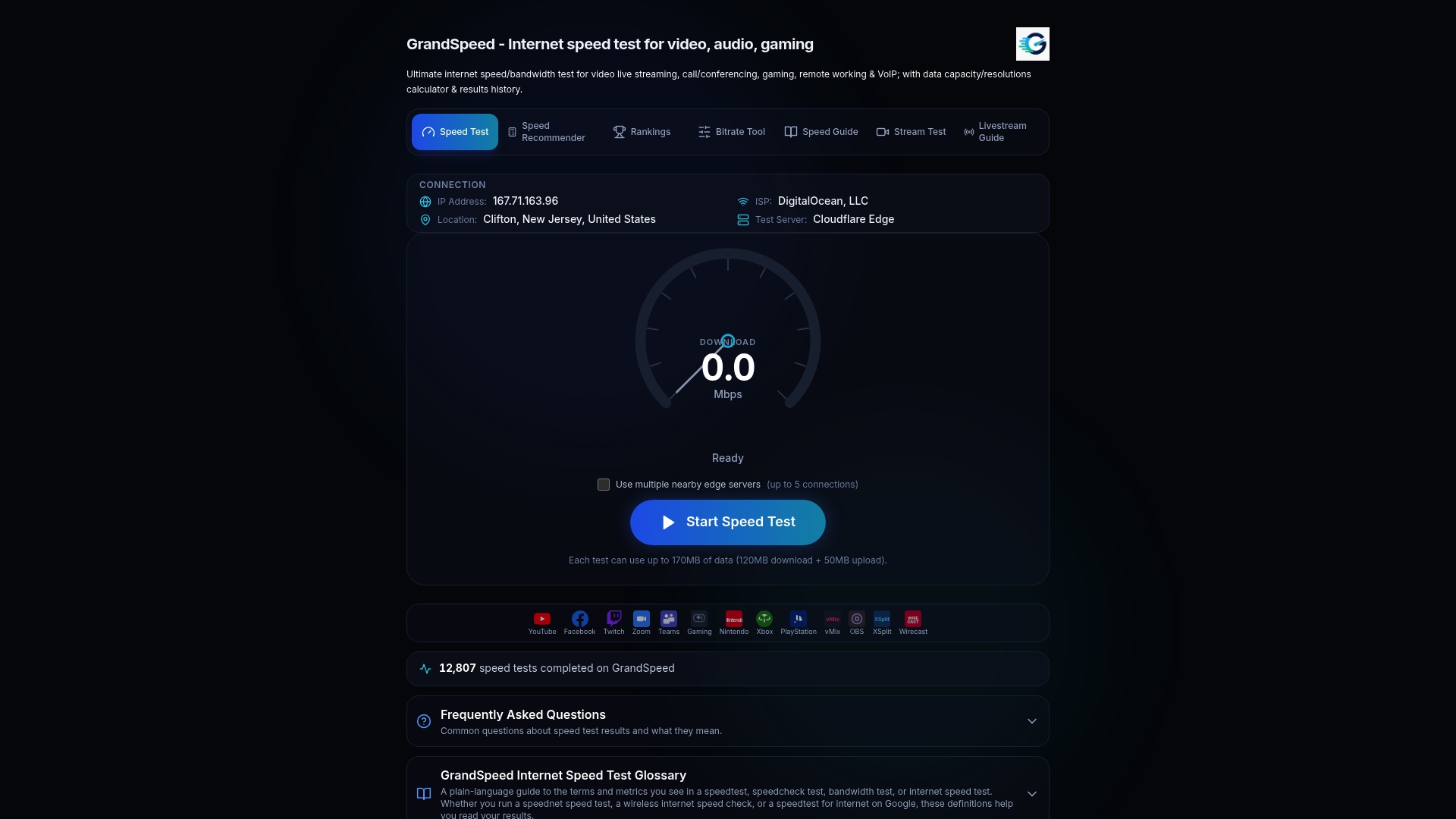
Start with the speed test, then use the video streaming quality test to see the maximum resolution your tested speeds support. Broadcasting? Open the livestream upload monitor.
FAQ
Does live streaming take a lot of bandwidth?
It takes more upload than most people expect. A 1080p stream at around 5 Mbps needs about 4 to 6 Mbps of upload according to Castream, plus roughly 30% headroom. It also uses about 2 to 2.5 GB of data per hour, so check your allowance.
Is 400 Mbps fast enough for Netflix?
Yes, by a wide margin. The FCC lists 25 Mbps for Ultra HD 4K video, and 400 Mbps is far above that. If playback still stalls, the cause is usually Wi-Fi, signal strength, congestion or jitter, not the headline speed.
How do I turn on cellular data for streaming?
Enable Cellular Data on an iPhone under Settings, then Cellular, or Mobile data on Android under Settings, then Network and internet. Then check that your streaming app is allowed to use mobile data, since some apps default to Wi-Fi only.
Does streaming on cellular use my data plan?
Yes, when Wi-Fi is off. Cricket Wireless and Verizon both state that streaming over their mobile networks counts against the plan's allowance, while video over Wi-Fi does not.
Is 5G always better for streaming?
Not always. 5G can offer strong upload in good conditions, but crowds, weak signal and distance from the tower can cut it. Test at your streaming spot and time to find out what you actually get.
Sources
- FCC Broadband Speed Guide
- T-Mobile: What internet speed do you need
- Verizon mobile usage FAQs
- Cricket Wireless: Understanding network speeds and streaming
- MCSNet: How much data and internet speed streaming platforms use
- HighSpeedInternet.com: How much internet data do you need
- SOLiD: What is cellular bandwidth
- SmartMove: How much data does your streaming service use
- Astound: How much mobile data does YouTube use
- How-To Geek: How much data does Netflix use
- Panda Security: How much data does streaming use
- Castream: Wi-Fi vs mobile data for live streaming
- Streamrun: IRL streaming
- Vyb: Video streaming technical details
- WeConnect: Symmetric vs asymmetric upload
- StreamerToolkit: How to stream on mobile data
- FeelThere: Live streaming bandwidth calculator
- ByteSim: Stadium speed tests for livestreaming