
CAKE (Common Applications Kept Enhanced) is a queue management algorithm for Linux-based routers that keeps your connection responsive when it is busy. It stops one big download or upload from filling the router's queue, so your game packets, video calls and streams do not wait behind it. You give it a bandwidth limit slightly below your real line speed, and it handles fairness, priority and link overhead for you. The CAKE paper describes it as a Linux queueing discipline for home gateways that combines bandwidth shaping, flow and host fairness, DiffServ handling, overhead compensation and TCP-ACK filtering.
Below: the problem CAKE solves, how it works, how it compares with fq_codel, how to choose settings, what it does for gaming, where it runs out of power, and how to check that it works.
TL;DR
- CAKE fights bufferbloat, the lag that appears when a full router queue delays everything else on your connection.
- It is fq_codel plus a built-in shaper, host fairness, overhead compensation, priority tiers and ACK filtering, in one setting.
- Start your bandwidth limit near 95% of measured throughput, not the advertised speed, then tune it with a loaded test.
- It cannot fix Wi-Fi interference or congestion inside your ISP's network, and it needs CPU power at gigabit speeds.
- Measure latency under load before and after. Run a GrandSpeed test to see jitter, packet loss and bufferbloat together.
Table of Contents
- The problem CAKE solves: bufferbloat
- How CAKE works
- CAKE vs. fqcodel
- Choosing your bandwidth and overhead settings
- Does CAKE help with gaming?
- CAKE for streaming and video calls
- Hardware limits: when CAKE is too heavy for the router
- How to tell whether CAKE is working
- Our perspective
- Measure it before and after with GrandSpeed
- FAQ
- Sources
The problem CAKE solves: bufferbloat
Routers and modems keep a buffer, a waiting line for packets. When the line is short, nothing notices. When you upload a video or someone starts a large download, the line fills. Every other packet, including your game inputs and your voice on a call, now waits behind the bulk data.
Ubuntu's documentation describes bufferbloat as high latency and jitter caused by routers or modems holding excess packets in full buffers, and presents CAKE as a fix built on fair queuing and active queue management.
The symptoms are familiar:
- Ping jumps when someone else streams or backs up photos.
- Video calls freeze while a download runs.
- Uploads make the whole house feel slow, even though a plain speed test looks fine.
A basic speed test measures only how much data fits through. It does not show the delay added while the pipe is full. That is why we measure latency, jitter and bufferbloat alongside download and upload speeds. For the background on that test, see our 20-minute bufferbloat fix.
How CAKE works
CAKE bundles several jobs that used to need separate configuration. According to the tc-cake manual, it combines COBALT active queue management, a deficit-mode shaper, DRR++ flow isolation, 8-way set-associative hashing, optional DiffServ priority queues and integrated overhead compensation.

A shaper that creates the queue where CAKE controls it
The key idea is to make your router the bottleneck on purpose. If your line is 100 Mbps and you tell CAKE to send at 95 Mbps, the waiting line forms inside CAKE, where it is managed well, and not in the modem or ISP equipment, where it is not.
The CAKE paper explains that its rate-based shaper schedules packets with a virtual transmission clock, avoids the initial burst typical of token-bucket shapers, and is designed to operate from several Kbit/s to several Gbit/s.
Flow isolation and fairness
With flow isolation on, CAKE puts each flow in its own queue with independent queue-management state and schedules them fairly. The manual defines a flow by the five-tuple (source and destination address and port, plus protocol). That means a small voice call or game stream is not stuck behind a bulk transfer, because they sit in different queues.
CAKE also offers host fairness, with source-host, destination-host, dual-host and triple-isolate modes. LWN's coverage frames this as a practical home-network improvement: with fq_codel, one computer opening many connections can take most of the capacity, while CAKE can balance capacity across hosts as well as flows. In a house with a gamer, a streamer and someone running torrents, that matters.
Priority tiers
CAKE can also read DiffServ markings and sort traffic into priority tiers. The paper notes that tiers can borrow unused capacity, so a priority class does not waste bandwidth when it is idle. For most homes the default flow fairness already does most of the work, and tiers are an optional refinement.
Overhead compensation and ACK filtering
Your ISP's link adds framing bytes to every packet. If the shaper ignores them, it thinks it is sending less than it is, and the real link can still queue. CAKE lets you declare the overhead so the shaper counts bytes as they appear on the wire. The paper says that with correct compensation the rate can sit within 0.1% of the actual link rate.
ACK filtering trims redundant TCP acknowledgments on asymmetric links, which helps when your upload is small compared with your download.
CAKE vs. fq_codel
Fq_codel is the older, widely deployed method. OPNsense's documentation explains that it separates flows into queues, serves them round-robin, and uses how long a packet has waited to mark or drop packets when delay stays too high. It documents a default target of 5 ms.
CAKE is derived from that approach. The paper says it adds a rate-based shaper, on-wire overhead compensation, 8-way collision-resistant hashing, host fairness, DiffServ tins and ACK filtering, and that its 2018 evaluation reported baseline latency and throughput comparable to fq_codel.
| Feature | fq_codel | CAKE |
|---|---|---|
| Per-flow fair queuing | Yes | Yes |
| Delay-based queue control | CoDel | COBALT (CoDel-derived) |
| Built-in bandwidth shaper | No, needs a separate shaper | Yes |
| Host fairness | No | Yes |
| Link overhead compensation | No | Yes |
| Priority tiers | No | Optional DiffServ tins |
| ACK filtering | No | Yes |
The practical difference: with fq_codel you assemble the pieces yourself, while CAKE gives you a single block with a few settings. Both do the main thing, which is keep queues short. If your router firmware offers CAKE, it is usually the simpler way to get there.
Choosing your bandwidth and overhead settings
Three settings decide whether CAKE works well.
1. Bandwidth
The shaper must sit just below the real bottleneck. The tc-cake manual in Debian's iproute2 package says the shaper bandwidth is optional and defaults to unlimited, which means no shaping at all. Set it, separately for download and upload.
Linux Junkies suggests starting around 95% of measured throughput, not the advertised speed, then validating with simultaneous load and ping tests. Our own gaming guide uses the same 90 to 95% range, in Stop Ping Spikes With Router QoS.
A simple way to find your starting numbers:
- Connect by Ethernet if you can.
- Run the GrandSpeed speed test a few times at different hours and note the lowest typical download and upload.
- Multiply by 0.95 and enter the results.
- Rerun the test and watch the bufferbloat and latency-under-load results.
- If latency still climbs, lower the number by a few percent and test again. If it stays flat, you can nudge it up.
If the limit is too high, the queue forms upstream again. Ubuntu notes that bufferbloat can persist in upstream devices when the shaping limit is set too high.
2. Overhead
The Debian manual documents overhead, minimum-packet-unit, ATM, PTM and no-ATM options. It also notes that PTM compensation can be approximated by derating the shaper rate by 64/65, about 0.984. Your ISP's connection type decides which applies, such as cable, fiber or DSL. If you do not know, ask your ISP, or use the overhead keywords your firmware offers for your link type. Getting this slightly wrong is far better than ignoring it, though it is worth checking if you see lag spikes at full load.
3. Autorate for changing links
On a connection whose speed moves around, the manual documents autorate-ingress, which estimates the changing capacity, particularly on cellular links. If you use 5G home internet, see our test routine in measuring 5G home internet for gaming.
Does CAKE help with gaming?
Yes, when your lag comes from your own queue. Ubuntu's guide says CAKE prioritizes low-latency traffic like gaming over bulk transfers, and that with proper configuration latency should stay under a 30 ms increase under load, compared with the hundreds-of-milliseconds spikes typical without shaping.
The reason is the one OPNsense gives for AQM in general: it keeps bulk flows from occupying the whole bottleneck queue, so small interactive flows are sent promptly. A game sends many tiny packets, and they slip through quickly because they sit in their own near-empty queue.
What CAKE will not fix, according to RigPolice: congestion inside your ISP's network, and Wi-Fi delay. It reduces delay and jitter caused by load on your link, nothing more. One more point from a forum answer that ranks for this topic: if a single Wi-Fi device is the only thing using the network, QoS on or off will make little difference. CAKE pays off when several devices compete.
For a gaming-first setup, work through these in order:
- Test with Ethernet first, and compare with Wi-Fi using our Wi-Fi vs. cellular latency article.
- Enable CAKE with the shaper values above.
- Check your router is up to the job, using the gaming router shortlist.
- If pings to game servers are still high with a flat loaded latency, test DNS using the fastest DNS for gaming guide.
CAKE for streaming and video calls
Streamers feel bufferbloat as dropped frames and stalled encoders the moment something else uses the upload. Upload is usually the scarce direction, so shaping it well is where CAKE helps most. Our guide to QoS for streaming covers targets and testing.
If you broadcast, first confirm your upload really holds steady over a long session. The Livestream Upload Speed Monitor tracks that, and the video bitrate planner helps you choose a bitrate that fits inside the limit you set in CAKE, leaving headroom so the stream is not the thing filling the queue.
Hardware limits: when CAKE is too heavy for the router
CAKE does its work in software, so the router's processor matters, especially on fast lines.
- GL.iNet's SQM documentation says SQM is resource-intensive, works best on low-bandwidth or congested networks, may reduce peak throughput on high-speed connections, and does not work in Drop-in Gateway mode or alongside Network Acceleration. That applies to their firmware, and other routers have their own rules.
- The SpeedTestHQ router guide states that SQM/CAKE at gigabit speeds has a high CPU impact and generally does not use hardware offload, and that CPU architecture and real-world benchmarks matter more than core count alone.
In practice: on a 100 to 300 Mbps line, many modest routers cope. On gigabit, pick a router with a strong CPU, or shape to a speed the hardware can sustain, and confirm with a loaded test. Ubuntu also documents setting up CAKE with tc on a plain Linux router, which suits a small PC used as a gateway.
How to tell whether CAKE is working
Do these checks, in this order:
- Test latency under load. Run a download and upload saturation test while watching ping. The GrandSpeed test reports bufferbloat directly, so you can compare before and after.
- Check the interfaces. Ubuntu's guide says shaping should be applied to the WAN interface and the IFB interface (used for download shaping), and recommends inspecting
tc -s qdiscstatistics. - Read the counters. CAKE statistics should show traffic passing through. Linux Junkies also recommends checking these counters.
- Fix the usual suspects. The same guides name a wrong WAN interface, an unloaded
sch_cakemodule and an old iproute2 as common setup problems.
If latency still rises under load after those checks, lower the bandwidth numbers a bit and test again.
Our perspective
Most people judge their connection by one number, the download speed on the plan. But the connection people actually feel is the one under load: a call while someone uploads, a stream while the console updates. CAKE is the best tool we know for that, because it deals with the queue where it forms, and it does so with a few settings.
What we have built at GrandSpeed is meant to make that work measurable. We test jitter, packet loss, bufferbloat and DNS alongside speed, because a single speed figure hides exactly what CAKE changes. Run the test before you touch a setting, run it after, and keep the history so you can see whether the improvement holds at different hours.
For creators, we add the streaming view: what resolution and bitrate your tested upload supports, and whether the upload stays steady. CAKE can then give that upload the headroom a live stream needs.
Peter D
Measure it before and after with GrandSpeed
CAKE only proves itself with numbers. Run the GrandSpeed speed test for download, upload, latency, jitter, packet loss, bufferbloat and DNS times on any phone, tablet or laptop, and save the results to compare after you change your settings.
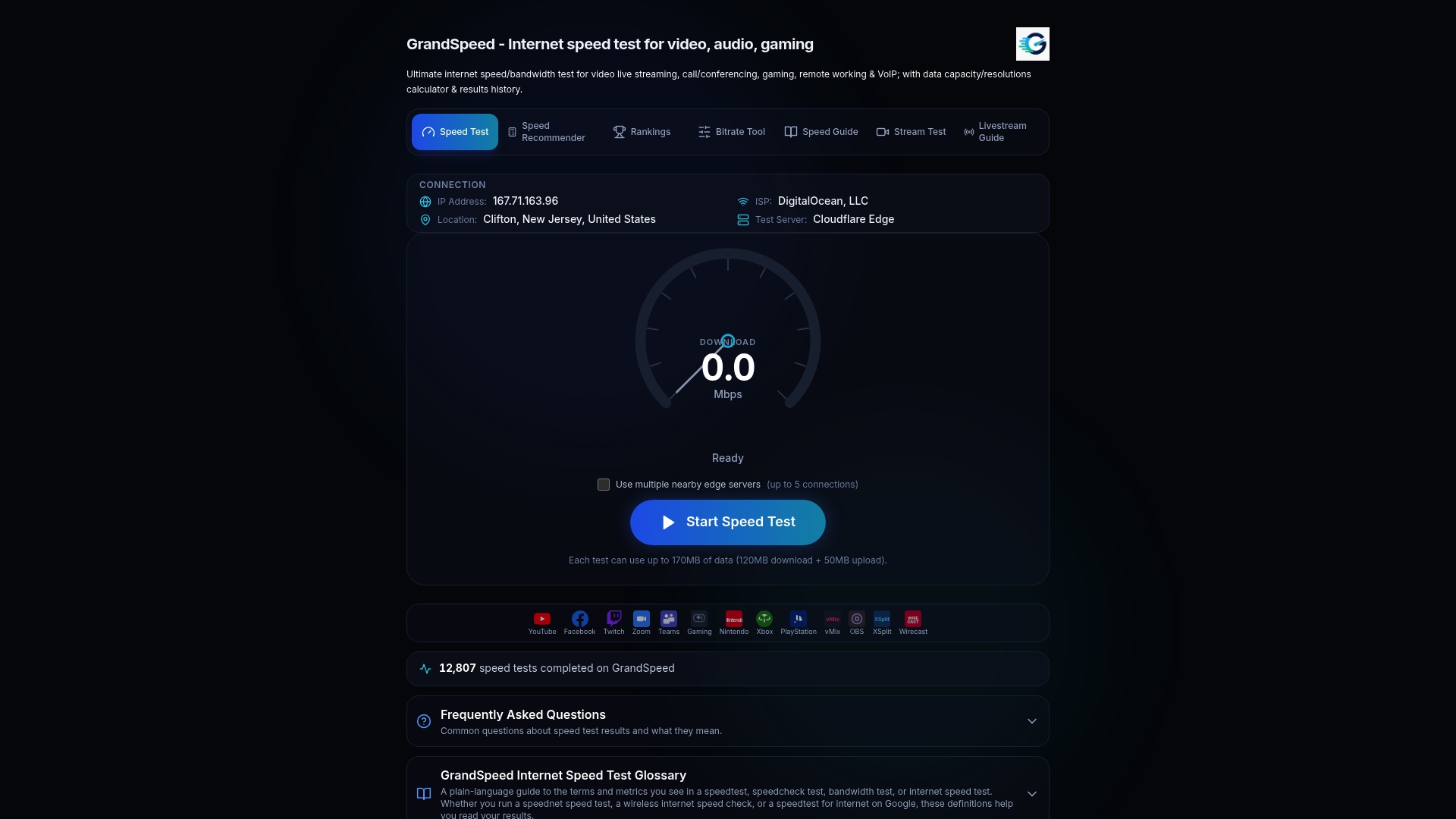
If you stream, the Video Streaming Quality Test shows the maximum resolution your connection supports. If you are unsure whether your plan is fast enough, the Internet/ISP Speed Recommender can help you size it.
FAQ
Is CAKE better than fq_codel?
For most home connections it is the easier choice, because it includes the shaper, host fairness, overhead handling and priority tiers that fq_codel lacks. The CAKE paper reported baseline latency and throughput comparable to fq_codel, so the gain is in features and simplicity, not a different basic idea.
What bandwidth should I set in CAKE?
Start near 95% of your measured throughput, not the advertised speed, and set download and upload separately. Then run a test while the line is busy and adjust a few percent at a time until latency stays flat.
Will CAKE lower my ping in games?
It lowers the extra delay that appears when your connection is busy, which is where most home lag spikes come from. It will not shorten the distance to the game server, fix Wi-Fi interference or remove congestion inside your ISP's network.
Does CAKE slow down my internet?
It caps the rate slightly below your line speed so the queue stays under control, which is the intended trade. On very fast connections, router CPU can limit throughput, so choose hardware that handles your speed and confirm with a test.
Sources
- Piece of CAKE: A Comprehensive Queue Management Solution for Home Gateways
- Traffic shaping with tc and CAKE, Ubuntu Server documentation
- tc-cake(8), Linux manual page
- tc-cake(8), iproute2, Debian manpages
- Let them run CAKE, LWN.net
- Fighting Bufferbloat with FQ_CoDel, OPNsense documentation
- Bufferbloat-Free Networking with CAKE, Linux Junkies
- Why Your Ping Spikes When Someone Streams, RigPolice
- SQM, GL.iNet Router Docs 4
- Router CPU and RAM Explained, SpeedTestHQ