

For most everyday use, packet loss under 1% is acceptable, and 1% to 2% is the gray zone where you should start watching. Above about 3% you will usually notice problems, and above 5% voice calls and real-time games tend to fall apart. The right limit depends on what you are doing: a file download shrugs off loss that would wreck a phone call.
Below you will find the targets for each activity, why bursts matter more than averages, and how to measure your own connection so you can decide whether the problem is yours or your provider's.
TL;DR
- Under 1% packet loss is healthy for nearly everything. Persistent loss of 1% to 3% deserves investigation.
- Voice calls tolerate roughly up to 3% by the ITU's targets, but audible clipping often starts at 1% to 3%. Real-time games and live video are less forgiving.
- Burst loss hurts more than the same percentage spread evenly, so run more than one test and repeat it at different times of day.
- Test over a wired connection first, then Wi-Fi, to separate a router or signal problem from an ISP problem.
- Check loss together with latency and jitter. They often share a root cause, usually congestion.
Table of Contents
- What packet loss is and how it is measured
- Acceptable packet loss by activity
- Acceptable packet loss for gaming
- Acceptable packet loss for VoIP and voice calls
- Acceptable packet loss for streaming and live video
- What counts as bad packet loss
- How to measure your packet loss
- Why packet loss happens
- How to fix packet loss
- Perspective: speed is not the same as quality
- Run the test on your own connection
- FAQ
- Sources
What packet loss is and how it is measured
Data travels in small packets. Packet loss is the share of those packets that never arrive, expressed as a percentage. The ITU defines it as the ratio of lost packets to all packets sent by the application, and "lost" there includes packets that were never sent, packets dropped in transit and packets that arrived corrupted. The same recommendation notes that loss can be calculated for each direction separately, which matters because your upload path and download path can behave differently.
A quick example: if a test sends 1,000 packets and 10 do not come back, you have 1% loss. That sounds tiny. But a voice call sends about 50 packets every second, so 1% loss means roughly one missing packet every two seconds.
Acceptable packet loss by activity
The most useful reference is ITU-T G.1010, which sets per-application targets. As reproduced in Huawei's QoS documentation, it calls for under 3% loss for conversational voice, under 1% for videophone and one-way video, under 1% for streaming audio, and zero information loss for web browsing, bulk transfers, email and interactive games.
In practice, zero means the application cannot tolerate lost data being unrecovered. Protocols like TCP quietly resend what went missing, so you rarely see errors, but you pay for it in delay.
| Activity | Comfortable | Noticeable problems | Usually unusable |
|---|---|---|---|
| Web browsing, downloads, email | Under 1% | 2% to 5%, slower pages | Sustained 10% or more |
| Voice calls (VoIP) | Under 1% | 1% to 3%, clipped words | About 5% and up |
| Video calls | Under 1% | 1% to 3%, freezing and blocky video | Above 3% to 5% |
| Online gaming | Under 1% | 1% to 2%, rubber-banding and missed hits | Above 3% to 5% |
| Live streaming (broadcasting) | Under 1% | 1% to 3%, dropped frames | Above 3% to 5% |
The table blends the standards and vendor guidance covered in the sections below. Treat the boundaries as practical guideposts rather than hard lines, because codecs, buffers and error correction all shift them.
Acceptable packet loss for gaming
Games send small, frequent updates about where you and everyone else are. Lose a few and the game has to guess, then correct itself, which looks like rubber-banding, teleporting players or shots that do not register.
Two reference points help here. ITU-T G.1010 lists interactive games as needing zero information loss. The 3GPP specification for online games, again reproduced in Huawei's documentation, recommends an end-to-end frame error rate under 3% with an upper limit of 5%, alongside a one-way delay under 75 ms. Those are the outer edges for a playable game, not the target for a good session.

Our rule of thumb for competitive play: aim for 0%, tolerate a blip, and investigate anything that stays above 1%. Fast-paced shooters expose loss faster than turn-based or slower games, so your threshold depends on genre.
Loss rarely travels alone. A spike in ping usually comes with it, and if you see both, a router QoS setup for gaming is often the fastest fix. For a step-by-step approach aimed at players and streamers, see our guide to fixing packet loss fast.
Acceptable packet loss for VoIP and voice calls
Voice is where small percentages become audible. A typical voice packet holds about 20 milliseconds of sound. According to TelcoBridges, a single lost packet is a hole of that length, heard as a faint click or clipped consonant, while several lost in a row can swallow a whole word. The same source puts loss below roughly 1% as generally acceptable for a standard G.711 call, noticeable between 1% and 3%, and mostly unusable above about 5%.
Official vendor guidance is stricter at the top end. Cisco's QoS design guide for voice over IP says the default G.729 codec needs loss far below 1% to avoid audible errors, and ideally none. Cisco also cites the ITU G.114 recommendation of under 150 ms one-way delay for high-quality voice.
Lancom's VoIP quality reference offers a more forgiving scale: calls feel normal with delay up to 100 ms and loss under 5%, still good at up to 150 ms and under 10%, and borderline at up to 300 ms and 20%. That reflects what a conversation can survive when codecs conceal loss. It does not mean 5% is a comfortable place to live.
For business phone systems, a practical screening scale from Tier1 Tele reads: under 1% healthy, persistent 1% to 3% worth investigating, and sustained loss above 3% increasingly likely to produce gaps and choppy calls. It also notes that Twilio treats cumulative loss above 5% as generally choppy.
If your calls sound robotic rather than clipped, look at jitter too. We cover that in fixing VoIP jitter and in hitting the 150 ms latency target.

Acceptable packet loss for streaming and live video
Watching a stream and broadcasting one are different problems.
For viewers, buffering hides a lot. Forasoft's streaming guide, citing ITU-T G.1010 and Cisco guidelines, says a live HLS or DASH stream over TCP stays smooth up to about 1% loss and starts buffering around 3% to 5%. Real-time protocols such as WebRTC or SRT show visual artifacts from about 1% unless forward error correction or retransmission covers the gaps.
For broadcasters, the stakes are higher because your upload is the single path to every viewer. If you push video to YouTube, Twitch or Facebook through OBS, vMix, XSplit or Wirecast, loss on your upstream shows up as dropped frames and quality drops for the whole audience. Keep it under 1% and give your bitrate some headroom below your measured upload speed. Our livestream upload monitor tracks your connection while you are live, and the video bitrate planner helps you pick a bitrate your upload can carry.
What counts as bad packet loss
A sensible reading of all the above:
- Under 1%: good. Occasional single drops are normal on any network.
- 1% to 2%: the gray zone. Often fine for browsing, often noticeable in calls and games. Retest before drawing conclusions.
- 2% to 5%: bad for real-time use. Call your ISP if it persists on a wired connection.
- Above 5%: broken for voice, video and games, and a clear sign something in the path is failing or saturated.
Web downloads are the exception. TechTarget's explainer on packet loss notes that less than 2% loss may garble a VoIP call, while up to 10% may be tolerable for small downloads, because lost data is simply resent.
Why bursts matter more than averages
Two connections can both report 1% loss over a minute and feel completely different. If the lost packets are scattered, each is a tiny glitch. If they arrive in one cluster, you lose a whole second of audio or a chunk of video. AdvantageCG describes the same effect: a cluster of missing packets can destroy a sentence, while the same number spread across a long call is often barely noticeable.
That is why a single quick test can mislead you in either direction. Run several, including during the hours when your trouble happens, and watch whether loss appears steadily or in spikes.
How you notice loss
ETSI's packet loss tutorial says users detect it as distortion, noise or silence in audio, and as blocky or frozen picture in video. In a game it feels like stutter followed by a snap back to where the server says you are.
How to measure your packet loss
A good measurement is repeatable and isolates one variable at a time.
- Plug in with Ethernet. Wi-Fi interference is the most common source of false alarms. Test wired first.
- Close the competition. Pause cloud backups, game downloads and other people's streams. One large transfer can starve a call.
- Run a test that reports loss, jitter and latency together. Our speed test measures download and upload speed, latency, jitter, packet loss and bufferbloat in the same run, so you can read them as one picture.
- Repeat at different times. Test once in the morning, once at your usual peak hour, and note the results. Our test history makes the comparison easy.
- Repeat on Wi-Fi. If wired is clean and Wi-Fi is lossy, the problem is in your home. Our guide to fixing Wi-Fi interference covers channels, placement and band choice.
- Test the other direction. Check upload as well as download, since a clean download can hide a lossy upload, which is what your callers and viewers depend on.
For a command-line check, sending many pings and counting the failed replies is the classic method, as TechTarget describes. Sample a few hundred pings rather than ten, since small samples swing wildly.
Why packet loss happens
The usual causes fall into a short list:
- Congestion. Per Ultramessaging's concepts guide, loss is almost always caused by part of a system receiving packets faster than it can process them, so queues overflow and packets are dropped. On a home network, that often means a saturated upload or a bloated router buffer.
- Wireless problems. Weak signal, interference and distance. TechTarget lists poor signal strength and interference among the main causes.
- Faulty hardware or software. A failing cable, network card, switch port or buggy firmware.
- Last-mile or ISP issues. Line noise, an overloaded neighborhood node or routing problems beyond your home.
Congestion also links the three metrics people confuse. AdvantageCG notes that congestion on a shared link raises queueing delay, makes packet timing uneven and eventually forces devices to drop traffic. Late packets that miss their playback deadline feel exactly like lost ones. That is why you should read loss, latency and jitter from the same test session.
How to fix packet loss
Work from the inside out, cheapest fix first.
- Switch to a wired connection for anything that matters: gaming PC, streaming rig, work laptop.
- Reboot the modem and router, then update the router firmware.
- Swap the Ethernet cable and try a different port. Cables fail more often than people expect.
- Reduce load. Pause background uploads and updates. If you stream, keep your bitrate comfortably below your measured upload speed.
- Enable QoS or smart queue management on your router so voice and game traffic jump the queue. Cisco's guidance on QoS for voice is built on the same idea: guarantee bandwidth, latency and priority for real-time traffic.
- Fix Wi-Fi. Move closer, change channel, or use the 5 GHz band.
- Collect evidence and call your ISP if wired tests still show loss. Dated results from several times of day make a far stronger case than a single screenshot. Our walkthrough on proving packet loss causes to your ISP shows how, and fixing unstable internet in five minutes is a quicker triage for the first pass.
TCP-based apps can hide loss behind delay. ETSI points out that TCP retransmits until a packet is received correctly, which creates unpredictable delay and is why it suits real-time conversation poorly. So when you see lag but no obvious loss, retransmission may be covering for it.
Perspective: speed is not the same as quality
We see the same story again and again: someone pays for a fast plan, runs a basic speed test, gets a great number, and still has choppy calls and stuttering streams. The number measured capacity. It said nothing about how steadily packets arrive.
That is why GrandSpeed measures loss, jitter, latency, bufferbloat and DNS timing alongside download and upload. We built it around real tasks: a video call, a game, a broadcast. Each one has its own tolerance, and the same connection can be fine for one and poor for another.
Our advice is to treat 1% as the line where you start looking, not the line where you panic. Test wired, test at the hour your trouble happens, and keep the results. A history of tests turns a vague complaint into a pattern you can act on, whether the fix is a cable, a router setting or a conversation with your provider.
Peter D
Run the test on your own connection
GrandSpeed's speed test reports packet loss, jitter, latency and bufferbloat together, keeps a history of your results, and works in any modern browser on a phone, tablet or laptop, over Wi-Fi or cellular.
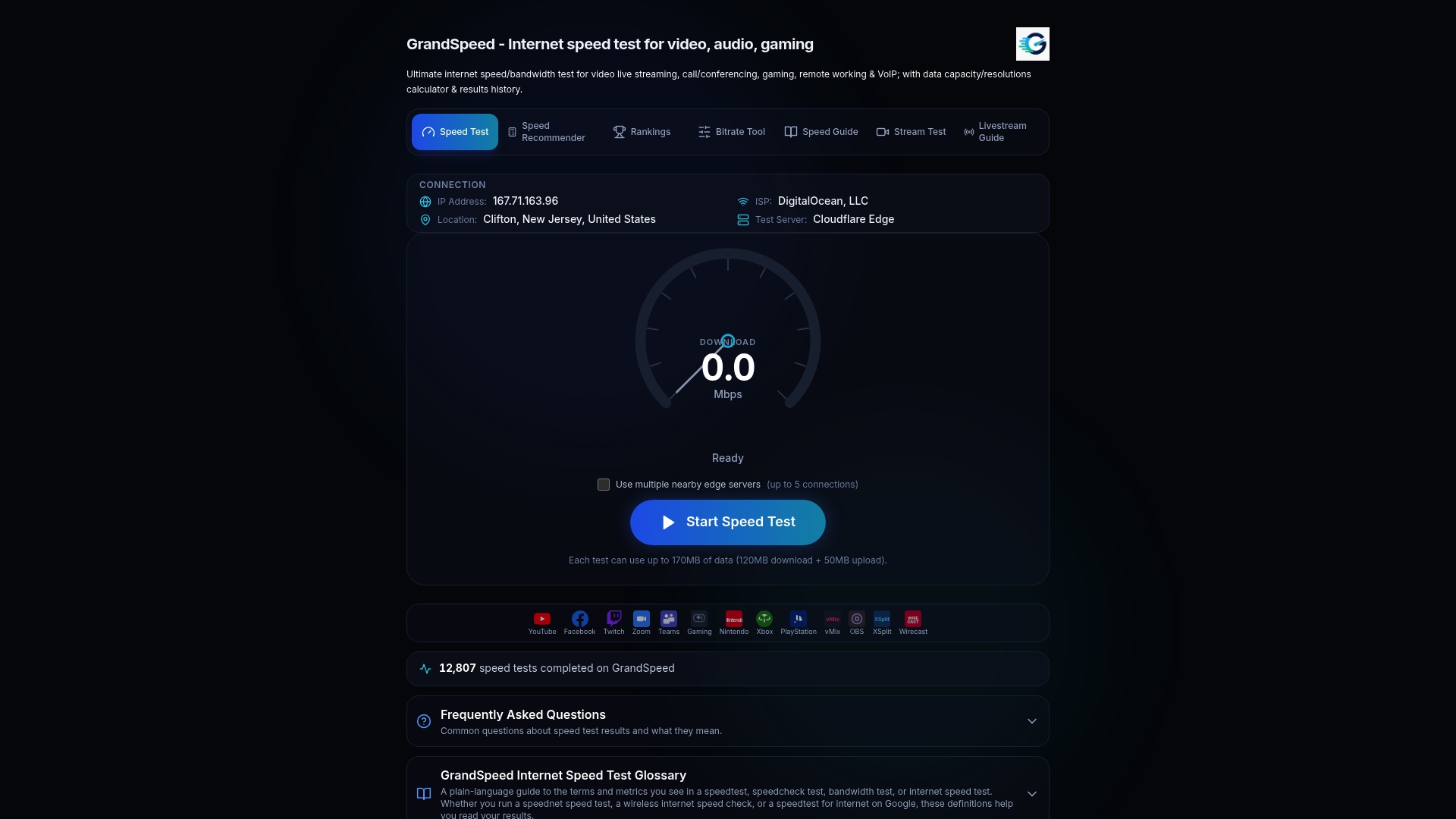
If you stream or broadcast, our Video Streaming Quality Test checks whether your connection suits video, and the Internet/ISP Speed Recommender helps you work out what speed your household needs.
FAQ
What is acceptable packet loss?
Under 1% is acceptable for almost everything. Between 1% and 3% is a warning zone where calls, games and live video start to suffer, and above 5% most real-time use breaks down. Downloads and web pages tolerate more, since lost data is resent.
What packet loss is acceptable for gaming?
Aim for 0% and investigate anything persistently above 1%. The 3GPP specification for online games recommends under 3% frame error with an upper limit of 5%, but those are the edge of playability. Fast-paced competitive games show problems sooner.
What packet loss is acceptable for VoIP?
Below about 1% is generally fine, 1% to 3% brings occasional clipped words, and sustained loss above 3% to 5% makes calls choppy. The ITU targets under 3% for conversational voice, and Cisco says some codecs need loss far below 1%. Also keep one-way delay under 150 ms.
Is 2% packet loss bad?
For browsing or downloads, it is usually harmless. For voice calls, video calls and games it is noticeable, particularly when it arrives in bursts. Retest on a wired connection at several times of day. If 2% persists, contact your ISP with your results.
Sources
- ITU-T G.1051 (03/2023): latency measurement and interactivity scoring
- Huawei NE5000E QoS documentation, application scenarios (ITU-T G.1010, 3GPP)
- TelcoBridges: VoIP packet loss and call quality
- Cisco: Quality of Service for Voice over IP
- Lancom Systems: QoS parameters for Voice-over-IP applications
- Tier1 Tele: acceptable packet loss for VoIP
- Forasoft: bandwidth, throughput, latency and jitter for streaming
- TechTarget: What is packet loss in networking?
- AdvantageCG: packet loss and jitter in real-time communications
- ETSI STF 354: packet loss guideline and tutorial
- Ultramessaging: Concepts Guide, packet loss