

To prove your internet is slow, you need a log, not a single screenshot: repeated tests on a wired connection, at different times of day, that record download, upload, latency, jitter and packet loss next to the plan you pay for. One low number can be blamed on Wi-Fi, a busy server or a bad moment. Twenty timestamped results that show the same pattern cannot. You can build that record with the GrandSpeed speed test, which measures all of those metrics, plus bufferbloat and DNS resolution time, and keeps a history of your results.
TL;DR
- Test over a wired connection, at least three times a day (morning, peak evening, late night) for a week, and log every result with its time.
- Download speed alone rarely explains laggy calls or buffering streams. Record upload, latency, jitter and packet loss too.
- Different speed tests disagree with each other by several percent, so use the same tool and settings every time and compare against your plan, not against another site.
- Separate the causes: Wi-Fi, your own devices, ISP congestion, a data cap and throttling each leave a different fingerprint.
- Take the log to your provider with your plan speed, the pattern and the time range. That is what turns a complaint into a case.
Table of Contents
- What counts as proof
- Step 1: Fix your test conditions
- Step 2: Test at different times, for at least a week
- Step 3: Record more than download speed
- Step 4: Work out where the slowdown lives
- Step 5: Match the numbers to what you actually do
- Step 6: Package the evidence for your provider
- Where we come in
- Perspective
- FAQ
- Sources
What counts as proof
A provider's support agent hears "my internet is slow" all day. What they can act on is a pattern that points to their network. Good evidence has four properties:
- Repeatable. The same test, the same device, the same settings.
- Timestamped. Date, time and what else was running.
- Compared with something. Usually the speed on your bill, and ideally your own results from a good day.
- Complete. Not only download speed, but the other metrics that decide whether video calls, games and streams work.
The last point matters because a connection can look fine on a headline number and still feel broken. The FCC's consumer guide explains that a broadband connection has two speeds, download and upload. Upload matters especially for video conferencing and two-way gaming, and latency, the time lag as data travels, causes trouble for phone calls, video conferencing and gaming. If your problem is stuttering calls, a log that only holds download speed proves nothing.
Step 1: Fix your test conditions
Before you collect a single number, remove the excuses your provider could use against you.
Plug in with Ethernet. Wi-Fi adds distance, walls, interference and your device's own radio. If you can only test over Wi-Fi, you are measuring your router and your room as much as your provider. Our Wi-Fi vs Ethernet speed test shows how to compare the two on the same connection, which also tells you whether the wireless link is the real bottleneck.
Pause everything else. Cloud backups, game updates, a TV streaming in the next room and a phone syncing photos all share your line. Close them before each test, or note what was running if you can't.
Restart once, then leave it alone. Reboot the modem and router before you begin, then don't change settings mid-collection. A log with a change halfway through is hard to interpret.
Pick one tool and keep it. This is not a matter of taste. A comparative study of Ookla Speedtest and Measurement Lab's NDT7, covering more than 80,000 paired measurements across 126 households over nine months, found that Ookla reported higher speeds than NDT7, by up to 12% at 200 ms round-trip latency and up to 56% at 500 ms. The same study found that certain Ookla servers systematically reported speeds about 10% lower than others. Other research from UNSW shows that test duration, the number of connections, congestion-control settings and server location all skew results, and concludes that a speed figure should be read only in the context of its test conditions.
The practical lesson: don't mix tools in one log, and don't argue over a 5% gap between two sites. Your case rests on the trend and the size of the shortfall in one consistent method. A gap of 5% to 10% between platforms is a known systematic difference, not evidence by itself. A connection delivering 40% of your plan is.

Step 2: Test at different times, for at least a week
A single test shows one moment. Congestion, the slowdown that happens when many neighbors use a shared network at once, comes and goes with the clock. MakeUseOf's guidance on ISP throttling recommends several tests under similar conditions at different times of day, such as morning, peak evening and night, rather than one test. It also points out that advertised speeds are usually "up to" figures, so consistency matters more than the headline number.
A workable schedule:
| Time | Why it matters |
|---|---|
| Morning, before work | Your baseline when the neighborhood is quiet |
| Early evening, roughly 7 to 10 pm | The usual peak for streaming and gaming |
| Late night | A second clean baseline |
| Whenever the problem actually happens | The most persuasive entry in your log |
Seven days gives you weekday and weekend behavior. For each run, write down the date, time, device, wired or wireless, and what else was using the network.
GrandSpeed keeps a history of your test results, so you don't need a spreadsheet for the raw numbers. Our guide to tracking internet speed and saving test history explains how to keep the record that smooths out one-off dips.
Step 3: Record more than download speed
Here is where most complaints go wrong. People send a download number, the provider's system shows "within range," and the ticket closes. If your actual symptoms are choppy calls or lag, the evidence has to show the cause.
What each metric tells you
| Metric | What it shows | Symptom when it's bad |
|---|---|---|
| Download speed | How fast data arrives | Slow page loads, buffering, long downloads |
| Upload speed | How fast you send data | Frozen video on calls, dropped livestreams, slow cloud uploads |
| Latency (ping) | Delay for a round trip | Lag in games, delayed audio on calls |
| Jitter | How much latency varies | Robotic voices, rubber-banding |
| Packet loss | Data that never arrives | Dropped audio, frozen frames, disconnects |
| Bufferbloat | Latency spikes when the line is busy | Calls and games break down whenever someone uploads or streams |
Optimum's guide to why a connection feels slow when tests say it's fast gives useful rules of thumb: under 50 ms ping is excellent, jitter under 30 ms is generally fine, and a healthy connection loses 0 to 1% of packets, with more than 2% over a 10-minute stretch showing up as buffering and dropped audio. It also notes that in March 2024 the FCC raised its US broadband benchmark to 100 Mbps download and 20 Mbps upload. Treat these as yardsticks for reading your log, not as legal thresholds your provider must meet.
A single ping can mislead. If you want to see how latency behaves, read why one ping misses jitter in games and calls, and how to measure latency properly. Latency under load, which exposes bufferbloat, is covered in our piece on the best ping test.
A worked example
Say you pay for a 300 Mbps plan and work from home. Your week of wired tests shows:
- Mornings: 285 to 310 Mbps down, 12 ms latency, 0% packet loss.
- Evenings: 90 to 140 Mbps down, 48 ms latency, 3% packet loss.
- Late night: 280 Mbps down.
The pattern is clear. Your line is fine when the neighborhood is quiet and degrades at peak hours, which points to congestion on the provider's side, not your equipment. That is a very different conversation from "my speed test was low once."
Step 4: Work out where the slowdown lives
You have a log. Before you call, narrow down the cause, because a provider can only fix its own part.
Wi-Fi or your own gear. If wired results are good and wireless results are poor, the problem is inside your home. Your provider will not credit you for it. Test next to the router and then in the room where you have trouble.
One device only. If a laptop is slow and a phone on the same network is fine, look at the laptop: VPN, security software, old network adapter. If a VPN is involved, run it both on and off; our guide to a VPN bandwidth test shows how.
Peak-hour congestion. Fast mornings, slow evenings, as in the example above.
A data cap. Some providers cap monthly data. The FCC guide notes caps such as 150 or 250 GB, while a standard-definition movie is typically 1 to 2 GB and an HD movie 3 to 5 GB. If your slowdown starts partway through the billing month and clears at renewal, check your usage and your plan terms.
Throttling. MakeUseOf's guidance says throttling is indicated when specific services, such as streaming or large sustained downloads, slow disproportionately while general browsing stays fine. General congestion affects everything, not one service. To check, compare the same activity at the same time under identical conditions and see which one drops.

One caution from researchers: the UNSW authors argue that national programs ranking ISPs by speed are largely flawed because of imbalances in access technologies and locations between samples. That is a good reason to trust your own controlled, repeated tests at your own address over any ranking.
Step 5: Match the numbers to what you actually do
"Slow" is relative to your use. A household that browses and watches one HD stream has different needs from a streamer or a team on video calls.
- Households. Optimum's rule of thumb is to budget around 20 Mbps per simultaneously active device. Our household bandwidth calculator turns your device count into a target, and the Internet/ISP Speed Recommender helps you see what plan fits.
- Video calls and remote work. Upload and jitter decide quality more than download.
- Gaming. Latency and jitter matter most. See our targets for ping in gaming and the speeds that keep games smooth.
- Streaming video. Our Video Streaming Quality Test checks whether your connection holds up for the quality you want.
If you are comparing your upload to what you pay for, see why upload speed can be so slow, which walks through common causes.
If you livestream
Streamers have the strictest standard. A stream that drops frames in OBS, vMix, XSplit or Wirecast often does so because upload bandwidth or stability fails mid-broadcast, even when a one-off test looked fine. Run the Livestream Upload Speed Monitor while you broadcast, so your evidence shows what happened during the real stream and not just in a quiet moment. Then set your bitrate with the video bitrate planner or the OBS bitrate calculator, and leave headroom below your measured upload. GrandSpeed also determines the maximum livestream resolution your tested speeds support, so you can show the gap between the quality you broadcast and the quality your line allows.
Step 6: Package the evidence for your provider
A short, organized message beats a long angry one. Include:
- Your plan. The advertised download and upload speeds and your account details.
- The method. Wired connection, same tool, router restarted, other devices idle.
- The summary. For example: "Over 7 days and 21 tests, average download was 38% of my plan, with the worst results between 7 and 10 pm."
- The secondary metrics. Latency, jitter and packet loss ranges, since these explain the symptoms you describe.
- The impact. Dropped video calls, failed uploads, buffering, with dates.
- The ask. A line check, a technician visit or a plan review.
Keep the raw test history and screenshots to hand if they ask for them. If you can't get a satisfactory answer from the provider, the FCC runs a consumer complaint process, and a clean log is exactly what you would attach to it.
Where we come in
Most speed sites give you one number. Proof needs more: upload, latency, jitter, packet loss, bufferbloat and DNS resolution time, all stored over time. GrandSpeed's speed test works on any modern browser on a phone, tablet or laptop, over Wi-Fi or cellular, so you can log results from the device that actually has the problem.
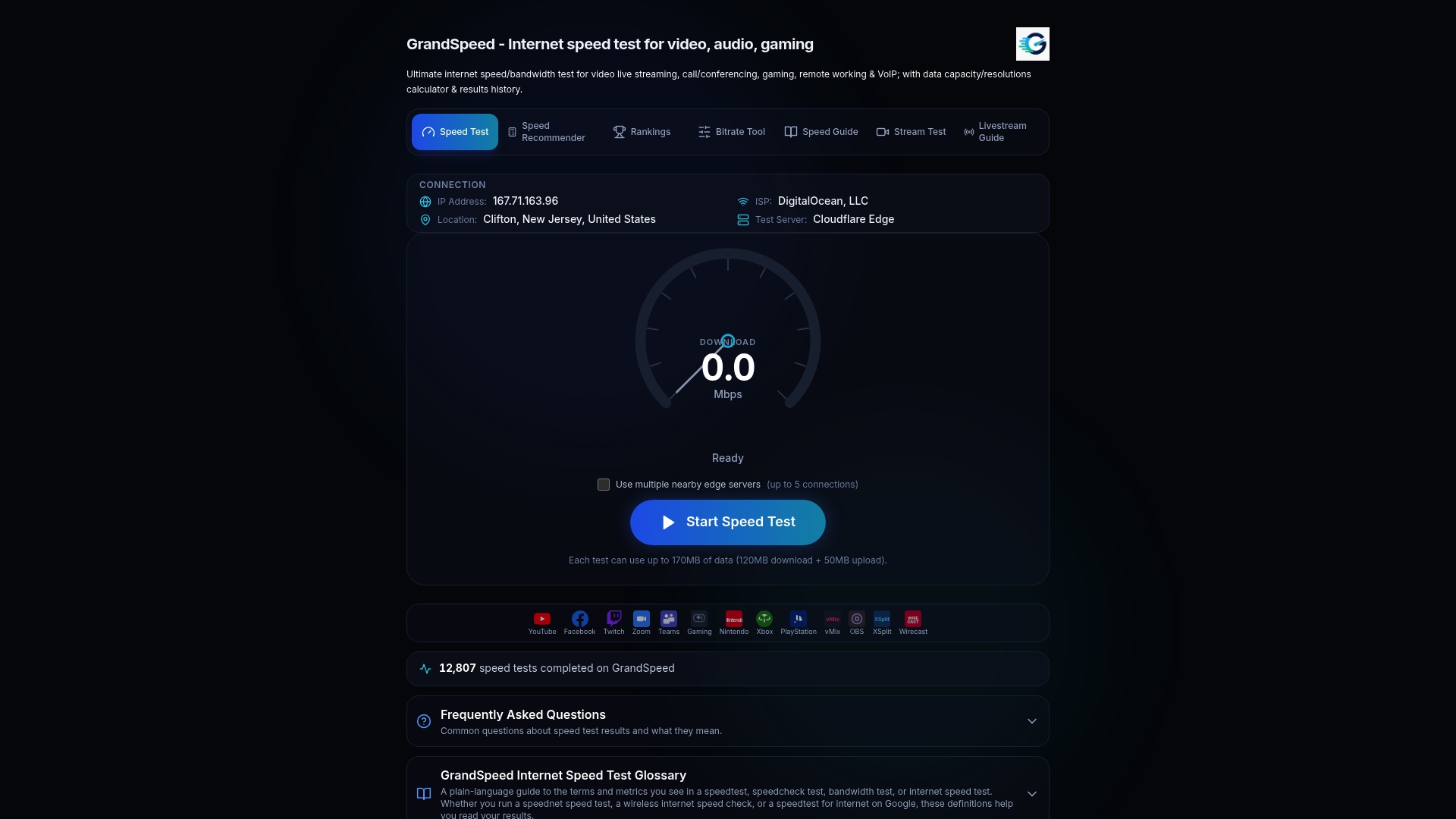
If you want to see whether your line is up to your streaming or calling needs, start with the Video Streaming Quality Test, then run the main test at your three daily checkpoints.
Perspective
Slow internet is a pattern problem, and patterns are invisible to one-off tests. Everyone has seen a test return a great number while their call falls apart. That happens because download speed is only one dimension of a connection.
We built GrandSpeed around the idea that the metrics behind real use deserve the same attention as the headline speed: upload for sending video, latency and jitter for live conversation, packet loss and bufferbloat for what happens when the line is busy. When those numbers are saved together over days, you stop guessing and start knowing whether the problem sits in your home, on one device or on your provider's network.
For streamers, we think the test should happen during the stream, which is why the livestream monitor exists. If you pay for speed, you deserve to see what you actually receive, at the hours you actually use it.
Peter D
FAQ
How many speed tests do I need to prove my internet is slow?
There is no official number, but a week of tests at three times of day, around 20 results, gives you a pattern that is hard to dismiss. Test on a wired connection, with the same tool, and log the time and conditions each run. A pattern across days matters more than a very large number of tests in one sitting.
Is 100 Mbps fast or slow?
It depends on how many people and devices share it, and on what they do. The FCC raised its US broadband benchmark to 100 Mbps download and 20 Mbps upload in March 2024, and a common budget is around 20 Mbps per active device. For a household with several screens and video calls, 100 Mbps can be tight, while for one or two people it is usually comfortable.
Why does my speed test look fine when everything feels slow?
Because download speed ignores latency, jitter, packet loss and bufferbloat. A connection can post a high download figure and still stutter on calls or games when delay varies or packets are dropped. Optimum's guidance says more than 2% packet loss over about 10 minutes tends to appear as buffering and dropped audio. Run a test that reports all of these together.
Can I tell if my ISP is throttling me?
Compare the same activities under the same conditions at different times. If general browsing is fast but streaming or long downloads slow down disproportionately, throttling is a possibility. If everything slows at once in the evening, that is more typical of congestion. Also check whether you have passed a data cap on your plan.
Sources
- Broadband Service for the Home: A Consumer's Guide, FCC
- A Comparative Analysis of Ookla Speedtest and Measurement Lab NDT7, ACM
- On the Validity of Internet Speed Test Tools and Broadband Measurement, UNSW, AINTEC 2022
- Comparative Analysis of Measurement Lab and Cloudflare speed-test data, IIJ Lab, 2025
- Why Your Internet Feels Slow When Speed Tests Say It's Fast, Optimum
- How to check if your ISP is throttling your connection, MakeUseOf