

The best 5G speed test is the one that measures what you actually do on the connection. For a quick download number, any of the big names will do. For streaming, gaming, video calls or remote work, you need upload speed, latency, jitter, packet loss and bufferbloat too, and that is where GrandSpeed is built to help. It runs in any modern phone or laptop browser, so there is nothing to install.
Below we compare the main options, explain why two honest tests on the same phone can disagree, and give you a repeatable routine for testing 5G.
TL;DR
- Pick a test by the job: a download-only number is fine for a spot check, but streaming, gaming and calls need upload, latency, jitter, packet loss and bufferbloat.
- GrandSpeed tests those extra metrics in a browser on phone, tablet or laptop, and tells you the maximum live stream resolution your tested speeds can support.
- 5G results swing with location, signal, device, carrier and test server, so run 3 to 5 tests at different times and compare the pattern, not one number.
- Network apps like Ookla's Speedtest and nPerf add coverage maps and history, which is useful for comparing places and carriers.
- Use the same test, the same spot and the same server settings each time if you want to compare before and after a change.
Table of Contents
- What a 5G speed test should measure
- The best 5G speed tests compared
- Which test fits which job
- Why 5G speed test results vary so much
- How to run a fair 5G speed test
- What counts as a good 5G result
- Free or paid, and what to check on privacy
- Our perspective
- Test your 5G connection with GrandSpeed
- FAQ
- Sources
What a 5G speed test should measure
A 5G speed test does not test "5G" as such. It tests the path between your device and a test server, and that path includes your radio link, the carrier's network, the internet beyond it and the server itself. The label on your status bar tells you what radio you are attached to. It says nothing about how well the rest of the path performs.
The core numbers are simple. Download and upload show throughput, while latency is the round-trip travel time of a packet and jitter is the variation between latency measurements, as Communications of the ACM explains. Two further metrics matter once you do real-time work:
- Packet loss: the share of packets that never arrive. Even small loss makes calls stutter and game characters rubber-band.
- Bufferbloat: latency that balloons when the connection is busy, for example while someone uploads a video. It is a common reason a "fast" plan still feels laggy.
A test that reports only download speed hides most of what makes a stream or call feel good. That is the gap a streaming-focused test fills.
The best 5G speed tests compared
These are the tools that dominate the results for this search. We describe what each one says about itself, so check the current feature list and pricing on each site before you commit to one.
| Tool | How you run it | What it highlights | Best for |
|---|---|---|---|
| GrandSpeed | Any modern browser, phone, tablet or laptop | Download, upload, latency, jitter, packet loss, bufferbloat, DNS resolution, test history, max live stream resolution | Streamers, gamers, remote workers, anyone troubleshooting lag |
| Ookla Speedtest | Website and app | App adds more metrics, video testing and mobile coverage maps | A familiar baseline and coverage comparisons |
| nPerf | Website and app (4G, 5G, Wi-Fi) | Mobile connection quality measurement and maps, built by telecom enthusiasts | Mobile network quality across places |
| SpeedOf.Me | Browser only, no app or plugin | Download, upload, latency, jitter on any device | Quick checks on a device where you cannot install anything |
| Carrier tests (such as Verizon's) | Provider's site | Wi-Fi download and upload plus tips to improve speed | Checking your own provider's service |
| 5G Speed Test apps (such as the red Mango Analytics app) | App store download | Historical tracking, ping, jitter, data usage insights | Keeping a log on one phone |
GrandSpeed
GrandSpeed is a browser-based test aimed at people who rely on their connection for real-time work. Beyond download and upload, it measures latency, jitter, packet loss, bufferbloat and DNS resolution times, and it keeps a history of your results so you can see whether your 5G connection is stable or only fast once. It also works out the maximum live stream or broadcast resolution your tested speeds support, which turns raw megabits into a decision you can use. Because it runs in the browser, it works the same on Wi-Fi and cellular and on whatever device you have in hand.
Run it at grandspeed.net. If you stream, the Livestream Upload Speed Monitor is the better starting point, since it watches upload capacity rather than giving you a single snapshot.

Ookla Speedtest
The most recognized name in speed testing. Its own page says the app delivers more metrics, video testing and mobile coverage maps than the website. That makes it a good second opinion, and the coverage maps are handy if you are comparing carriers in a neighborhood. For streaming-specific decisions, you will still need to translate the numbers into bitrates yourself.
nPerf
nPerf describes itself as designed by telecom enthusiasts, and its app covers 4G, 5G and Wi-Fi with a focus on measuring overall mobile connection quality. It is a sensible choice if you care about how a carrier performs in several places rather than at one desk.
SpeedOf.Me
SpeedOf.Me runs without an app or plugin and reports download, upload, latency and jitter on any device. When you are on a borrowed laptop or a locked-down work phone, that is useful. It stays on the basics, so it will not diagnose bufferbloat or packet loss.
Carrier and app-store tests
Provider tests, like the one Verizon publishes, are convenient and come with tips for improving speeds on that provider's service. App-store options such as the red Mango Analytics 5G Speed Test app add history, ping, jitter and data usage. Both work, but a test run by your own carrier measures a path the carrier controls, so pair it with an independent test when you are disputing a plan.

Which test fits which job
Choose by the work your connection has to do.
- Livestreaming: upload speed and stability matter most. Test with something that tracks upload over time, then plan your bitrate with the video bitrate planner. Our guide to 5G upload speed for streaming shows how much headroom to leave.
- Gaming: latency, jitter and packet loss decide the experience, not download speed. See how to measure 5G home internet for gaming, and why a low median latency can mislead.
- Video calls and remote work: jitter and bufferbloat are the usual culprits when a call breaks up despite a high download number.
- Just checking your plan: any of the tools above gives you a download figure, but run it more than once.
This matters for 5G in particular. Academic work on network measurement notes that 5G uses cases such as ultra-reliable low-latency communication need constant and proper network monitoring to keep quality of service on target. A single test is a snapshot. Monitoring over time is what shows whether the connection holds up.
Why 5G speed test results vary so much
If you run two tests back to back and get different numbers, nothing is broken. Several things move the result.
Location and signal. Walk from a window to the middle of a building and 5G throughput can change completely. Mid-band and high-band signals are especially sensitive to walls and distance from the tower.
Device. Phones differ in modems, antennas and supported bands. A case, a hand over the antenna or a battery saver mode can also change results.
Carrier load. Evening hours, when neighbors stream and game, are often slower than mid-morning on the same tower.
Test server. Tests usually pick a nearby server, and that choice is not always right: researchers note that IP geolocation is often inaccurate, sometimes placing a client thousands of miles from its true location. The same paper points out that a client generally sees higher throughput to a nearby server than a distant one. If your test lands on a far server, your 5G link gets blamed for distance it did not cause.
Test method. Speed tests typically open multiple parallel TCP connections to reach maximum throughput, which the same research describes as more reliable for estimating total capacity than a single stream. Different tools use different methods, so their numbers will not match exactly.
Where you live. A large worldwide study of mobile access networks found that roughly half of mobile networks had a 40 to 70 percent chance of low data rates, and that content download times differed significantly between regions. Local conditions matter more than the generation label.
How to run a fair 5G speed test
A repeatable routine beats any single result. Here is the one we suggest.
- Confirm you are on 5G. Check the status bar, and turn off Wi-Fi so you are testing cellular, not your router.
- Pick your spot. Test where you actually use the connection: the desk, the stream room, the couch.
- Close other traffic. Pause cloud backups, app updates and streaming on other devices.
- Run the test three to five times. Spread them across the morning, afternoon and evening. Our walkthrough of evening tests that verify 5G home internet follows this pattern.
- Record more than download. Note upload, latency, jitter and packet loss each time. GrandSpeed keeps this history for you.
- Repeat after any change. Moving the router, switching bands or changing carrier means a new set of tests under the same conditions.
If your upload number looks low, read why your upload speed may be so slow and how to run a free bandwidth test for upload speed.
What counts as a good 5G result
There is no single good number, because it depends on the job. Think in terms of what each activity needs, then leave headroom.
- Streaming video: download matters, but a few steady megabits per stream is usually the limit, not peak speed.
- Livestreaming: upload is the constraint. Your stream bitrate should sit well below your measured upload, and our rule of thumb in the best internet for streaming is to keep roughly 1.5 to 2 times headroom and low latency.
- Gaming: low and steady latency beats high bandwidth. Cloud gaming is the demanding case, because it needs both strong throughput and low latency, which is why congested cellular connections struggle with it.
- Calls and VoIP: modest bandwidth, but low jitter and almost no packet loss.
To turn the numbers into a plan, try the Internet/ISP Speed Recommender, which suggests what speed fits your use, and the Video Streaming Quality Test to see what your connection can sustain.
Free or paid, and what to check on privacy
Browser tests and the main apps can be used without paying, and most are supported by advertising or by the provider's wider business. Before you install an app, check three things:
- Permissions: location access is useful for coverage maps, but a test does not need it to measure speed.
- Data use: a test on cellular downloads and uploads real data, which counts against your plan. On a limited plan, run fewer tests, or use a data capacity calculator to see what a test or stream costs.
- Where results go: read each tool's privacy policy to see what is stored and shared.
A browser-based test avoids app permissions entirely, which is one reason to start there.
Our perspective
Most speed tests answer one question: how fast can you download a file? That is rarely the question people have. They want to know why a call freezes, why a stream drops frames, or why a game spikes at the worst moment.
Those problems usually come from upload capacity, jitter, packet loss or bufferbloat, and a 5G connection can look excellent on a download-only test while failing on all four. That is why we built GrandSpeed to measure the full set of real-world conditions and to translate them into something practical, such as the maximum live stream resolution your connection supports.
Our advice is to test the way you use the connection: same place, several times of day, with history saved. Patterns tell you more than any single peak number.
Peter D
Test your 5G connection with GrandSpeed
Open GrandSpeed on your phone, switch off Wi-Fi and run a test. You get download and upload speeds along with latency, jitter, packet loss, bufferbloat and DNS resolution, and your results are kept so you can watch them over time.
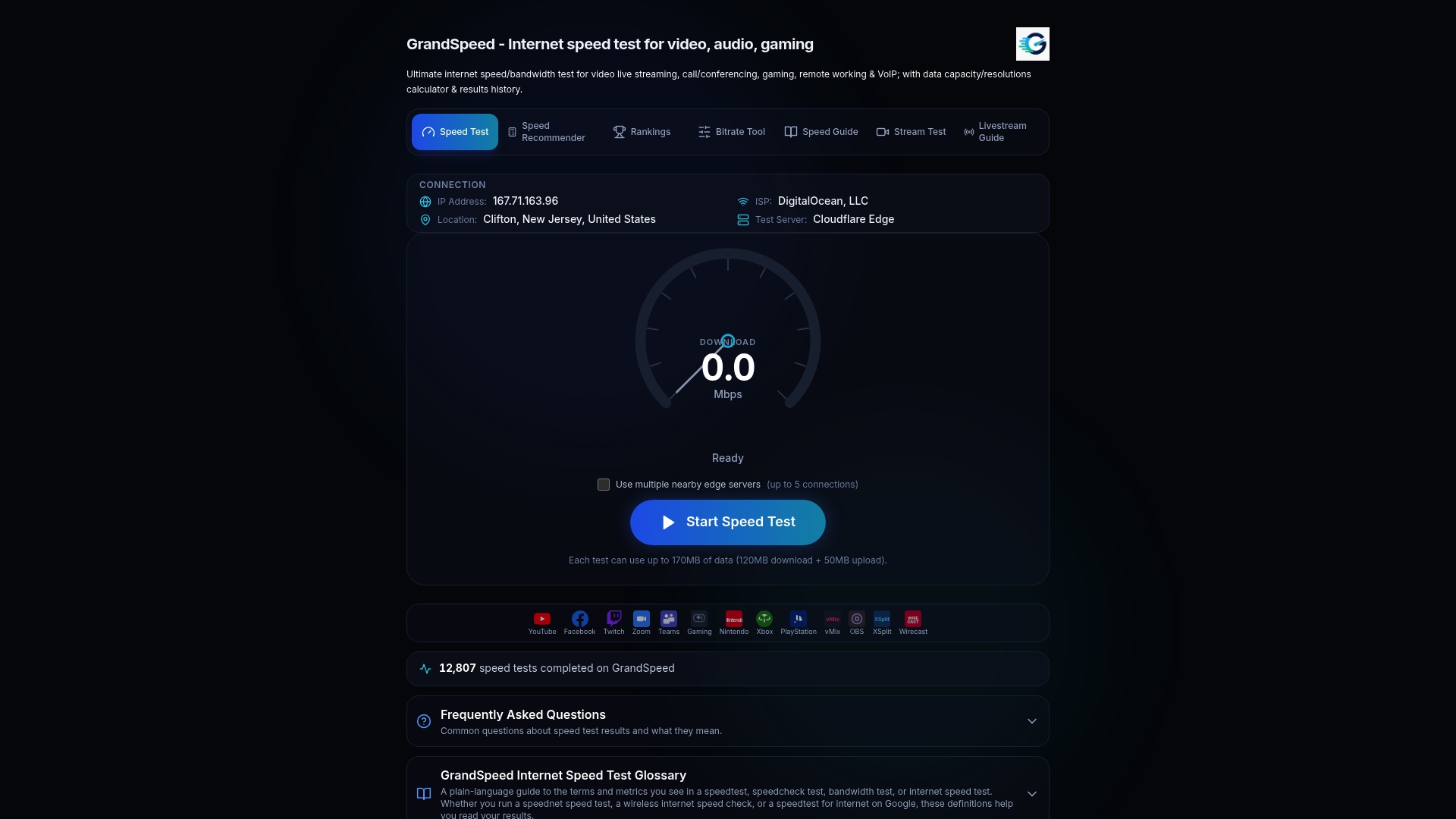
Streaming? Start the Livestream Upload Speed Monitor to watch your upload stability. For everything else, run the GrandSpeed speed test. To see how connections compare, browse the Internet Speed Rankings.
FAQ
How can I test my 5G speed accurately?
Turn off Wi-Fi, stand where you normally use the connection and close background apps. Run the test three to five times at different hours and compare the pattern. A test that opens several parallel connections gives a better estimate of total capacity than a single stream.
What is a good 5G speed?
It depends on the task. Streaming and calls need modest, steady speeds, livestreaming needs upload comfortably above your stream bitrate, and gaming needs low, stable latency. Use the bitrate planner to match your stream settings to your measured upload.
Why is my 5G speed test slower than what my carrier advertises?
Advertised figures are maximums. Your real result depends on signal strength, device, network load and which test server you reach. Testing at several times of day shows what you can rely on rather than the best case.
Is a 5G speed test enough to diagnose lag?
Not if it only reports download. Lag usually shows up in latency, jitter, packet loss or bufferbloat, so choose a test that reports them. GrandSpeed measures all four and keeps your history.
Sources
- Measuring Internet Speed, Communications of the ACM
- Network Measurement Tools for QoS Evaluation in 5G-Enabled Environments, JISIS
- Feamster, Internet speed measurement paper (arXiv 1905.02334)
- A Worldwide Look Into Mobile Access Networks (arXiv 2209.04129)