
Use UDP-based transport (WebRTC, SRT, RTP) when a stream must arrive in under a second or two, such as a video call, a cloud game or a live auction. Use TCP-based delivery (HTTP with HLS or DASH, RTMP ingest) when reach, caching and clean picture quality matter more than a few seconds of delay. In practice you rarely pick the raw protocol. You pick a streaming format built on one of them, and the number that decides how it behaves is your packet loss. You can check yours with the GrandSpeed speed test, which reports packet loss, jitter, latency and bufferbloat next to download and upload speed.
TL;DR
- TCP guarantees ordered, complete delivery by retransmitting lost packets, so loss turns into delay. UDP does not retransmit, so loss turns into a glitch instead.
- Most large-scale live and on-demand video reaches viewers over HTTP, which runs on TCP. Sub-second interactive video mostly uses UDP.
- QUIC and HTTP/3 blur the line: they run on UDP but behave like a modern, reliable web transport, with TCP as the fallback.
- With a lossy connection, TCP throughput collapses well before UDP quality does. Measure loss, jitter and upload headroom before choosing a setup.
Table of Contents
- What TCP and UDP actually do differently
- Why loss hurts TCP streams so much
- Latency: what each protocol adds
- Is UDP used for streaming? Yes, but not everywhere
- Where QUIC and HTTP/3 fit
- Which one should you use? A decision guide
- Measure before you blame the protocol
- Perspective
- Test your connection before you pick a protocol
- FAQ
- Sources
What TCP and UDP actually do differently
TCP is connection-oriented. It sets up a handshake, numbers the data, waits for acknowledgments and resends anything that went missing. The receiver gets a reliable, in-order byte stream, and TCP slows itself down when it senses congestion. UDP is connectionless and best-effort: no handshake, no acknowledgments, no retransmission, no ordering guarantee and no built-in congestion control, as Forasoft's protocol breakdown lays out.
For streaming, that difference shows up in one place: what happens to a packet that gets lost.
| TCP | UDP | |
|---|---|---|
| Connection | Handshake first | None |
| Lost packet | Resent; later data waits | Skipped; next packet is delivered |
| Order | Guaranteed | Not guaranteed |
| Congestion control | Built in, mandatory | Left to the application |
| What viewers notice on a bad link | Buffering, stalls, delay | Brief artifacts, dropped frames |
| Typical use | HLS, DASH, RTMP, web video | WebRTC, RTP, SRT, game and call traffic |
The IETF's RFC 9317 on streaming media describes the same trade-off from the standards side: UDP-based approaches (MPEG-TS over UDP, RTP, SCTP, SRT) generally show transient media artifacts more often and playback delay less often than reliable segment transport over TCP.
Why loss hurts TCP streams so much
TCP delivers data in order, so one lost packet holds back everything behind it until the retransmission arrives. The standard calls this head-of-line blocking. RFC 9317 notes that QUIC, which can carry several independent streams, delays only the streams that were in the lost packet.
The cost is at least one round trip per loss. Forasoft estimates that on a transcontinental 30 fps video call, one lost packet can stall three to six frames while the 80 to 200 ms retransmission completes. A UDP-based call just shows the next frame and lets the decoder conceal the gap.

There is a second, quieter cost: throughput. The Mathis formula, documented by Stanford's SLAC network group, gives an upper bound on a single TCP connection: rate is at most (MSS / RTT) × (1 / √p), where MSS is typically 1460 bytes, RTT is round-trip time and p is the packet-loss rate.
Work it through with a 1460-byte segment (11,680 bits):
- 150 ms RTT, 1% loss: about 0.78 Mbps. BlazingCDN reaches the same roughly 780 kbps figure, well below the 4 to 6 Mbps it cites for a 1080p stream.
- 50 ms RTT, 1% loss: about 2.3 Mbps.
- 50 ms RTT, 0.1% loss: about 7.4 Mbps.
The lesson is not that your 300 Mbps plan is broken. It is that a single TCP flow over a lossy or long-distance path can fall far short of your plan speed, and a speed test that only reports download and upload will never show you why. If you want the plan-side numbers for a given resolution, this guide on how many Mbps you need for 4K covers the bandwidth side, and the loss side is what the formula above adds.
Latency: what each protocol adds
RFC 9317 defines streaming latency as glass-to-glass time, from the camera lens to the viewer's screen, and sorts it into four bands:
- Ultra-low-latency: under 1 second
- Low-latency live: under 10 seconds
- Non-low-latency live: 10 seconds to a few minutes
- On-demand: hours or more
The same document says most ultra-low-latency applications use RTP or WebRTC, which relies on RTP for media transport, while low-latency live delivery under 10 seconds can be reached with LL-HLS or LL-DASH using CMAF packaging.
Ant Media's protocol table gives typical ranges that make the choice concrete:
| Transport family | Examples | Typical latency |
|---|---|---|
| TCP | HLS, DASH, RTMP | 5 to 30 seconds |
| UDP | WebRTC base, RTP | 50 to 500 ms |
| UDP with retransmission (ARQ) | SRT, WebRTC with NACK | 120 ms to 4 seconds |
| QUIC | HTTP/3-based HLS and DASH | 2 to 8 seconds |
Those are typical ranges, not guarantees. Your own result depends on encoder settings, segment length, distance to the server and the quality of your last mile.
Is UDP used for streaming? Yes, but not everywhere
The popular answer, "UDP for live, TCP for on-demand", is too tidy. Pinggy's 2026 protocol guide points out that large-scale live streaming mostly runs on TCP: broadcasters push feeds with RTMP (TCP), and platforms deliver them to viewers with HLS or DASH over HTTP (also TCP). UDP shows up when latency must be sub-second, with WebRTC and SRT, and increasingly through QUIC and HTTP/3.
There are good reasons for the TCP default. HTTP delivery works through almost every firewall, caches well on content delivery networks, and lets a player buffer several seconds to absorb trouble. That buffer is why a TCP-based on-demand stream can look perfect on a connection with a little loss.
A useful rule of thumb comes from BlazingCDN's guidance: segmented video can stay on TCP-based HTTP/2 while the client buffer is 2 seconds or more and 95th-percentile loss stays under about 0.5%. Move to UDP-based transport (QUIC/HTTP/3, SRT or WebRTC) when the buffer drops under a second or loss climbs. Its full comparison describes the split architecture most services end up with: TCP/HTTP for scale and reach, UDP-based transports for low latency.
Where QUIC and HTTP/3 fit
HTTP/3 carries HTTP over QUIC, and QUIC runs on UDP. It rebuilds the useful parts of TCP on top: reliable delivery, congestion control and encryption. It adds per-stream loss isolation, a faster 1-RTT handshake (0-RTT on resumption) and connection migration, so a phone moving from Wi-Fi to cellular does not drop the session, according to BlazingCDN. QUIC does not repair the underlying loss. It just stops one lost packet from freezing every other stream.
TCP remains the safety net. An IETF draft on QUIC notes that QUIC is occasionally blocked by middleboxes and costs more computation than TLS over TCP, so applications are often served over both, with TCP as the fallback. If your office or hotel network blocks UDP, a modern player quietly drops to HTTP/2 over TCP, and you may notice only that the video starts a little slower.
One frequent confusion is port 443. It is used by both: HTTPS over TCP and HTTP/3 over UDP. Opening it for one does not open it for the other.
Which one should you use? A decision guide
You are broadcasting to a platform (YouTube, Twitch, Facebook). Your encoder will most likely push RTMP, which is TCP. That works well on a clean connection, and TCP's retransmissions will quietly eat upload headroom when loss appears. If your platform or restream service supports SRT, it adds retransmission over UDP and a configurable buffer, which suits a lossy link. Our walkthrough on SRT vs RTMP and testing packet loss first covers that choice in detail.
You need interactive latency (auctions, remote guests, cloud gaming, live Q&A). Choose a WebRTC or other UDP-based path and budget for brief artifacts. See our guide to low latency streaming protocols, settings and network fixes.
You are serving a large audience, with no interaction. HLS or DASH over HTTP, ideally with LL-HLS or LL-DASH if you want under 10 seconds. The platform handles this side for you.
You are on a call or in a game. The app chooses UDP for you. Your job is to keep loss and jitter low, which is a connection problem, not a protocol setting.

Measure before you blame the protocol
Most "UDP vs TCP" problems are really packet loss, jitter or bufferbloat problems. On TCP they appear as buffering and falling bitrate. On UDP they appear as glitches and robotic audio. Either way, the fix starts with numbers.
- Run a test that reports more than speed. A plain download figure hides loss, jitter and latency under load. Run the GrandSpeed speed test on the same device and network you will stream from, and note packet loss, jitter, latency and bufferbloat. Its history lets you compare runs at different times of day.
- Check upload headroom. For broadcasting, a sustained upload well above your bitrate matters more than a peak number. The Livestream Upload Speed Monitor is built for watching that over a real session, and the video bitrate planner turns your measured speed into a bitrate to set in your encoder.
- Look at loss first. Our reference on acceptable packet loss for gaming, VoIP and streaming gives target ranges per use. Sustained loss on a TCP-based feed means retransmissions and falling throughput. On a UDP-based feed it means visible glitches.
- Test wired and wireless separately. If loss appears only on Wi-Fi, the protocol is not your problem. Our quick packet loss tests for streamers and gamers show how to isolate the cause.
- Check the stream itself. The Video Streaming Quality Test shows the highest video resolution your measured connection supports.
Perspective
We built GrandSpeed around a simple observation: people choose a protocol, then blame it, when the real culprit is a metric their speed test never showed them. A 500 Mbps download figure says nothing about whether your upload holds steady for three hours, whether your latency spikes under load, or whether one packet in a hundred disappears.
That is why we measure jitter, packet loss, bufferbloat and DNS resolution alongside speed, and why we turn the result into something you can act on: the maximum stream resolution your connection supports, and a bitrate to match. TCP will keep your RTMP feed intact until loss makes it stall. UDP-based transports will keep it fast until loss makes it glitch. Both follow the same rule: a clean connection makes the protocol choice easy, and a dirty one makes every choice hard.
Test first, then pick the transport. In our experience of building these tools, that order saves the most time.
Peter D
Test your connection before you pick a protocol
GrandSpeed is a free browser-based test that works on a phone, tablet or laptop, over Wi-Fi or cellular. It measures download and upload speed, latency, jitter, packet loss, bufferbloat and DNS resolution, and it works out the maximum live stream resolution your results support. Run it before a broadcast, then again when something goes wrong, and compare. Start with the speed test or the Internet/ISP Speed Recommender if you are choosing a plan.
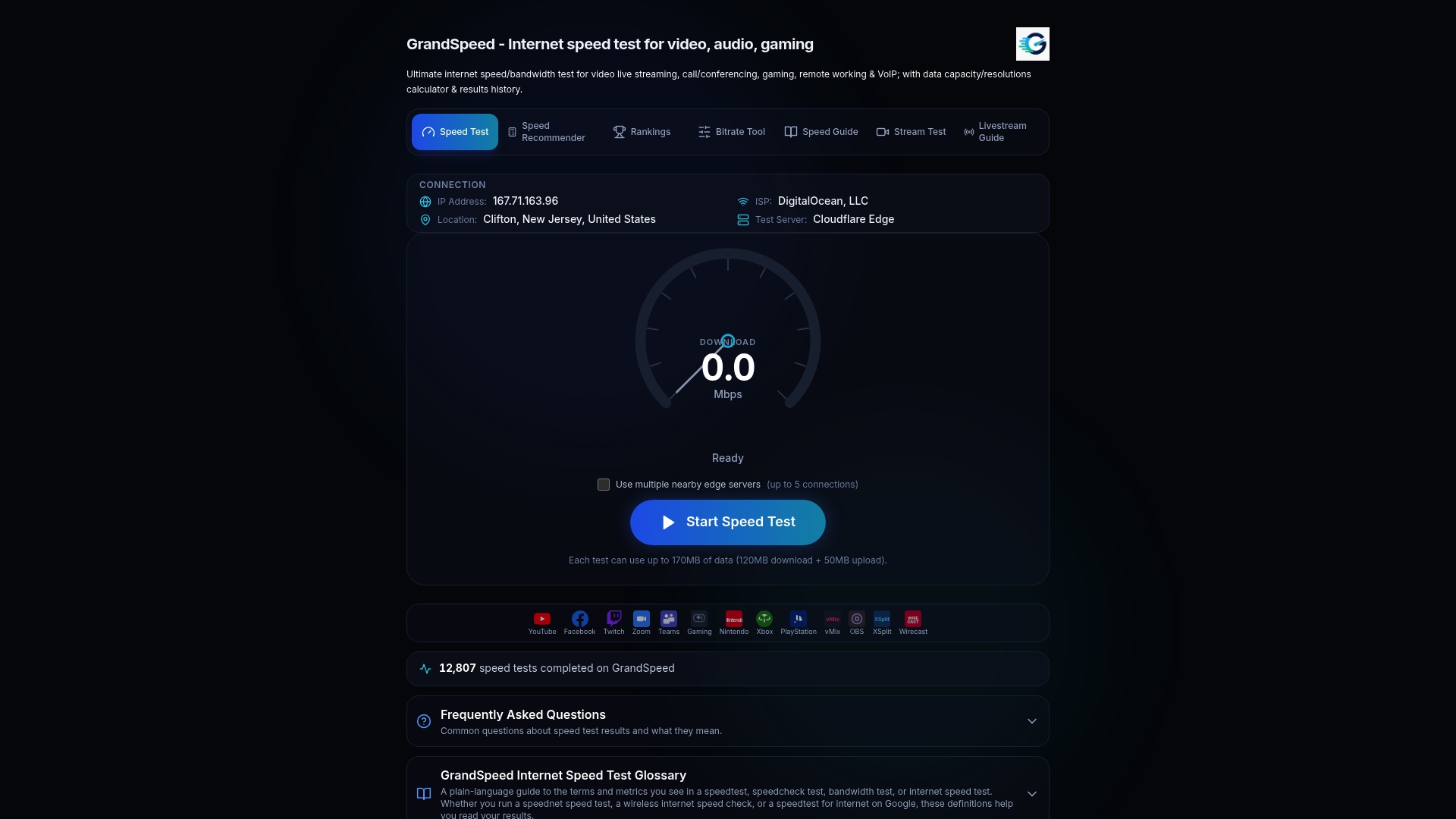
For a longer walkthrough of an upload-focused test, read the guide on running a bandwidth test for upload speed.
FAQ
Is UDP better than TCP for streaming?
For sub-second, interactive streaming, yes: UDP-based transports such as WebRTC and SRT avoid the delay of waiting for retransmissions. For broadcasting to large audiences and on-demand video, TCP-based HTTP delivery is the norm because it reaches every device and caches well. Most services use both.
Does Netflix or YouTube use TCP or UDP?
On-demand and most live delivery uses HTTP streaming (HLS or DASH), which runs on TCP, though HTTP/3 over QUIC and UDP is increasingly used where the network allows it. When UDP is blocked, players fall back to TCP. Which one you get depends on your network and the service, so there is no single answer.
Is port 443 TCP or UDP?
Both. HTTPS over HTTP/1.1 and HTTP/2 uses TCP port 443, and HTTP/3 over QUIC uses UDP port 443. A firewall rule for one protocol does not cover the other.
How does packet loss affect TCP and UDP latency differently?
On TCP, each lost packet costs at least one round trip while the data is resent, and later data waits behind it. On UDP, nothing waits, so latency stays steady but the picture or audio may show a glitch where the packet was lost. Jitter hurts both, since it forces bigger buffers.
Which protocol should I use to go live on Twitch or YouTube?
Use whatever your encoder and platform offer. RTMP, over TCP, is the common default, and it works well on a stable connection with upload headroom. If you see dropped frames during a stream, check your upload and packet loss first with the livestream monitor before changing settings.
Sources
- RFC 9317: Operational Considerations for Streaming Media
- TCP or UDP for Video Streaming? Which Protocol and Why (Forasoft)
- Throughput versus packet loss (SLAC, Stanford)
- UDP vs TCP: Which Protocol Wins for Streaming and Delivery (BlazingCDN)
- Video Streaming Protocols: Everything You Need to Know (Ant Media)
- UDP vs TCP: Complete Guide to Network Protocols in 2026 (Pinggy)
- QUIC on Streams (IETF draft)