

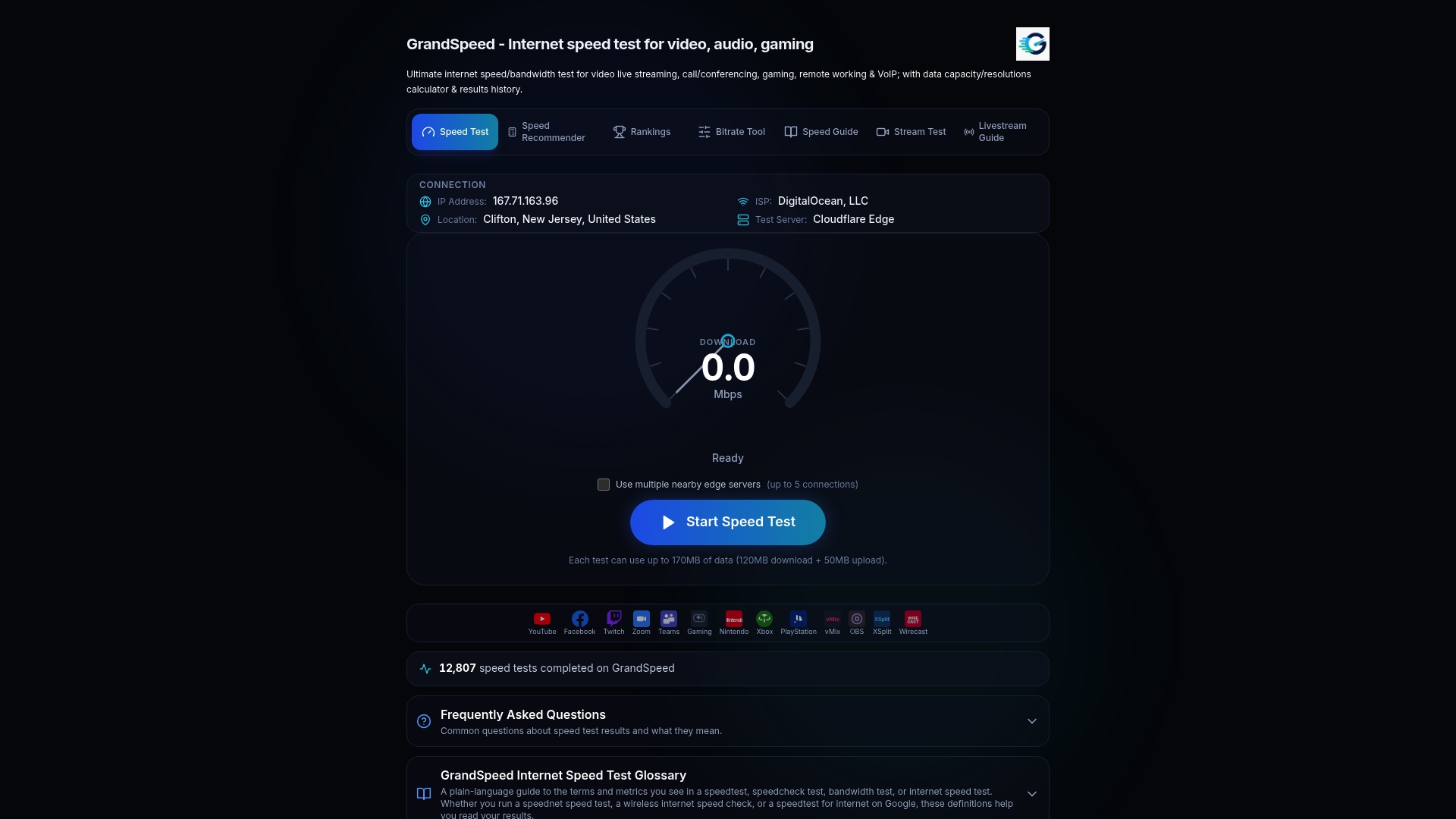
If you are looking for a TestMy.net alternative, the real question is what you need the test to tell you. A plain download and upload number answers "is my plan roughly delivering?" It does not explain a laggy video call, a stream that drops frames, or a game that spikes at the worst moment. For those problems, we recommend GrandSpeed, a free browser-based test that also measures latency, jitter, packet loss, bufferbloat and DNS resolution time, then tells you what your connection can support. The rest of this guide compares the main options so you can pick the right one for your job.
TL;DR
- Most well-known speed tests report download, upload and ping. That is enough for a quick plan check, not for diagnosing stutter, lag or dropped streams.
- Different tests can give different numbers on the same line, because they open connections and run for different lengths of time.
- GrandSpeed adds jitter, packet loss, bufferbloat and DNS timing, plus the maximum live stream resolution your tested speeds support.
- Streamers should check upload stability over time, not one reading. The Livestream Upload Speed Monitor is built for that.
- Run the same test at the same time of day, on the same device, and keep the history, so you compare like with like.
Table of Contents
- What to look for in a TestMy.net replacement
- The main alternatives compared
- Where GrandSpeed fits
- Match the test to your situation
- How to test properly, whichever tool you use
- Privacy and ads: what to look at
- Promo: see more than a speed number
- Our perspective
- FAQ
- Sources
What to look for in a TestMy.net replacement
People usually leave a speed test for one of three reasons: they want a cleaner interface, they want a second opinion on a number that looks wrong, or they need more than speed. The third reason is the one that matters most to the readers of this guide, so start there.
Here are the criteria worth comparing:
- Throughput: download and upload in Mbps. Upload is the figure streamers and video-call users depend on.
- Latency: the time a small packet takes to reach a server and return. It drives how responsive games and calls feel.
- Jitter: how much that latency varies from one packet to the next. Voice and video calls break up on jitter even when average ping looks fine.
- Packet loss: the share of packets that never arrive. Live video and VoIP are sensitive to it.
- Bufferbloat: delay that builds up when a busy connection queues traffic. It is why a call stutters while someone else uploads a file.
- DNS resolution time: how long it takes to turn a website name into an address, which affects how snappy pages and apps feel.
- History: whether you can compare today's result with last week's.
- Device support: whether it runs in a normal browser on a phone, tablet or laptop, over Wi-Fi or cellular.
The main alternatives compared
The tests that appear most often when people compare TestMy.net are Speedtest by Ookla, Fast.com, Measurement Lab's speed test, SpeedOf.Me and ISP-branded tests such as Xfinity's. They are all useful for a throughput check. Where they differ is in what they report beyond it.
| Option | Best for | Beyond download and upload |
|---|---|---|
| GrandSpeed | Streamers, gamers, remote workers, anyone chasing lag | Latency, jitter, packet loss, bufferbloat, DNS timing, test history, maximum live stream resolution |
| Speedtest by Ookla | A widely used reference reading | Ping and throughput |
| Fast.com | A fast, minimal download check | Mainly download speed |
| Measurement Lab (NDT) | Open, research-style measurement | Throughput and latency |
| SpeedOf.Me | Simple HTML5 test with a result log | Latency, upload, download, saved history |
| ISP-branded tests | Checking against your own provider | Usually throughput only |
The other tools above are fine for a sanity check. If your complaint is lag, buffering or choppy calls, though, a speed-only result leaves the cause hidden, and that is the gap GrandSpeed was built to fill.
Why two tests can disagree
If you run two tools back to back and get different numbers, nothing is necessarily broken. A 2023 study in the ACM Proceedings compared more than 80,000 paired Ookla and NDT7 measurements. Speeds were similar under most conditions. But on a high-latency path, Ookla reported up to 12% more at 200 ms round-trip time and up to 56% more at 500 ms, because it uses several connections at once while NDT7 uses a single connection for ten seconds. Packet loss up to 5% had little effect on either.

The practical lesson is simple: pick one tool for tracking, use it the same way each time, and treat a different tool's number as a different measurement, not a verdict.
Where GrandSpeed fits
GrandSpeed is for the person whose speed looks fine on paper but whose experience is not. It runs in any modern browser on a phone, tablet or laptop, over Wi-Fi or cellular, and it measures download and upload speed, latency, jitter, packet loss, bufferbloat and DNS resolution time in one place. It keeps a history of your results, so you can see whether a bad evening was a one-off or a pattern.
It also translates numbers into decisions. The tool works out the maximum live stream or broadcast resolution your tested speeds support, which is the question a streamer actually has. Our Video Streaming Quality Test focuses on that use, and the Video bitrate planner helps you choose a bitrate that fits your upload.
Match the test to your situation
Livestreamers and content creators
You stream to YouTube, Facebook or Twitch through OBS, vMix, XSplit or Wirecast. What hurts you is not peak upload but upload that dips mid-stream. A single reading can look excellent and still hide a connection that wobbles every few minutes. Watch upload over time with the Livestream Upload Speed Monitor, then size your encoder settings with the OBS Bitrate Calculator. Leave headroom: aim to use only a portion of your measured upload for the stream, so other traffic in the house does not push you into dropped frames.

Gamers
Games send small packets constantly, so they care about latency, jitter and packet loss far more than raw bandwidth. A 500 Mbps line with high jitter feels worse than a 50 Mbps line that is steady. Bufferbloat is the usual culprit when ping jumps while someone streams or downloads on the same network. Test while the network is busy as well as idle, and compare.
Remote workers
Video meetings fail on jitter and packet loss before they fail on bandwidth. If calls freeze but speed tests look healthy, run a test that reports those two figures, and run it at the hour your meetings happen. Saving your results gives you something concrete to show your internet provider if the problem is on their side.
IT professionals and ISPs
When you manage a network, a single speed figure is a starting point. Latency distribution, loss and queueing delay tell you where to look next. Our write-up on home network diagnostic tools explains what to use at each stage of troubleshooting, and the piece on speed test alternatives that catch jitter and packet loss goes deeper on the metrics.
How to test properly, whichever tool you use
- Use a wired connection first. Plug a laptop into the router by Ethernet to see what the line delivers. Then repeat on Wi-Fi to see what your wireless setup costs you.
- Close other traffic. Pause cloud backups, downloads and other streams, then run the test again with them on to reveal bufferbloat.
- Test at the time you have the problem. Evening congestion and morning quiet can produce very different results.
- Run it several times. One reading is an anecdote. Three or more across a day show a range.
- Record the results. Saving test history turns a feeling that the connection is bad into a pattern you can act on.
- Compare against what you need, not just what you pay for. Our Household Bandwidth Calculator shows how much speed your household's mix of devices and activities calls for.
Privacy and ads: what to look at
Free speed tests are usually supported by advertising or by recommendations for plans and hardware, so expect ads on the results page of most of them. Before you settle on a tool, read its privacy policy to see what it stores with each result and whether it shares data. Pick one whose results page is easy to read and does not bury the figures you came for.
Promo: see more than a speed number
If you want one place that checks the things that actually break calls, games and streams, run the GrandSpeed speed test. You get speed, latency, jitter, packet loss, bufferbloat and DNS timing, with a saved history of your results.
Streaming for an audience? Pair it with the Livestream Upload Speed Monitor, and use the Internet/ISP Speed Recommender when you are deciding what speed tier your use really needs.
Our perspective
Speed tests were designed to answer one question: how fast is the pipe? That was enough when the internet mostly meant downloading files. Today people use their connection live: calls, games, streams that nobody can pause and retry.
For live use, the average hides what matters. A connection that delivers 100 Mbps with wild jitter and a bloated queue will lose to a 30 Mbps line that behaves. That is why GrandSpeed measures jitter, packet loss, bufferbloat and DNS timing next to speed, and why we turn the results into something you can act on, such as the maximum live stream resolution your connection supports.
Our advice is to stop chasing a single big number. Test the way you use the network, test it when the problem happens, keep the history, and decide from the pattern.
Peter D
FAQ
What is the best TestMy.net alternative?
It depends on the job. For a quick throughput reading, any of the well-known tests will do. For streaming, gaming and video calls, GrandSpeed is our pick because it reports jitter, packet loss, bufferbloat and DNS timing alongside speed, and shows the live stream resolution your connection supports.
Why do different speed tests show different results?
Tools differ in how many connections they open, how long they run and which servers they use. A peer-reviewed comparison of Ookla and NDT7 found similar speeds in most conditions but noticeable gaps on high-latency paths. Use one tool consistently to track changes.
Which metrics matter for livestreaming?
Upload speed first, then its stability over time, plus packet loss and jitter. A steady upload with headroom above your stream bitrate matters more than a high peak. Check it with the Livestream Upload Speed Monitor.
Does GrandSpeed work on my phone?
Yes. It runs in any modern browser on a phone, tablet or laptop, over Wi-Fi or cellular.