
Megabits (Mbps) measure network speed; megabytes (MB) measure file size. The conversion is simple: divide Mbps by 8 to get MB per second. A 100 Mbps internet plan downloads at roughly 12.5 MB/s, not 100 MB/s. Internet providers advertise in megabits because the number looks bigger; your file manager, browser, and Steam library report progress in megabytes because that's how storage is measured.
TL;DR:
- A 100 Mbps internet plan provides about 12.5 MB/s under ideal conditions, so large downloads will take roughly 8 minutes for 50 GB files.
- Most household activities like HD streaming and browsing comfortably work with 25 to 50 Mbps, while complex tasks need 100 Mbps or more.
- Real-world download speeds often fall 10 to 20 percent below theoretical estimates due to overhead and network congestion, affecting transfer times.
- Converting Mbps to MB/s requires dividing the Mbps figure by 8; this simple step clarifies actual transfer rates during file downloads and streaming.
- Running actual speed tests is essential to determine your precise download and upload capabilities, as plan labels often overstate actual bandwidth.
Table of Contents
- What Is a Bit, and Why Does a Byte Need Eight of Them?
- Megabits vs Megabytes: Conversion Formulas and Quick Examples
- Where You'll Actually See Each Unit
- Worked Examples and a Quick Conversion Table
- How to Calculate Realistic Download Time (and Why It's Often Slower)
- Choosing an Internet Plan Using These Conversions
- Confirming Your Real Speed With GrandSpeed's Tools
- Why the Conversion Gets Overlooked Until It Costs You
- Test Your Real Speed Before You Guess at a Plan
- Sources
- FAQ
What Is a Bit, and Why Does a Byte Need Eight of Them?
A bit is the smallest unit of digital data: a single 0 or 1. Computers group bits into bytes because a lone bit can only represent two states, which isn't enough to encode a letter, a pixel color, or a sound sample. Eight bits together can represent 256 different values, which is why the byte became the standard unit for representing a character of text or a small chunk of data.
The abbreviations trip up a lot of people, but the pattern is consistent once you see it:
- Lowercase b means bit; uppercase B means byte.
- Mbps = megabits per second (network speed).
- MB/s or MBps = megabytes per second (data transfer rate to a drive or screen).
- MB alone (no "per second") usually means file or storage size.
There's a second wrinkle worth knowing: storage size can be counted two ways. Decimal counting treats a megabyte as 1,000,000 bytes, which is how ISPs and drive manufacturers market their numbers. Binary counting treats it as 1,048,576 bytes, sometimes labeled MiB. That's why a drive advertised as 500 GB might show up as roughly 465 GB in your operating system. Nothing is missing. It's just a different counting method, not a scam.
Megabits vs Megabytes: Conversion Formulas and Quick Examples
The math behind megabits vs megabytes conversion never changes, no matter what speed tier you're on:
- MB/s = Mbps ÷ 8 — convert network speed to file transfer rate.
- Mbps = MB/s × 8 — go the other direction if you know a transfer rate and want the equivalent network speed.
- Example: A 100 Mbps plan gives you 100 ÷ 8 = 12.5 MB/s under ideal conditions.
- Bigger scale: A 1 Gbps (1,000 Mbps) fiber connection converts to 125 MB/s, which is fast enough to pull down a 50 GB game in well under 10 minutes at full throughput.
So why does every provider list Mbps instead of the more intuitive MB/s? Partly tradition, since network engineering has always measured throughput in bits. But it's also marketing math: 100 sounds a lot more impressive on a billboard than 12.5, even though they describe the exact same connection.
Where You'll Actually See Each Unit
Confusing Mbps with MB/s is easy because both units show up constantly, just in different corners of your digital life:
- ISP plans and speed tests: Always Mbps. A speed test result of "250 Mbps down" describes network throughput, not file size.
- Browsers, Steam, game launchers, installers: Almost always MB/s or GB/s, since they're reporting how fast bytes are landing on your drive.
- Storage devices: Drives, USB sticks, and phone storage are listed in bytes: MB, GB, TB.
- Streaming and uploads: Streaming platforms typically list required bitrate in Mbps, while your video file's finished size on disk is measured in MB or GB.
Mixing these up leads to real confusion. Seeing "12.5 MB/s" after paying for "100 Mbps" can feel like you're being shortchanged, when in fact you're getting exactly what you paid for. It's just displayed in a different unit.
Worked Examples and a Quick Conversion Table
Here's how common advertised speeds translate to real transfer rates and rough download times for a small file (10 MB), a medium one (700 MB, roughly a movie), and a large one (50 GB, a modern game install):
| Advertised Speed | Approximate MB/s Equivalent | 10 MB File | 700 MB File | 50 GB File |
|---|---|---|---|---|
| 25 Mbps | About 3 MB/s | About 3 seconds | About 4 minutes | Several hours |
| 100 Mbps | About 12.5 MB/s | About 1 second | About 1 minute | About an hour |
| 300 Mbps | About 37.5 MB/s | Less than 1 second | About 20 seconds | About 20 minutes |
| 1,000 Mbps (1 Gbps) | About 125 MB/s | Less than 1 second | Several seconds | Several minutes |
Pro Tip: A 100 Mbps connection converts to about 12.5 MB/s, which is the number to remember when you're staring at a stalled download progress bar and wondering if something's wrong.
To get any of those MB/s figures yourself, take the advertised Mbps and divide by 8. That single step, repeated across every row, is the whole megabit to megabyte conversion.
How to Calculate Realistic Download Time (and Why It's Often Slower)
The math above assumes a clean, uncontested connection, which almost never happens in the real world. Here's how to calculate it properly:
- Convert file size to the right unit. If a download is listed in MB and your speed is in Mbps, convert one to match the other before dividing.
- Apply the basic formula. Time in seconds = file size in MB ÷ MB/s (or file size in MB × 8 ÷ Mbps if you're skipping the conversion step).
- Subtract for overhead. Real-world speeds routinely land 10 to 20 percent below the theoretical maximum because of protocol overhead, Wi-Fi signal loss, router limitations, or a busy network at peak hours.
So a 700 MB file on a 100 Mbps plan (12.5 MB/s theoretical) should take about 56 seconds on paper. Knock off 15% for realistic overhead and you're closer to 66 seconds. That's still fast, but it explains why your download manager rarely matches the math exactly. Wi-Fi congestion, an older router, or a busy server on the other end can all eat into that number further.
Choosing an Internet Plan Using These Conversions
Once you can convert Mbps to MB/s in your head, picking a plan tier gets a lot less abstract. A few rules of thumb:
- Single-user streaming and browsing: 25 to 50 Mbps (roughly 3 to 6 MB/s) comfortably handles HD video and normal web use.
- Multi-device households or 4K streaming: 100 to 300 Mbps (12.5 to 37.5 MB/s) gives room for several screens running at once without buffering.
- Gaming, large downloads, or remote work with big file transfers: 300 Mbps and up keeps download waits short and reduces lag from competing traffic.
- Live streaming or broadcasting: Upload speed matters more than download here, and it needs comfortable headroom above your target bitrate.
The safest approach is to estimate your peak simultaneous usage, then choose a plan that sits comfortably above it rather than exactly at it. A plan that matches your average use on paper often falls short the moment two people are streaming and a third is on a video call.
Confirming Your Real Speed With GrandSpeed's Tools
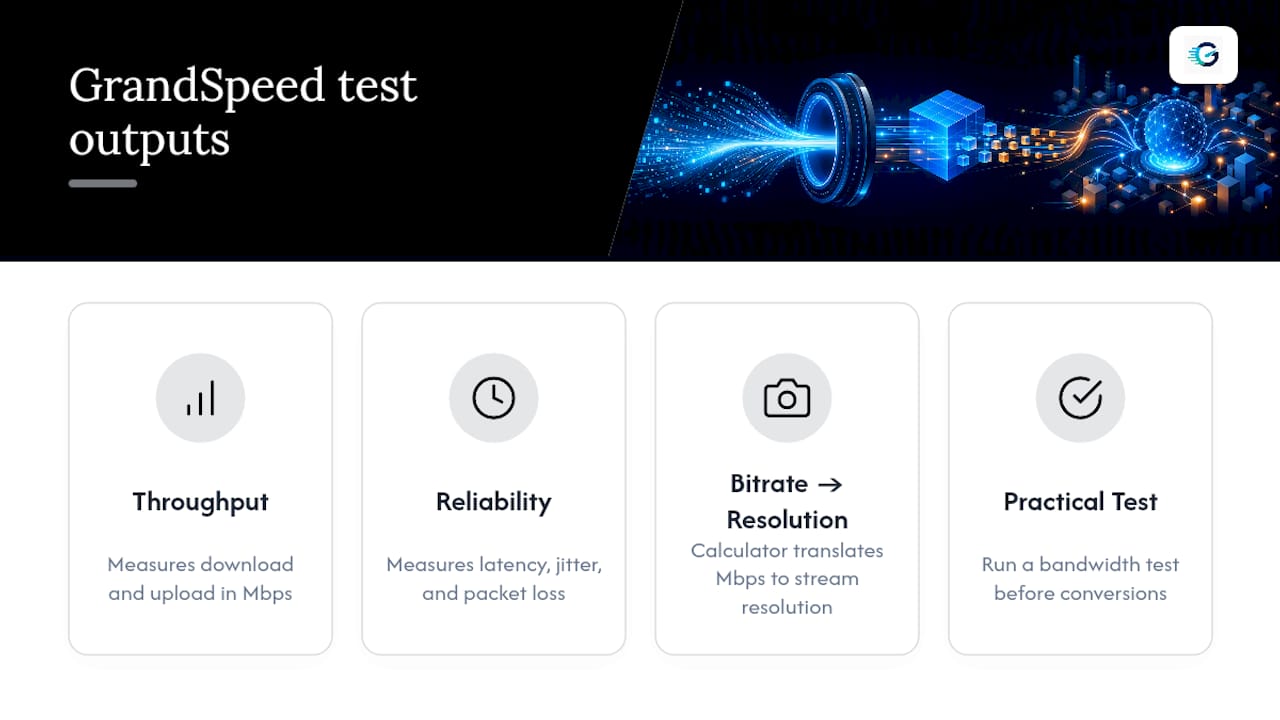
Numbers on a plan brochure are theoretical. What your connection actually delivers at 8 p.m. on a Tuesday is a different question, and it's one GrandSpeed's speed test is built to answer. It measures download and upload speed in Mbps, plus latency, jitter, and packet loss, the metrics that determine whether a connection just tests fast or actually holds up under real streaming, gaming, or video calls.
Beyond the raw numbers, GrandSpeed's calculator translates your measured Mbps into the maximum live stream or broadcast resolution your connection can realistically sustain, using its bitrate calculator. For anyone converting between megabits and megabytes to plan a big file transfer, running a bandwidth test first turns the math from theoretical to practical.
Why the Conversion Gets Overlooked Until It Costs You
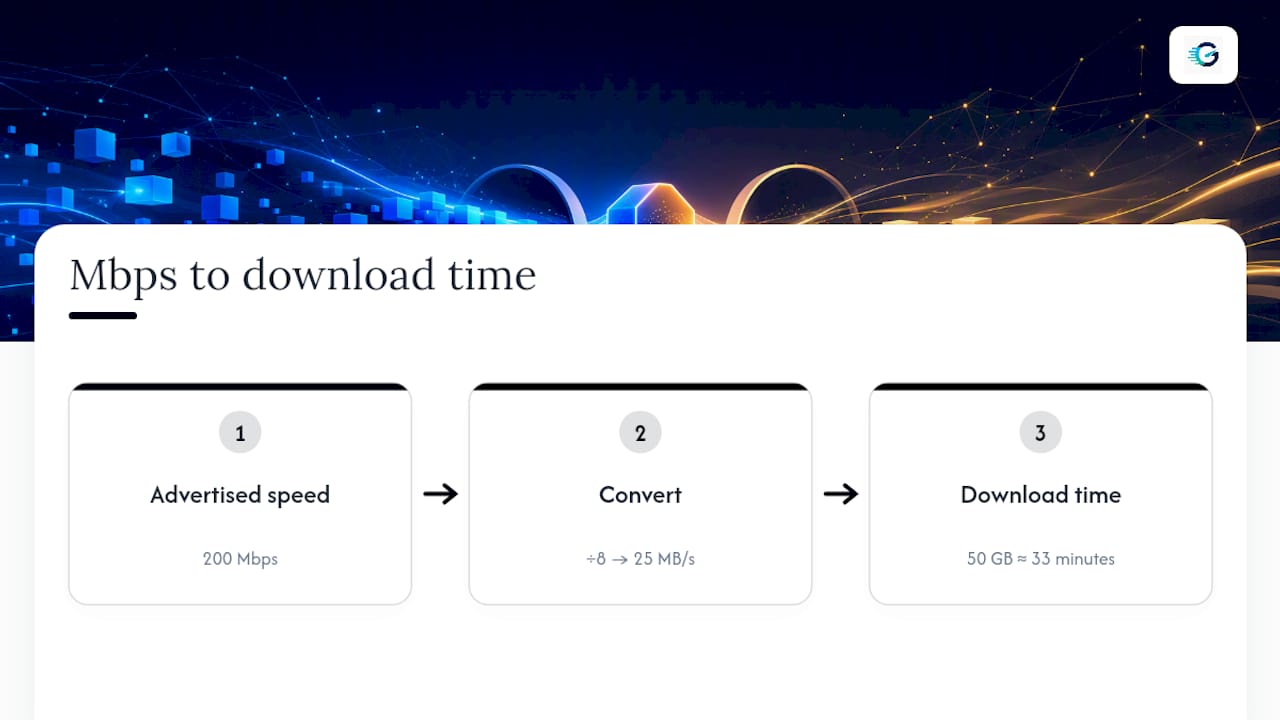
Most explainers treat megabits vs megabytes as a trivia question. It isn't. It's the single most common reason people misjudge whether their internet plan actually fits their household, because a "200 Mbps" plan sounds abstract until you realize that's 25 MB/s, and a 50 GB game install at that rate takes about 33 minutes, not the "a few minutes" most people assume.
The bigger blind spot isn't the math. It's that advertised Mbps numbers describe a best-case download scenario, and most households care just as much about upload, the number that decides whether a livestream stutters or a video call freezes. Providers rarely lead with upload speed because it's usually the smaller, less flattering number on the spec sheet.
If there's one habit worth adopting, it's this: stop trusting the plan label and start trusting a measured result. A quick test tells you what you're actually working with, in both directions, under real conditions, at the moment you need it. The conversion math is the easy part. Knowing your real numbers is what actually prevents surprises.
— Peter D
Test Your Real Speed Before You Guess at a Plan
Now that you can convert Mbps to MB/s in your head, the next step is finding out what your connection actually delivers, not what the plan label promises. GrandSpeed's stream test measures your real download and upload speed alongside latency, jitter, and packet loss, then estimates the maximum streaming or broadcast resolution your connection can sustain.
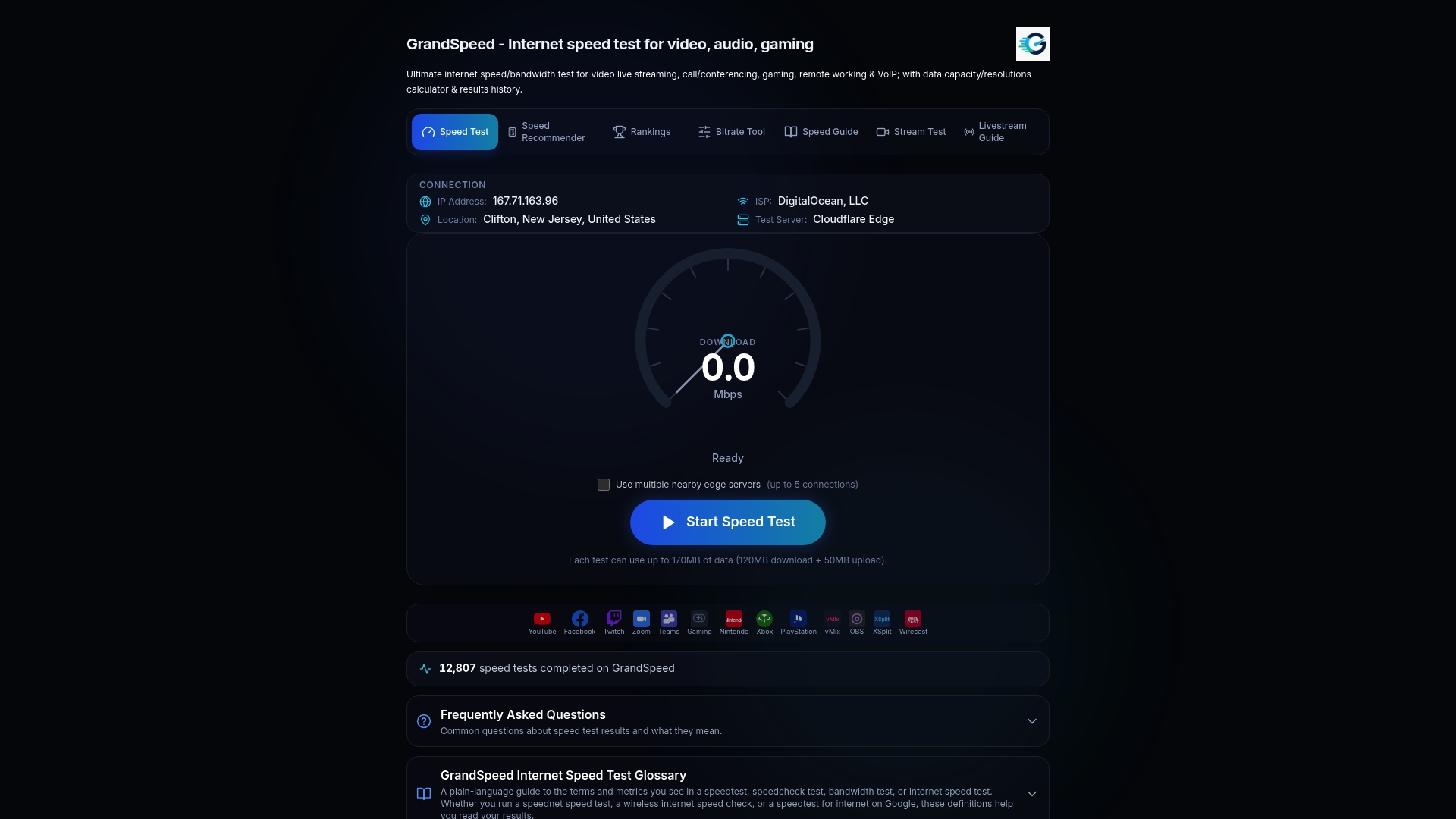
If you're planning a livestream, a big upload, or just trying to figure out why downloads feel slower than the number on your bill, running the test gives you a real answer instead of a guess. Check your internet speed rankings against your region, then run a full test at grandspeed.net to see exactly how your Mbps translates into usable MB/s for your next download, stream, or video call.
Sources
- Mbps vs. MBps: How Are They Different? - BroadbandNow
- Megabits vs. Megabytes - CNET
- Mbps to MB/s Speed Converter | Megabits to Megabytes - CalculatorLib
- Byte — NIST glossary
FAQ
Is 100 MB the Same as 100 Mbps?
No. 100 MB is a file size measured in megabytes, while 100 Mbps is a network speed measured in megabits per second. A 100 Mbps connection transfers data at about 12.5 MB per second, so downloading a 100 MB file would take roughly 8 seconds under ideal conditions.
How Many MB Is 1 Mbps?
One megabit equals one eighth of a megabyte, since a byte is 8 bits. To convert any Mbps figure into MB/s, divide it by 8.
Is 40 Mbps Very Slow?
No, a plan around 25 Mbps (about 3 MB/s) handles HD streaming and normal browsing fine for one or two users, though it can feel tight with several devices streaming 4K or downloading large files at once. It's on the lower end of mid-tier plans rather than a slow connection.
Is 300 Mbps a Good Internet Speed?
Yes. At roughly 37.5 MB/s, 300 Mbps comfortably supports multiple 4K streams, competitive online gaming, and large downloads with minimal wait time, making it a strong fit for most multi-device households. Running a speed test confirms whether your connection is actually delivering close to that rate.