
Dual WAN failover automatically switches traffic to a backup internet link when the primary connection drops, keeping most services running without anyone touching a router. It's built for branch offices, small businesses, and advanced home networks running VoIP, video calls, or live streams that can't tolerate downtime. Most traffic resumes within seconds to a couple of minutes, though active sessions like VPN tunnels or live streams may briefly disconnect depending on how conntrack and tunneling are configured.
TL;DR:
- Failover detection speed varies from seconds to over a minute, depending on probe type, frequency, and threshold settings.
- Using multiple probes targeting different destinations, such as the ISP gateway and a public DNS, improves failure accuracy.
- Session-sensitive connections like VPNs may need re-establishment after failover due to NAT and connection tracking resets.
- Proper threshold hysteresis and hold timers prevent frequent failback reversals caused by flaky links.
- VPN and SD-WAN tunnels must use route tracking or policy-based routing to rebuild connections before the primary link fully fails.
Table of Contents
- What Is Dual WAN Failover, and How Does It Route Traffic?
- How Do You Detect a Failed Link Before It Takes Down Your Traffic?
- Platform Quick-Config Notes: pfSense, UniFi, RouterOS, and Linux
- Tuning Failover to Stop It From Flapping
- What Happens to VPN Tunnels and SD-WAN Overlays During Failover?
- How Do You Test Failover Without Breaking Production?
- Troubleshooting Checklist for Failover That Isn't Working
- A Field Note on Hysteresis and Testing Discipline
- Verify Failover Performance Before You Trust It
- Sources
- FAQ
What Is Dual WAN Failover, and How Does It Route Traffic?
Dual WAN failover comes in two flavors, and mixing them up is the most common configuration mistake. Active-passive (tiered) failover keeps one WAN link as primary and holds the second in reserve, promoting it only when the primary fails health checks. Active-active load balancing spreads traffic across both links simultaneously, which improves throughput but complicates failover because sessions split across paths can get stranded when one link disappears.
When a switchover happens, the router doesn't just flip a switch. It rewrites the routing table to point the default route at the backup gateway, and depending on the platform, it may also flush or rebuild NAT/conntrack state. That's the part that trips people up: a session that had an established NAT mapping through WAN1 doesn't automatically follow to WAN2. Anything using long-lived connections, like an active VPN tunnel or a persistent database link, often needs to renegotiate.
Failover timing varies widely based on detection method and tuning:
- Aggressive probe-based setups can detect failure and switch in a matter of seconds.
- Conservative setups with multiple consecutive-fail thresholds often take from tens of seconds to over a minute.
- Passive interface-only detection (no active probing) can miss "up but dead" links entirely, preventing failover from triggering.
How Do You Detect a Failed Link Before It Takes Down Your Traffic?
Detecting a dead upstream is harder than it sounds because "interface up" and "internet reachable" are two different things. A cable modem can show a solid link light while the ISP's upstream routing is broken. Reliable failover has to probe past the local interface entirely.
Most platforms support a mix of probe types:
- Gateway ICMP checks whether your own router can ping the ISP's next hop.
- External ICMP/TCP/HTTP checks confirm actual internet reachability, not just local link status.
- DNS timing probes flag slow or failing name resolution, which often degrades before a link fully dies.
- Application-level probes test whether the specific service you care about (a SIP registrar, a streaming CDN) is actually reachable.
Probe frequency and consecutive-fail thresholds control the tradeoff between speed and stability. A single missed ping shouldn't trigger a failover, but waiting for ten failures on a five-second interval means nearly a minute of downtime before anything happens.
Pro Tip: Probe two different targets, not one. Use your ISP's gateway plus a stable public DNS server as a second target. A single-target probe can't tell the difference between "my ISP is down" and "that one server is down."
Platform Quick-Config Notes: pfSense, UniFi, RouterOS, and Linux
Each platform handles gateway health and switchover logic differently, and knowing the exact knobs saves hours of trial and error.
-
pfSense. Configure Gateway Groups with tiers to define primary and backup order, and let dpinger handle live monitoring. Trigger level options include member down, packet loss, and high latency. For most SMB deployments, set the trigger to packet loss rather than a hard down state, since it catches degrading links before they fully fail. Combine one ISP gateway probe with one public DNS target, and stretch the Time Period setting for any wireless or cellular backhaul link to avoid false triggers from normal jitter.
-
UniFi. UniFi gateways offer distinct Failover and Load Balancing modes, and picking the wrong one for your goal is a common setup error. In Failover mode, a WAN is marked down when its SLA probe checks fail, and traffic moves to the designated backup role. Assign roles explicitly rather than trusting defaults, and check the SLA probe interval since UniFi's out-of-the-box settings lean conservative.
-
MikroTik RouterOS. RouterOS gives you the most granular control of the group, with several strategies depending on your priority. The simple check-gateway option works for basic setups, while Netwatch scripts allow custom external checks. For networks with many routes that need to fail over atomically, recursive anchor routing avoids updating every route individually. PCC (Per Connection Classifier) and ECMP handle load distribution when you want both links active rather than one in standby.
-
Linux (NetworkManager/event-driven). For engineers comfortable scripting their own logic, an event-driven approach built on NetworkManager events can detect an uplink failure in under five seconds, far faster than polling-based systems. Pairing that fast detector with a route-cleanup service (sometimes called a route-guardian) prevents stale conntrack entries and orphaned routes from breaking connections mid-transition.
Consumer-grade dual-WAN routers exist too, but vendor implementations vary significantly in port speed handling and failover logic, so check the specific device's documentation before assuming enterprise-grade behavior.
Tuning Failover to Stop It From Flapping
The single most common production headache with dual WAN failover isn't failure to detect a dead link. It's the opposite: a flaky link that hovers near the failure threshold, triggering repeated failover and failback cycles known as flapping.
Asymmetric thresholds fix this. That gap between the two thresholds is your hysteresis buffer.
- Add hold timers so a link has to stay healthy for a set period, not just pass one check, before it's trusted again.
- Use increasing wait periods for repeated flaps: if a link fails twice within an hour, extend the required stable time before allowing another failback.
- Treat wireless and cellular backhaul links more conservatively than wired, since radio interference causes brief, self-correcting dips that look like failures to a fast probe.
Failover and failback are distinct operations, and aggressive failback settings increase both outage risk and operational complexity, which is exactly why cloud reliability guidance treats failback as the riskier half of the pair. On the bandwidth side, size your backup link for your critical traffic only, not full capacity, and use QoS rules to guarantee VoIP and video conferencing get priority queuing the moment traffic shifts over.
What Happens to VPN Tunnels and SD-WAN Overlays During Failover?
VPN tunnels create a specific problem during failover: the tunnel endpoint address the remote side expects doesn't automatically follow your new WAN IP. If your backup link changes your public IP, a site-to-site tunnel built against the old address can hang until it's manually or automatically renegotiated.
The fix is architectural, not just a setting. Keep the overlay (VPN or SD-WAN tunnel) as stable as possible while letting the underlay handle the actual path switching:
- Use policy-based routing and tunnel tracking that detects upstream failure, not just physical link state, so the tunnel knows to rebuild before someone notices a dropped call.
- Configure multiple remote endpoints or backup peer addresses where your VPN platform supports it.
- Enable aggressive keepalives on tunnels carrying latency-sensitive traffic so a dead path is recognized in seconds, not minutes.
A single-overlay-tunnel approach with proper tracking tends to outperform designs that try to run separate tunnels per WAN link, mainly because it avoids the routing ambiguity of two active tunnels racing each other after a switchover.
How Do You Test Failover Without Breaking Production?
Skip the temptation to just unplug a cable and call it a test. That tells you link-detection speed, but nothing about what happens to live sessions.
- Establish a baseline: run active VoIP calls or a video stream and record normal latency, jitter, and packet loss.
- Simulate an upstream failure (not just a physical unplug) by blocking traffic at the gateway, which better mimics a real ISP outage.
- Measure failover latency, packet loss during the transition, and how long the application takes to reconnect.
- Restore the primary link and measure the failback transition the same way, since failback often causes a second, smaller disruption.
Troubleshooting Checklist for Failover That Isn't Working
- Failover never triggers: the probe target may be unreachable or routed out the wrong interface. Change the probe target or explicitly bind the source interface.
- Failover triggers but traffic doesn't move: check the routing table for stale entries or a misconfigured gateway distance/metric.
- VPN or tunnel stays dead after failover: check NAT and firewall state tables, and restart the tunnel endpoint if it doesn't renegotiate automatically.
A Field Note on Hysteresis and Testing Discipline
The flapping problem burns more engineering hours than the failover problem itself. A link that's degraded but not dead will bounce a poorly tuned setup back and forth for hours, and nobody notices until the VoIP complaints start. Asymmetric failover and failback thresholds solve this more reliably than any amount of probe frequency tweaking.
Run a scheduled failover test quarterly, and write down the hysteresis values you land on. Configurations drift, and nobody remembers why a threshold was set to 70% six months later.
*— Peter D
Verify Failover Performance Before You Trust It
Configuring failover is only half the job. The other half is proving it actually protects the calls, streams, or transfers you built it for, and that means testing with something more precise than a stopwatch and a gut feeling. Diagnostic tools can measure the exact metrics that impact a failover event: latency, jitter, packet loss, and bufferbloat, beyond what a basic speed check provides.
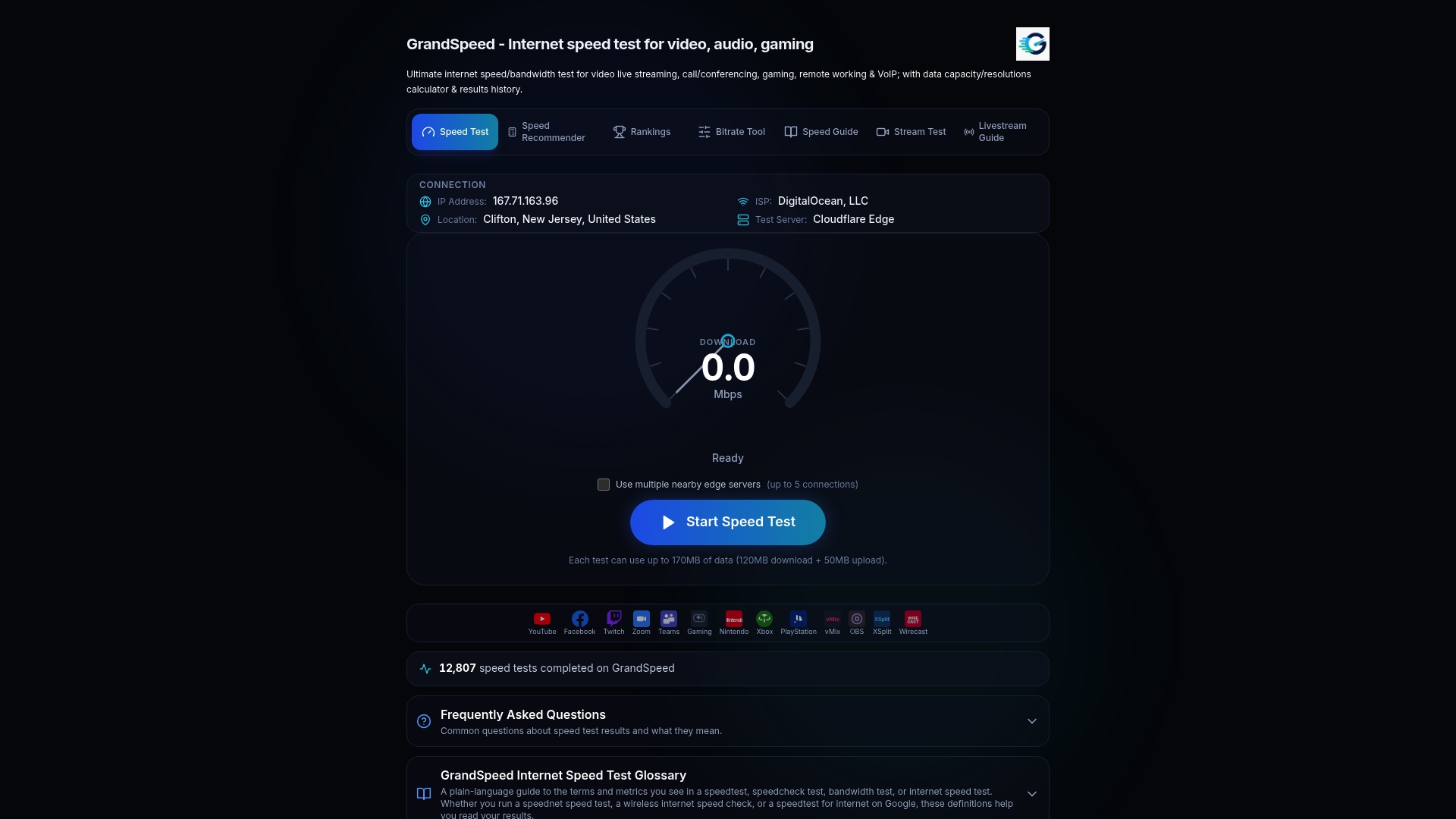
Run a baseline test on your primary WAN, then repeat it immediately after triggering failover to see exactly how much jitter or packet loss your backup link introduces under real conditions. The Stream Test at grandspeed.net is built specifically for latency-sensitive services like conferencing and live streaming, and it will also flag the maximum stream resolution your backup link can actually support, which matters if that link is a slower cellular failover path. Pair it with the multi-streaming guide to interpret jitter results against real broadcast requirements. Run your next failover test with grandspeed.net open in a second tab.
Sources
Configuration details change between firmware versions, so the primary vendor documentation is worth bookmarking directly rather than relying on secondhand summaries. UniFi's own failover and load balancing guide covers SLA probe behavior in more depth than most third-party walkthroughs. pfSense's Gateway Group documentation is the definitive source on dpinger trigger levels. RouterOS admins should reference the recursive routing guide for anything beyond a basic two-link setup, and Linux-based router builders can study the event-driven failover project for a working sub-five-second detection model. Microsoft's failover and failback reliability concepts offer a useful framework for thinking about hysteresis even outside cloud infrastructure.
- pfSense Multi-WAN Failover - Automatic Link Switchover
- fidpa/linux-dual-wan-failover
- Multi-WAN Failover with Recursive Routing | MikroTik RouterOS Docs
- Failover and failback (Microsoft Azure reliability concepts)
FAQ
What Is Dual WAN Failover?
Dual WAN failover is a router configuration that automatically switches traffic from a primary internet connection to a backup link when the primary fails health checks, minimizing downtime without manual intervention.
What Is a Dual WAN WiFi Router With Failover?
It's a router with two WAN ports that monitors both internet connections and automatically promotes the backup link to active status if the primary connection drops or degrades, often paired with WiFi for standard home or office use.
Which Dual-WAN Router Has the Best Failover Capabilities?
There's no single best option across all use cases. Platforms like pfSense, UniFi, and MikroTik RouterOS each offer strong failover tools, and the right choice depends on whether you need granular probe control, simple SLA-based automation, or advanced routing strategies like recursive anchor routing.
What's the Difference Between WAN Failover and Load Balancing?
Failover keeps one link passive and only activates it when the primary fails, while load balancing actively splits traffic across both links at the same time, which improves throughput but adds complexity to session handling during a link failure.
How Long Does WAN Failover Usually Take?
Failover timing depends heavily on probe configuration, typically ranging from a few seconds with aggressive event-driven detection to several tens of seconds or more with conservative consecutive-fail-threshold setups on platforms like pfSense or UniFi.