

Adaptive bitrate streaming (ABR) is a delivery technique that encodes video into multiple quality renditions and lets the player switch between them in real time, matching each viewer's network conditions without stalling playback. The core payoff is fewer rebuffer events and higher sustained quality across wildly different connections. Under the hood, ABR depends on four moving parts: encoded renditions, segmented chunks, a manifest that describes them, and switching logic running inside the player.
TL;DR:
- Accurate manifest attributes, especially BANDWIDTH in HLS and representation details in MPEG-DASH, are crucial for smooth ABR playback and avoiding stalls.
- Hybrid ABR algorithms that blend throughput and buffer signals are recommended, but only after measuring your rebuffer ratio and switch frequency in real conditions.
- Segment length impacts responsiveness and cache efficiency, with shorter segments suited for lower latency, but longer segments generally improve caching and storage.
- Testing real viewer connections with tools like Grandspeed's Stream Test ensures your ladder matches actual network capabilities before optimization.
- Most issues in ABR deployment stem from weak pipeline links between encoding and CDN, making deliberate encoder settings and consistent segment naming essential.
Table of Contents
- What Is Adaptive Bitrate Streaming and How Does It Work?
- Which Protocols and Manifest Formats Power ABR?
- How ABR Algorithms Decide When to Switch Quality
- Building the Implementation Pipeline: Encoding to CDN
- Tuning Your Bitrate Ladder and Player Logic
- What's Next for Adaptive Bitrate Streaming?
- Testing Your Network Before You Tune Your Ladder
- Where Most ABR Deployments Go Wrong First
- Validate Your ABR Setup With Real Network Data
- Sources
- FAQ
What Is Adaptive Bitrate Streaming and How Does It Work?
ABR starts at the encoder, not the player. Before anything reaches a viewer, the source video gets encoded into a bitrate ladder, a set of renditions at different resolutions and bitrates, from something like 240p at 400 kbps up to 1080p or 4K at several megabits per second. Each rendition then gets sliced into short segments, typically a few seconds each, so the player can request them independently and switch renditions between chunks rather than mid-file.
The sequence looks like this in production:
- Encode the source into multiple renditions, each tuned for a specific resolution and bitrate target.
- Segment every rendition into aligned chunks so the player can jump between quality levels at consistent timestamps.
- Publish a manifest (a master playlist for HLS, an MPD for MPEG-DASH) that lists every available rendition and where its segments live.
- Client requests the manifest first, learns what's available, and begins pulling segments from a starting rendition, usually a conservative one to avoid an early stall.
- Player monitors throughput and buffer health continuously, then decides whether to step up, step down, or hold steady before requesting the next segment.
That last step is where most of the engineering complexity lives. The player isn't just downloading video, it's running a small feedback loop on every segment request, and the quality of that loop determines whether viewers see smooth playback or a quality ladder that oscillates like a bad Wi-Fi signal. Cloudflare's breakdown of adaptive bitrate streaming frames this switching behavior as the mechanism that lets a single stream serve everyone from a rural LTE connection to a gigabit fiber line without separate encodes per device class.
Which Protocols and Manifest Formats Power ABR?
HLS and MPEG-DASH dominate the ABR landscape, and both rely on manifests to expose renditions to the client. The details matter more than most teams expect, because a malformed manifest attribute can silently degrade playback for a subset of viewers.
- HLS master and variant playlists use tags like
EXT-X-STREAM-INFto declare each rendition, with aBANDWIDTHattribute the player uses to make its first selection. RFC 8216 specifies these playlist rules precisely, and an inaccurate BANDWIDTH value is a common, avoidable cause of playback stalls. - AVERAGE-BANDWIDTH, an optional companion tag, gives players a steadier number to reason about than peak BANDWIDTH alone, which helps reduce unnecessary switching on variable content.
- MPEG-DASH's MPD (Media Presentation Description) plays the same role as an HLS master playlist but in XML, describing adaptation sets and representations. The dash.js reference implementation is the standard place to see MPD parsing and ABR logic in action.
- CMAF with fMP4 segments lets a single set of encoded files serve both HLS and DASH clients, cutting storage and encoding costs roughly in half compared to maintaining separate MPEG-2 TS and fMP4 packages.
- Apple devices remain strict about container support, and older TS-based HLS workflows still show up in legacy pipelines, so teams migrating to CMAF should test playback across iOS, tvOS, and older Safari builds before cutting over fully.
How ABR Algorithms Decide When to Switch Quality
Every ABR implementation is really a bet on which signal predicts the future best: past throughput, current buffer level, or some blend of both. That choice shapes everything from startup speed to how often viewers notice a quality change.
- Bandwidth-based algorithms estimate throughput from recent segment download times and pick the highest rendition that fits. They react fast to network changes but can overshoot on noisy connections, causing unnecessary switches.
- Buffer-based algorithms watch how full the playback buffer is and adjust rendition choice to keep it in a healthy range. They're more stable on jittery networks but slower to react to a sudden bandwidth drop.
- Hybrid algorithms blend both signals, using buffer state as a safety net against noisy bandwidth estimates. Most modern commercial players default to some hybrid logic.
- Server- and network-assisted approaches push some decision-making to the CDN edge or a dedicated control plane, which scales better for live events with thousands of concurrent viewers but adds infrastructure complexity most VOD-only teams don't need.
- Research algorithms like GreenABR optimize for energy efficiency on the decode side, while academic work on DoFP+ leverages HTTP/3 features such as multiplexing and request cancelation to recover from stalls faster than TCP-based HTTP/2 delivery allows.
The metrics that matter for judging any of these approaches are startup time, rebuffer ratio, number of quality switches per session, and perceptual quality scores like VMAF. Optimizing for one in isolation usually hurts another, which is the entire reason hybrid designs exist.
Pro Tip: Don't chase a fancier ABR algorithm before you've measured your own rebuffer ratio and switch frequency in production. Teams that swap algorithms without a baseline usually can't tell if the change actually helped.

Building the Implementation Pipeline: Encoding to CDN
Getting ABR into production is a pipeline problem as much as an encoding one, and most playback complaints trace back to a weak link somewhere between the encoder and the CDN edge, not the ABR logic itself.
- Choose encoder settings deliberately. VBR generally beats CBR for per-title efficiency since it allocates bits where the content actually needs them, and per-title encoding, which tunes the ladder to a specific video's complexity, can meaningfully cut average bitrate without a visible quality drop.
- Pick a segment length that matches your latency needs. Shorter segments, in the 2 to 4 second range, support lower-latency workflows like LL-HLS or chunked CMAF, while longer segments around 4 to 6 seconds compress better and cache more efficiently on a CDN, according to Unified Streaming's engineering guidance.
- Decide between prepackaged and on-the-fly transmuxing. Prepackaged output is predictable and easy to debug; on-the-fly transmuxing saves storage but pushes CPU load and manifest correctness risk to request time.
- Design CDN cache keys and segment naming carefully. Consistent, predictable segment URLs are what let edge caches serve the same chunk to thousands of viewers instead of re-fetching from origin. Akamai's adaptive media delivery documentation covers edge caching patterns specific to ABR workloads.
- Instrument the player for telemetry from day one. Collect bandwidth samples, buffer occupancy over time, rendition switch events, and periodic VMAF sampling if you can afford the compute, since this data is what actually tells you whether your ladder and algorithm choices are working.
Segment length alone can swing perceived responsiveness and cache-hit rate in opposite directions, which is why there's no universal "correct" number, only a trade-off tuned to your latency target and CDN footprint.
Tuning Your Bitrate Ladder and Player Logic
A well-tuned ladder looks boring on paper and performs well in practice, which is exactly the point. Get the fundamentals right before reaching for exotic optimizations.
- Space ladder rungs by roughly 1.5x to 2x bitrate between adjacent renditions; tighter spacing wastes encoding and storage, wider spacing creates visible quality jumps when the player switches.
- Set your top rung to match your actual audience, not an aspirational 4K target nobody's bandwidth supports, and set your bottom rung low enough to keep low-bandwidth viewers playing rather than buffering.
- Choose codecs based on device reach, not just efficiency. H.264 still has the broadest compatibility, HEVC cuts bitrate meaningfully for supported devices, and AV1 offers the best compression but with more limited hardware decode support as of 2026.
- Align segment boundaries with GOP structure. Every segment should start on a keyframe, or players can't switch cleanly between renditions without a visible glitch.
- Tune switch hysteresis so the player doesn't ping-pong between renditions on borderline bandwidth. A small delay before switching down, and a slightly longer one before switching back up, prevents the flickering-quality effect viewers hate most.
Pro Tip: If you only tune one thing this quarter, tune your rebuffer-versus-quality weighting in the player's ABR logic. Most off-the-shelf players default to being too aggressive about quality, which trades a smoother-looking bitrate for more frequent stalls.
What's Next for Adaptive Bitrate Streaming?
A handful of research directions are close enough to production-ready that teams building new pipelines in 2026 should at least evaluate them.
- Dynamic resolution switching and per-title optimization are moving from VOD-only tricks into live-compatible pipelines. One recent dynamic resolution switching pipeline reported roughly 9% BD-rate savings on live sports sequences, meaning comparable quality at meaningfully lower bitrate, though live adoption still depends on lightweight quality scoring that avoids the compute cost of full pre-encoding analysis.
- Energy-aware and reinforcement-learning-based ABR methods, including GreenABR-style approaches, trade some decoding efficiency gains against real hardware and compute demands that not every deployment can absorb yet.
- HTTP/3's multiplexing and request cancelation give ABR algorithms a faster path to recover from a bad segment request without blocking the rest of the connection, a genuine improvement over HTTP/2 head-of-line blocking in lossy network conditions.
- Immersive and volumetric media are pushing early experiments into adaptive streaming for 3D scenes and point clouds, an area still far from standardized but worth watching if your roadmap touches AR or VR content.
Testing Your Network Before You Tune Your Ladder
None of the ladder and algorithm decisions above mean much without real data on the networks your viewers actually use. Running a comprehensive speed test gives you download and upload speed alongside latency, jitter, packet loss, and bufferbloat, the metrics that predict whether a given rendition will play smoothly or stall.
- Run Stream Test across a sample of real viewer connections, not just your office Wi-Fi, to see the bandwidth distribution you're actually designing for.
- Feed the Video Bitrate Calculator your measured bandwidth to see which resolutions and bitrates a connection can sustain without buffering.
- Map that distribution to your ladder: if a meaningful share of viewers test below your second-lowest rung, you likely need a lower floor.
- Treat every ladder or algorithm change as an experiment. Retest before and after with the same tools to confirm the change actually helped real viewers, not just your staging environment.
Where Most ABR Deployments Go Wrong First
Instrument before you optimize. Teams that jump straight to a hybrid ABR algorithm or per-title encoding before they've measured their own rebuffer rate are usually solving a problem they haven't confirmed exists. Start with a conservative, well-spaced ladder, watch real telemetry for a few weeks, then reach for advanced techniques once you actually have the scale and content diversity to justify the added complexity.
— Peter D
Validate Your ABR Setup With Real Network Data
Every ladder decision in this article assumes you know what your viewers' connections can actually handle, and guessing is where most streaming quality problems start. Grandspeed's Stream Test measures download and upload speed, latency, jitter, packet loss, and bufferbloat in one pass, then tells you the maximum live stream resolution your tested connection supports.
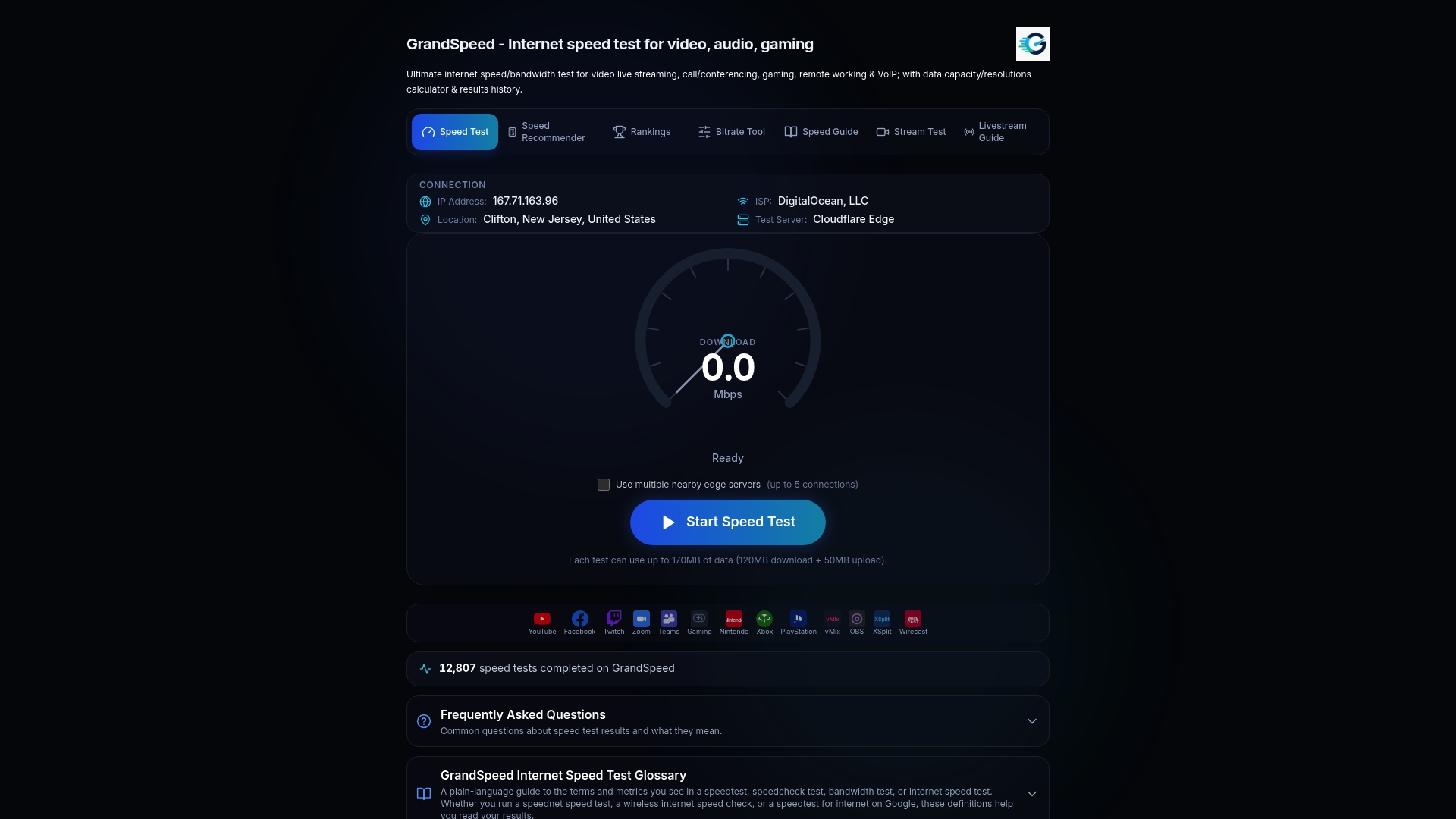
Pair that with the Video Bitrate Calculator to translate raw bandwidth numbers into concrete bitrate and resolution recommendations for your ladder's top and bottom rungs. If you're planning a live production setup, the livestreaming guide walks through connection requirements alongside encoder and camera choices. Run a test on a few representative connections today and check the results against your current ladder.
Sources
- Dynamic Resolution Switching (DRS) pipeline (arXiv / 2026)
- What is adaptive bitrate streaming? | Cloudflare
FAQ
Is Adaptive Bitrate Streaming Good for Video Quality?
Yes. By matching video quality to real-time network conditions, ABR reduces rebuffering and lets viewers get the highest sustainable quality their connection supports, rather than a fixed bitrate that stalls on weaker connections.
Does Netflix Use Adaptive Bitrate Streaming?
Yes, Netflix and nearly every major streaming service use adaptive bitrate streaming, encoding multiple renditions and switching between them based on each viewer's real-time bandwidth and device.
What Is the Best Bitrate for Streaming?
There's no single best bitrate. It depends on resolution, codec, and content complexity, which is why a properly designed ladder offers multiple bitrate rungs rather than one fixed value, and testing your actual connection with a tool like Grandspeed's Stream Test is the most reliable way to find what your setup can sustain.
What Bitrate Does Netflix Stream At?
Netflix's exact per-title bitrates aren't publicly documented and vary by content complexity and device, but the company is known for using per-title encoding to tune bitrate to each piece of content rather than applying one fixed number across its catalog.